
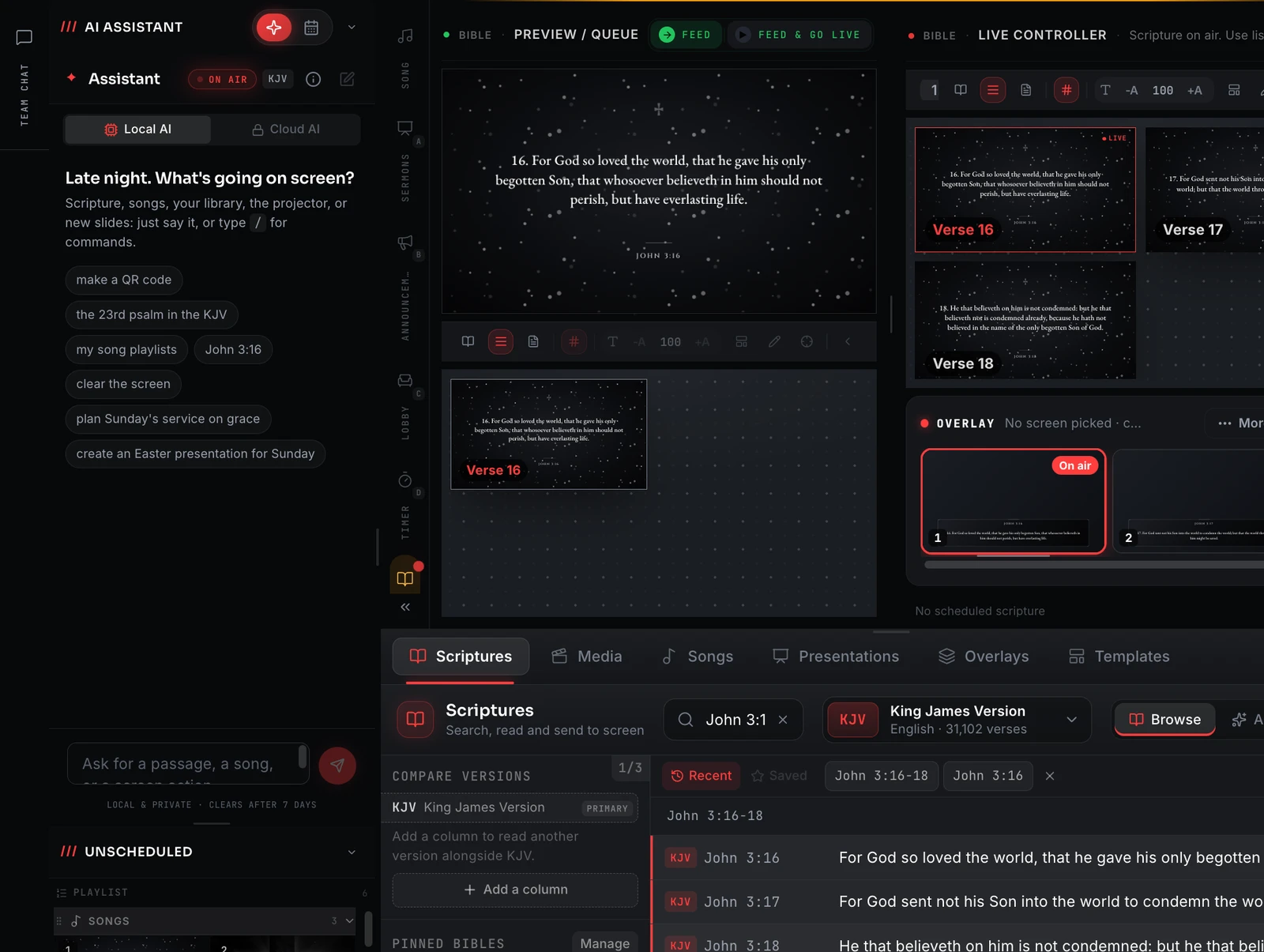
Type what you want on screen
Open the assistant, type "feed and go live Psalm 23", and it is on the projector. No hunting through a library, a Bible browser and a screen menu between songs.
One box. It doesn't just search, it acts.
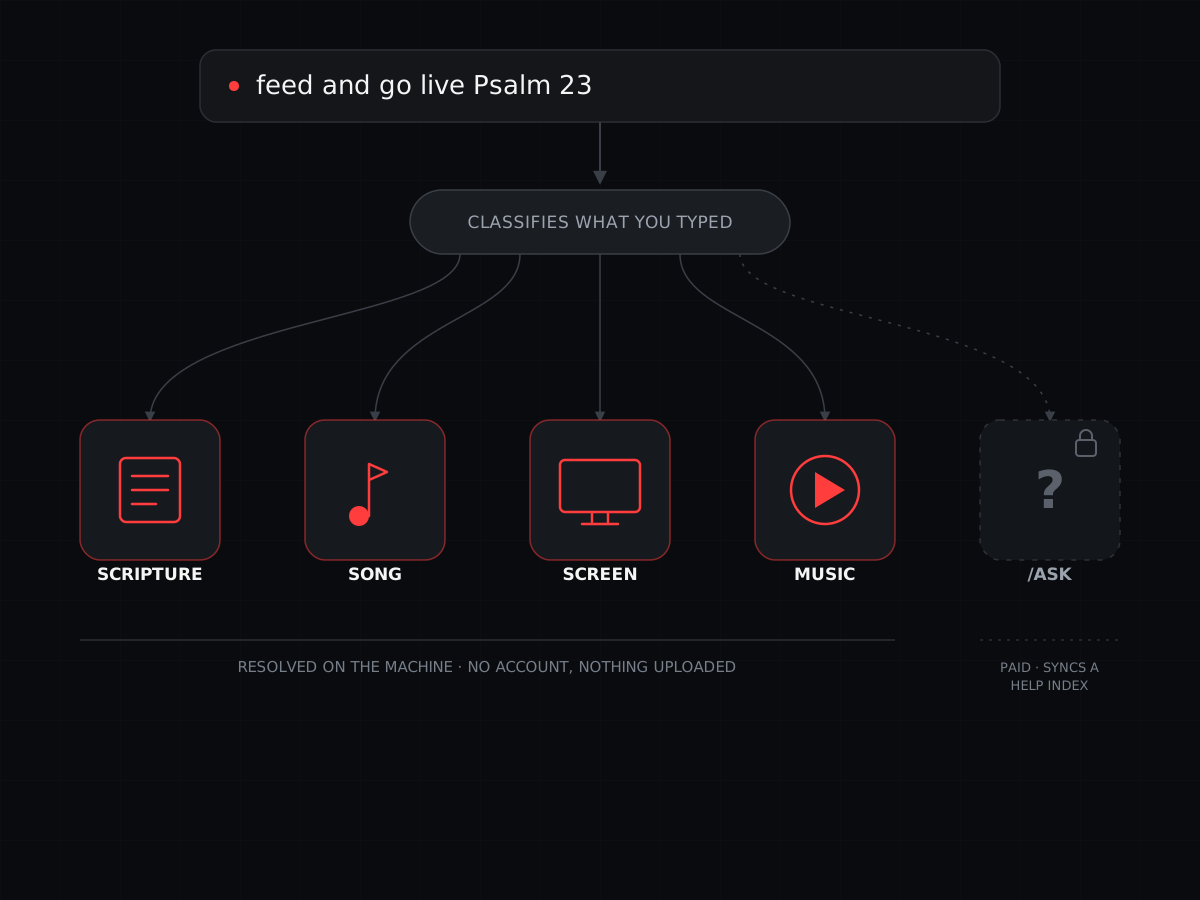
Type a reference, a theme, a song title or a screen command into one box and the assistant works out which it was. An exact match runs straight away and logs a receipt in the thread; more than one match becomes a short pick list instead of a guess. Scripture, song, screen and music requests resolve on the machine, with no account and nothing you type ever leaving it.
"/ask", for how-to questions about the app itself, is the one exception: it keeps a help index synced in the background on Pro Sunday and up. What you type still never leaves the machine, only that index needs an occasional connection to stay current.
- One box for a reference, a theme, a song title or a screen command
- An exact match runs and logs a receipt; more than one match becomes a pick list
- Scripture, songs, screen and music commands resolve on the machine, no account
- "/ask" (paid plans) answers how-to questions, and never sends what you type
Plain English, one box
A reference, a theme, a song title or a screen command: you type it, and the assistant decides which it was.
It acts, it doesn't just search
Type "feed and go live Way Maker" and the song goes to air. The assistant runs the action rather than handing you a result to click.
Runs on the machine
Scripture, song and screen commands resolve locally, with no cloud, no account and nothing leaving the booth.
"/ask" for how-to
Ask how to do something in the app and it answers from the built-in guides, step by step.
One box, sorted by what you typed
The assistant reads each line and routes it to one of five resolvers. "Romans 8" and "verses about hope" are scripture. "Cornerstone" is a song. "blackout" is a screen command. A track title is music. "/ask how do I go live" is the one gated resolver, a how-to question. You do not pick a mode first; you just say the thing, and the classifier works out which lane it belongs in.
- Scripture: a reference, a theme, a story, or a Bible-knowledge question
- Songs: by title, or by a line of the lyric
- Music: play an MP3 from the media library with /playmusic
- Screen: blackout, clear the text, restore
- It keeps the thread, so "more" and "in the NIV" carry on from the last answer
Say it, and it happens
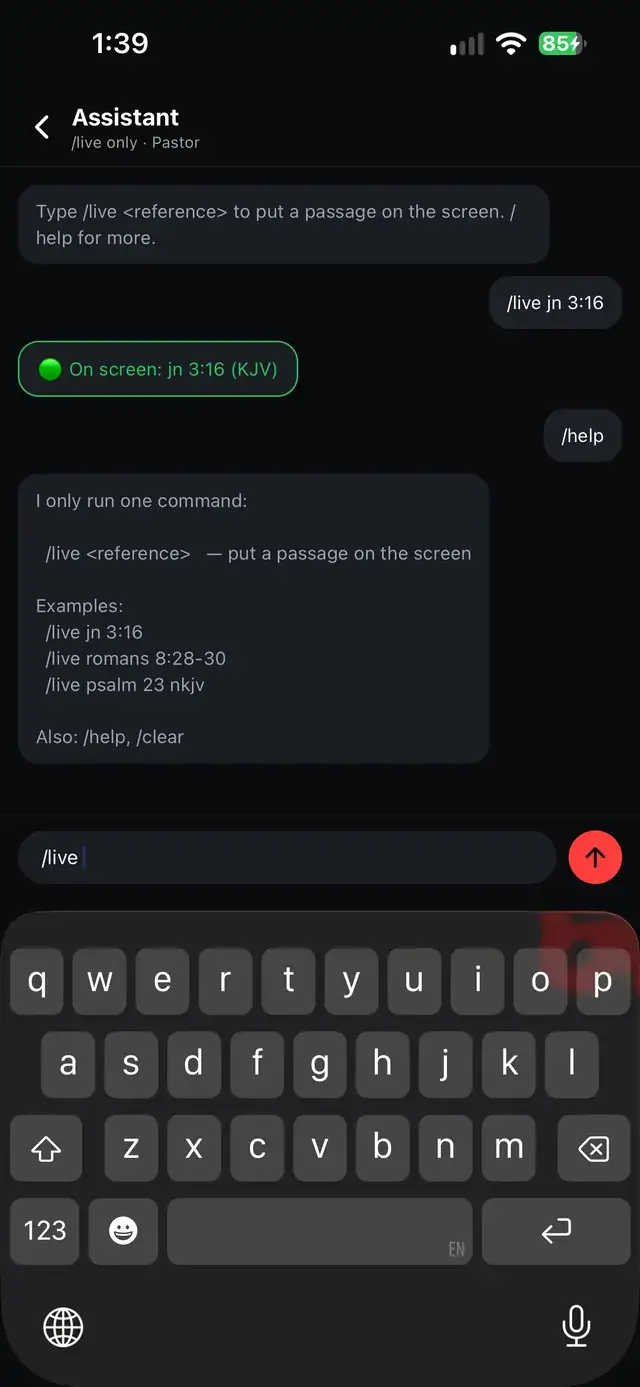
Prefix a request with "feed" and it lands in the feed, staged but off screen. Prefix it with "feed and go live" and it goes straight to the projector. When the title is unambiguous the assistant runs it immediately and logs a receipt; when more than one song matches, it shows the shortlist so you choose. A paired phone gets its own, narrower command for the same idea: a Pastor's phone running just "/live <reference>" to put a passage up without the full command surface.
- "feed Psalm 23" stages it in the feed, with nothing on screen yet
- "feed and go live Psalm 23" puts it on the projector now
- An exact match runs at once; an ambiguous one becomes a pick list
- Every send is confirmed in the thread, so you can see what went out
Not a cloud chatbot
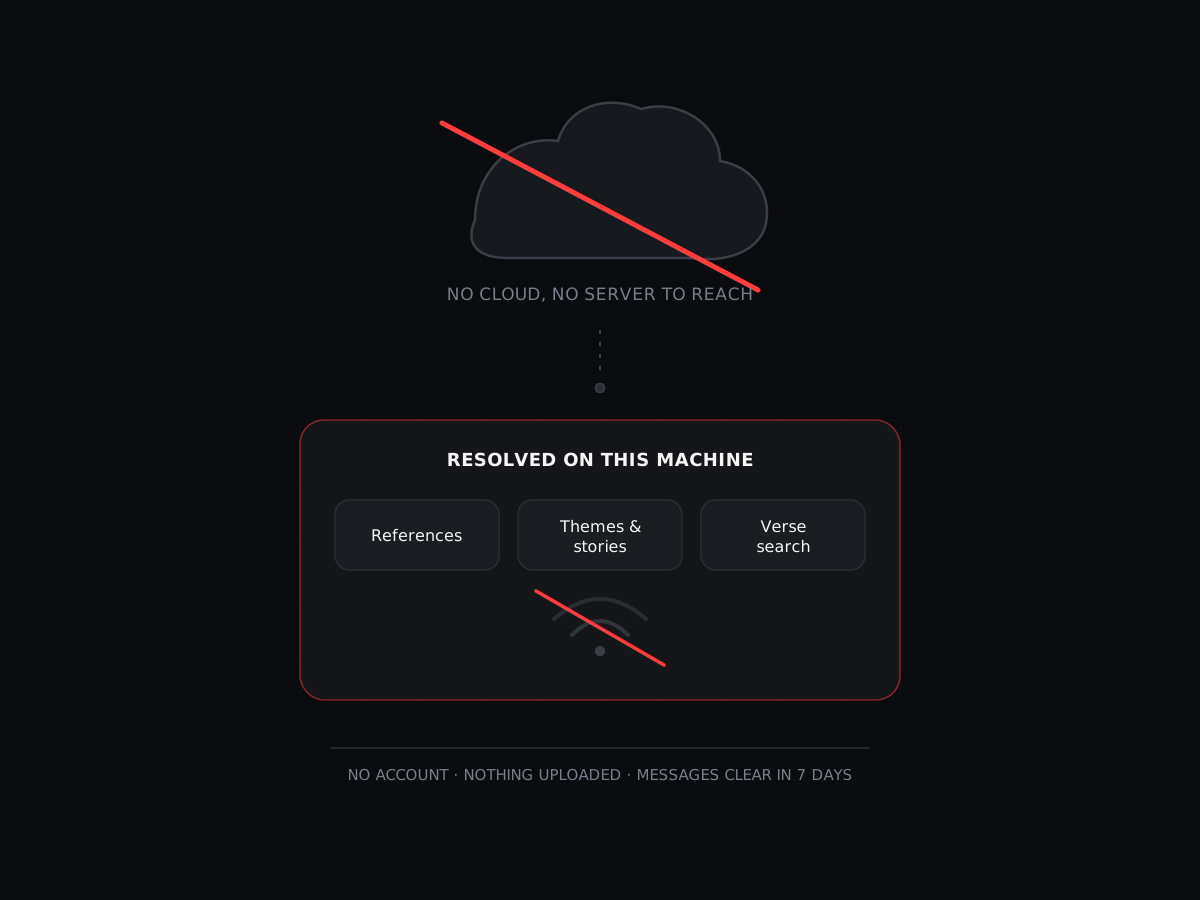
The assistant is a fast, dependable resolver, not a language model. It parses references itself, carries a curated index of themed passages and Bible stories, and searches the verse text of the Bibles you have installed, both by meaning and by wording. Scripture, song, screen and music requests run with no internet connection and never send your prompts anywhere. The conversation is kept on the machine and clears itself on a schedule.
- Reference parsing, themes and stories are built in, with no lookup service
- Verse search runs over your installed Bibles, on the machine
- No account, and nothing you type is ever uploaded
- Messages clear after 7 days; the thread resets after 14
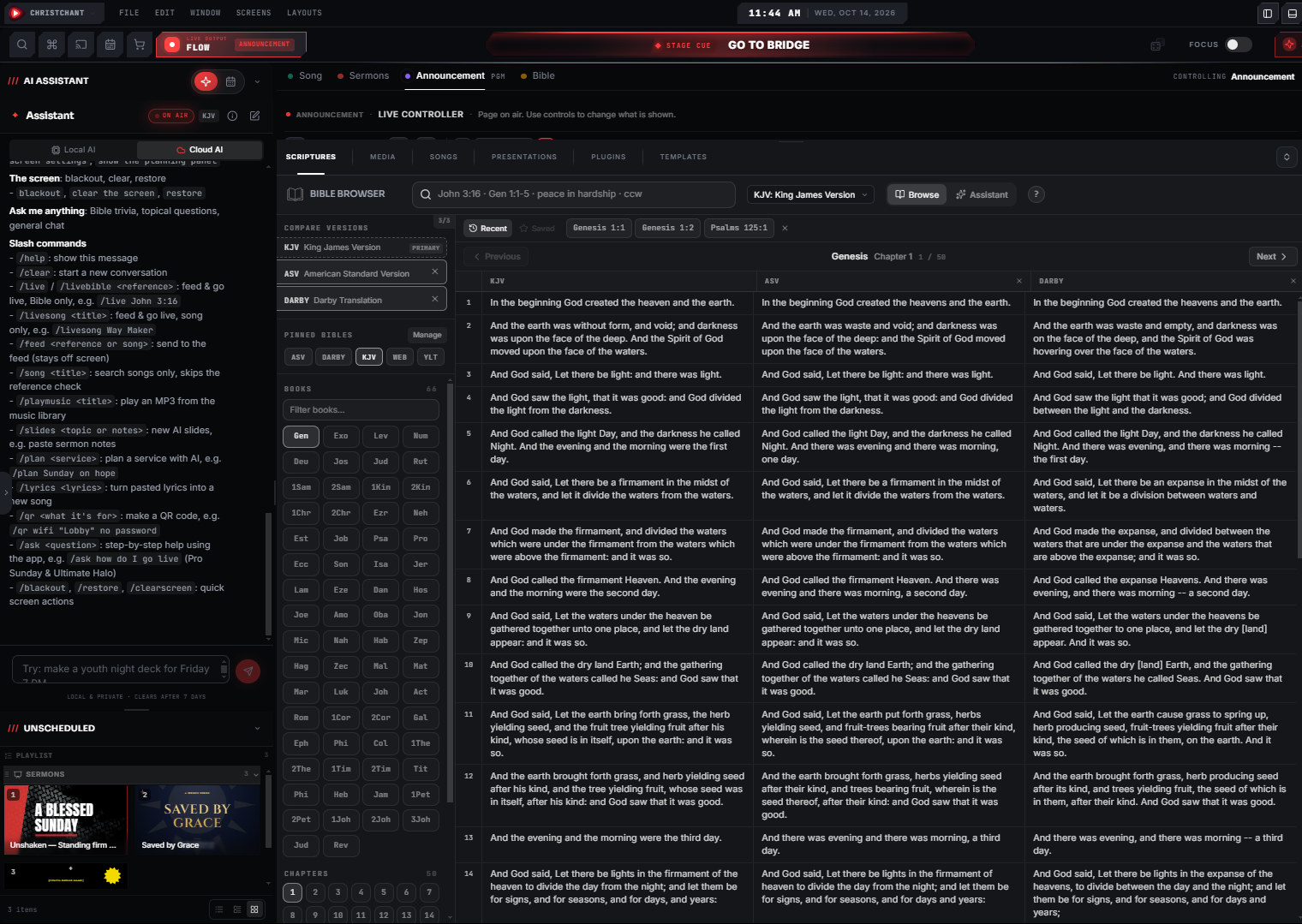
"jn" is John, however much of it you ask for
The assistant reads shorthand the way you would actually type it, not just a formal reference, and it understands how much you are asking for. "jn 3" alone puts the whole chapter up. Add a verse and it narrows to that one, like "jn 3:16", or give a range, like "jn 3:16-19", and just that span goes live. Every send confirms in the thread with exactly what went out, such as "Fed & Live: John 3:1 (KJV)". The full command list sits right there in the panel: /livesong feeds and goes live with a song only, /feed stages a reference or song without putting it on screen, /song and /playmusic search without triggering a reference check, /ask gives step-by-step help, and /blackout, /restore and /clearscreen handle the screen itself.
- "jn" is read as John, whichever book abbreviation you use
- A chapter alone, like "jn 3", puts the whole chapter up
- Add a verse or a range: "jn 3:16" or "jn 3:16-19"
- /blackout, /restore and /clearscreen handle the screen itself
The assistant, and its scripture, song and screen commands, are free on every plan. "/ask", which gives step-by-step help with the app itself, is part of Premium.
About this feature
No. It does not generate text. It parses references, matches a curated set of themes and stories, and searches the verse text you have installed. Scripture, song, screen and music requests work with no internet connection at all. "/ask" is the one exception: it keeps a help-article index synced in the background, but it never sends what you typed anywhere.
Try it before next Sunday
Start Premium trial
Free for 30 days with every Premium feature: stage screen, extra outputs and broadcast. No card, and you keep the app on the Free plan afterwards.
Create account and start trialThree steps: create your account, start your 30-day Premium trial in one click, then download ChristChant and sign in. Every feature, no credit card.