
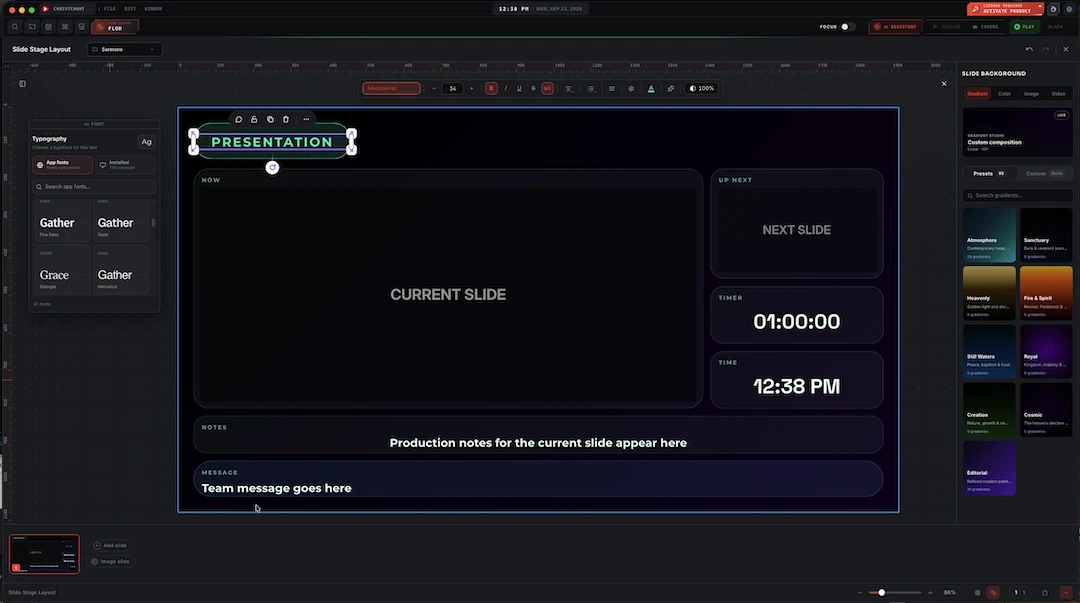
Chords that follow the key you're actually in
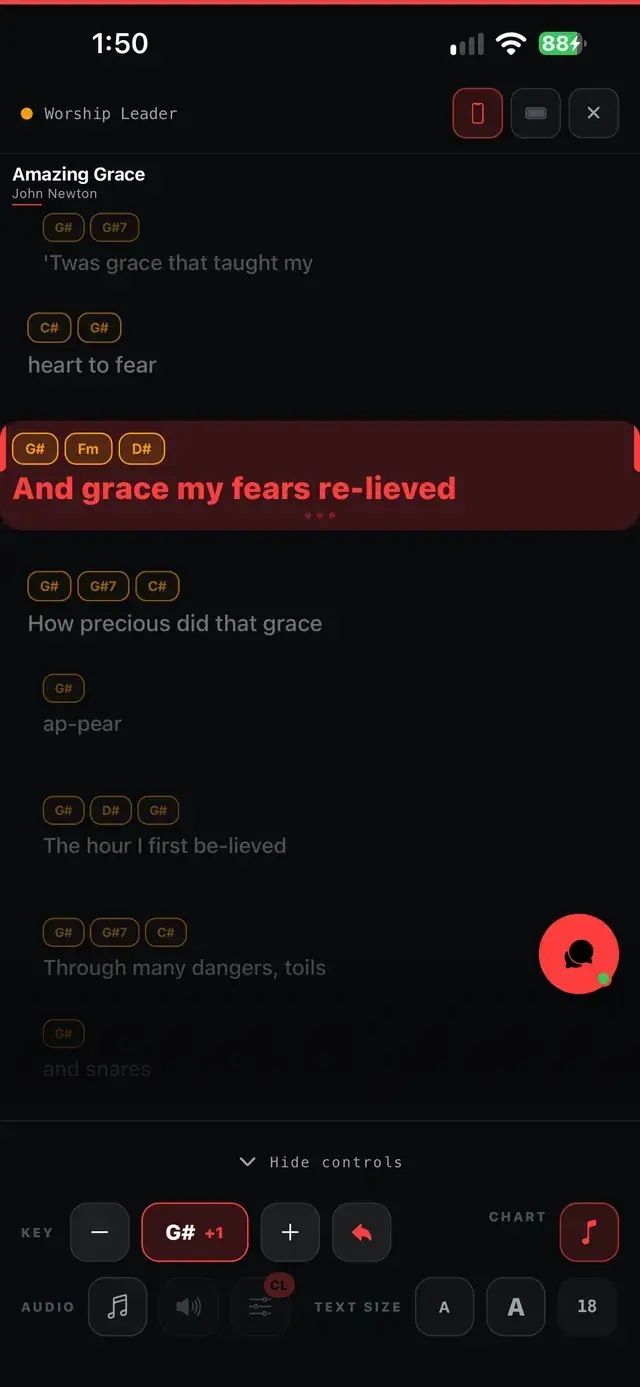
The vocalist cannot reach it, so you drop it a tone. That decision usually means someone re-writing a chord sheet in the car park. Here it is two button presses, and every screen the band is reading follows.
Chords inside the lyrics
Written inline where they belong, as [Am], [C/E], [Fmaj7], not on a separate sheet.
Paste a chord sheet
Chords typed on the line above the words are detected and snapped to the right syllable.
Transposed on the stage screen
The band reads the new chords, with the key change shown in the header.
Change key from the remote
The phone can send a transpose, so the call can come from the stage.
![The song editor for "Amazing Grace": key, BPM and time signature fields, and Verse/Chorus sections with chords written inline in brackets, like [G]how sweet the [C]sound](/images/song-lyrics-chords-editor.webp)
Chords belong with the words
A song stores its chords inline with the lyrics, in the bracket style musicians already write in. That keeps each chord attached to the exact syllable it lands on, so nothing drifts when the text wraps to a different width on a different screen.
- Inline chord brackets: [Am], [G], [C/E], [Fmaj7]
- Section headers stay section headers, not chords
- Extensions, sus, add, augmented and diminished all understood
- The chord stays attached to its syllable at any screen width
![Three sections of "Amazing Grace" (Verse 1, Chorus, Verse 2), each marked Enhanced, with chords in [G] bracket notation placed throughout the lyrics and an Enhance Chords button above](/images/song-chord-ai-enhancer.webp)
However the chords arrive, it sorts them out
Chord sheets in the wild are written with the chords on a line above the words, spaced out with the right number of characters. Paste one in and the aligner reads those columns, works out which word each chord sits over, and merges the two lines into a single chorded lyric. Writing from scratch, embed a chord anywhere with the same [C] bracket notation, then hand it to Enhance Chords: it converts and arranges everything you typed into a clean, aligned chart in one click.
- Paste a chord sheet and it aligns to the lyric automatically
- Or embed chords as you type, in [C] bracket notation
- Enhance Chords converts and arranges them in one click
- Recognises slash chords, sus2/sus4, add and altered chords
![A song open on the phone with chords in [C] notation above the lyrics and chord diagrams for G, G7, C, Em and D](/images/app/song-chords.webp)
The chart to read through before Sunday
The same song opens in a lighter theme, easier to read through on a phone before the service than the stage's dark screen. Chord diagrams for everything the song uses sit at the top, and every chord in the lyric lands over the exact word it belongs to, so practicing from it is practicing the real chart, not a stand-in for it.
- A light theme, easier to read while working through the chart
- Chord diagrams for every chord the song uses, right at the top
- Chords sit above the exact word they land on, same as on stage
- The same chart the band reads live, just for reading first
Cues, the transposer and the click, all from one phone
A paired Worship Leader or Pastor phone is not a read-only monitor. It can trigger a stage cue directly, with nothing to approve at the booth first, and a typed cue can be spoken aloud as a text-to-voice announcement instead of just displayed. It can send a transpose the stage screen picks up at once, too, and it carries the same click the band's phones are following.
- Stage cues trigger directly from a paired Worship Leader or Pastor phone
- A typed cue can be read aloud as a text-to-voice announcement
- A transpose sent from the phone updates the stage screen at once
- The metronome's click plays on the same phone as the band's
Chords and transposition work on every plan. The stage screen the band reads them from is a Premium capability. See pricing for the full split.
About this feature
Inline with the lyrics in bracket form, as [Am], [G], [C/E], [Fmaj7], so each chord stays attached to the syllable it belongs to rather than to a character position on a separate line.
Try it before next Sunday
Start Premium trial
Free for 30 days with every Premium feature: stage screen, extra outputs and broadcast. No card, and you keep the app on the Free plan afterwards.
Create account and start trialThree steps: create your account, start your 30-day Premium trial in one click, then download ChristChant and sign in. Every feature, no credit card.