
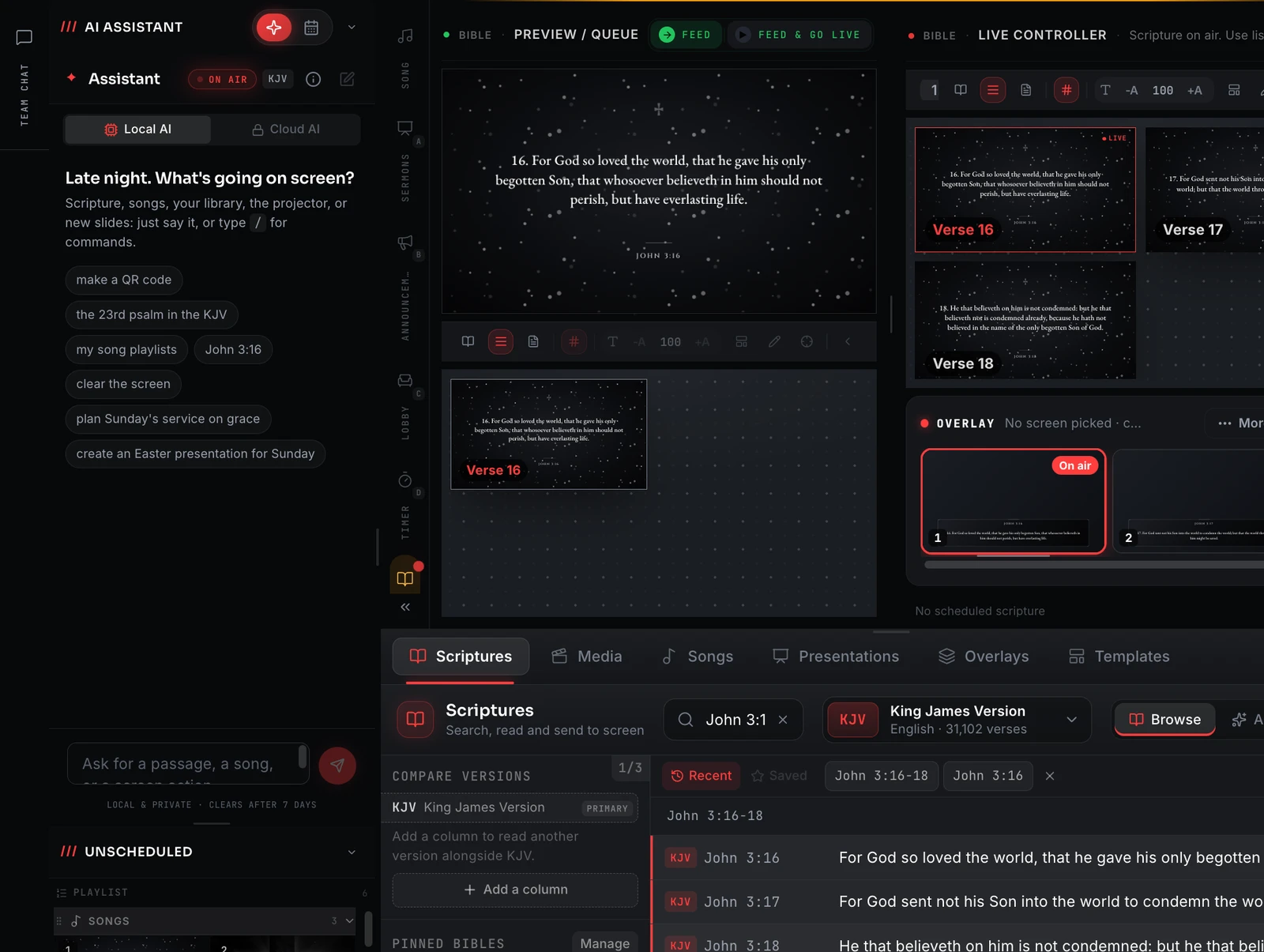
Scripture that is already on the machine
A passage should appear the moment you call it, not after a request to somewhere else succeeds. The text ships inside the app, on the desktop and on your phone.
Bundled, not fetched
The text is stored locally, so there is no round-trip before it hits the screen.
Reference and keyword search
Jump to a reference or search the text, with no signal required.
Highlights and notes
Mark passages on your phone and they stay on the device.
A real reading app
Swipe-through chapters, bookmarks, and light, dark and sepia themes.
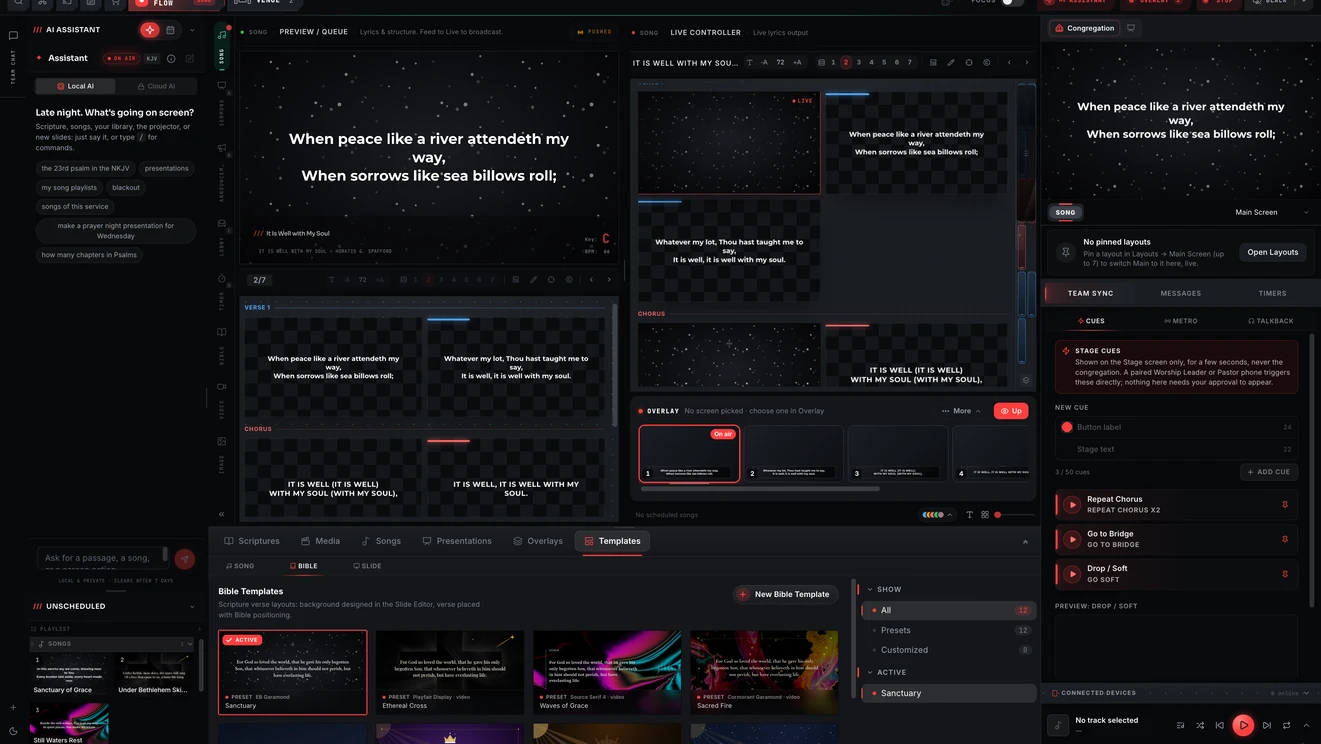
Straight onto the screen, in a design made for scripture
Scripture goes out through the same output pipeline as your songs and media, styled with the same templates, so a passage does not arrive looking like it came from somewhere else. Bible templates such as Starlight lay the verse, its reference and the background out together.
- Put a passage on screen without a network round-trip
- Verse and reference styled together by a Bible template
- Works with the building's connection down
- Available on every plan
The band and the booth see the Bible too
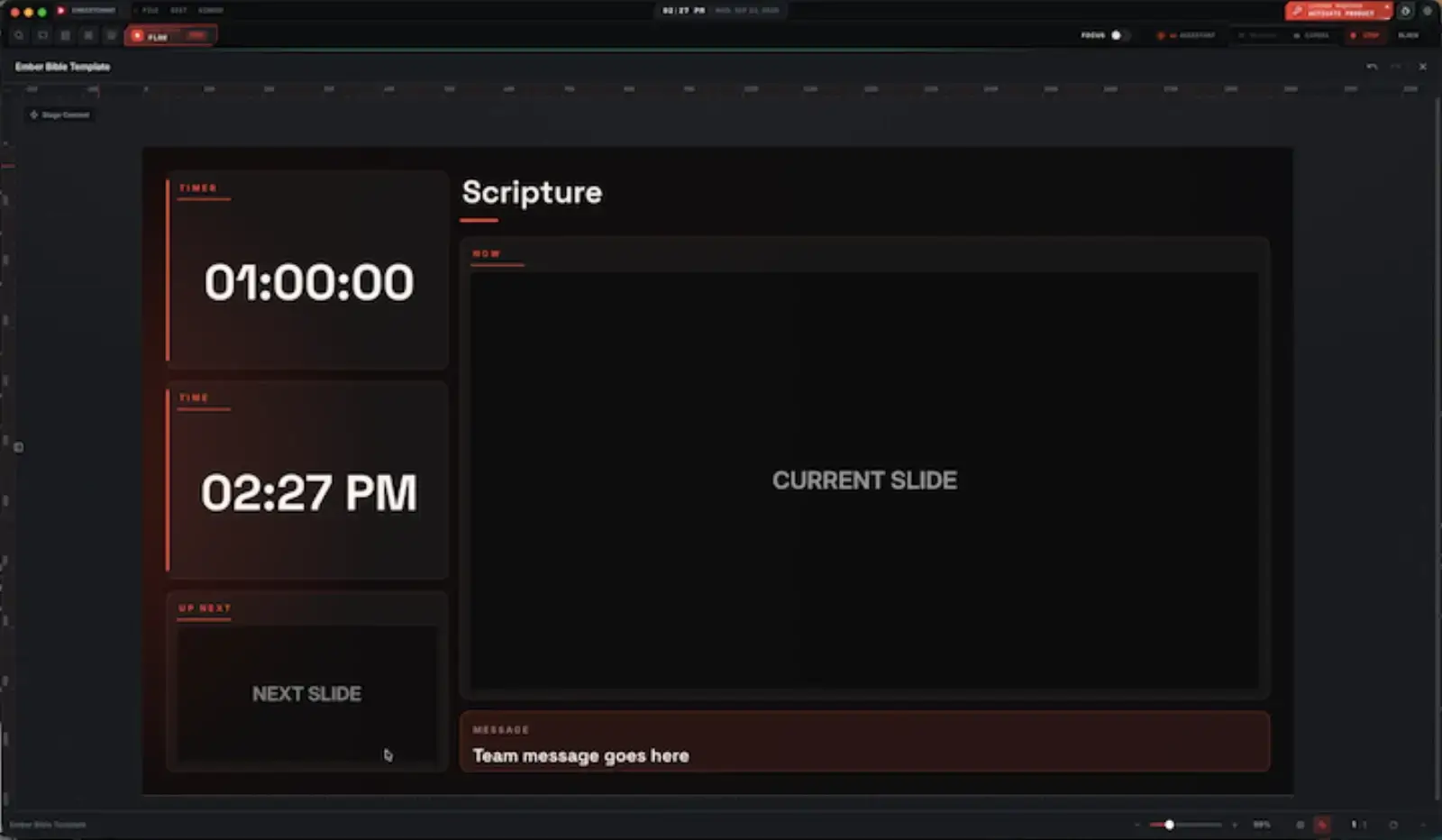
A Bible stage layout puts the scripture panel beside a countdown, the clock, the next slide and a strip for team messages, so whoever is reading or leading sees what the congregation sees and what comes after it. It is built in the same editor as every other layout.
- Scripture panel alongside timer, clock and next slide
- A message strip for the team
- Edited in the same layout editor as the rest of the stage screen
- The stage display arrives with Premium
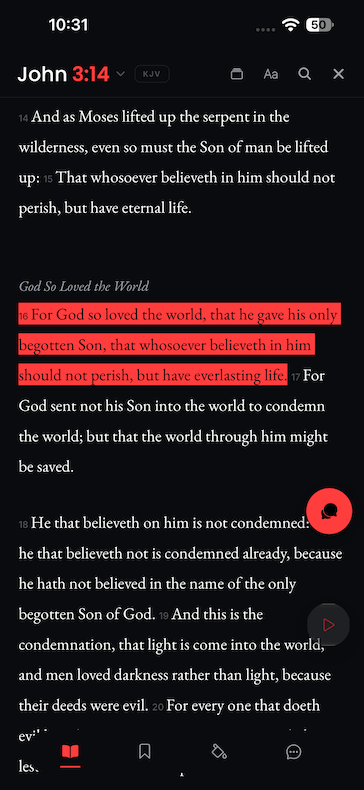
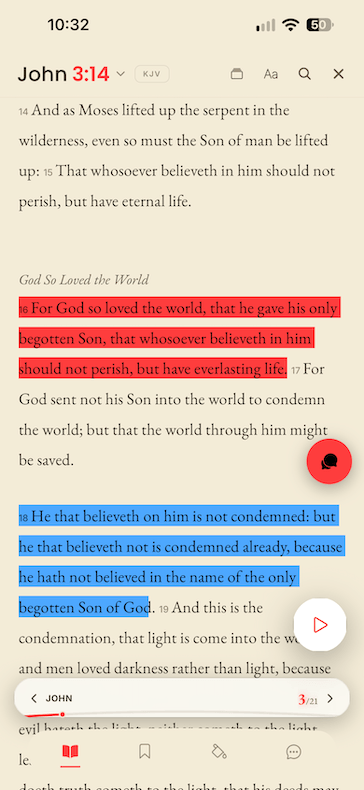
And a full Bible on the phone
The same mobile app that acts as the slide remote is a complete offline Bible in its own right, for reading through the week, not only for Sunday. Mark a verse and it stays on the device.
- Full Bible text stored on the device
- Highlights in more than one colour, bookmarks and notes
- Reference and keyword search with no signal
- Light, dark and sepia reading themes
About this feature
Yes. The text is stored locally on both the desktop and the mobile app, so nothing about putting a passage on screen depends on a connection.
Try it before next Sunday
Start Premium trial
Free for 30 days with every Premium feature: stage screen, extra outputs and broadcast. No card, and you keep the app on the Free plan afterwards.
Create account and start trialThree steps: create your account, start your 30-day Premium trial in one click, then download ChristChant and sign in. Every feature, no credit card.