
Beyond traditional presentation software.Built for modern ministry.
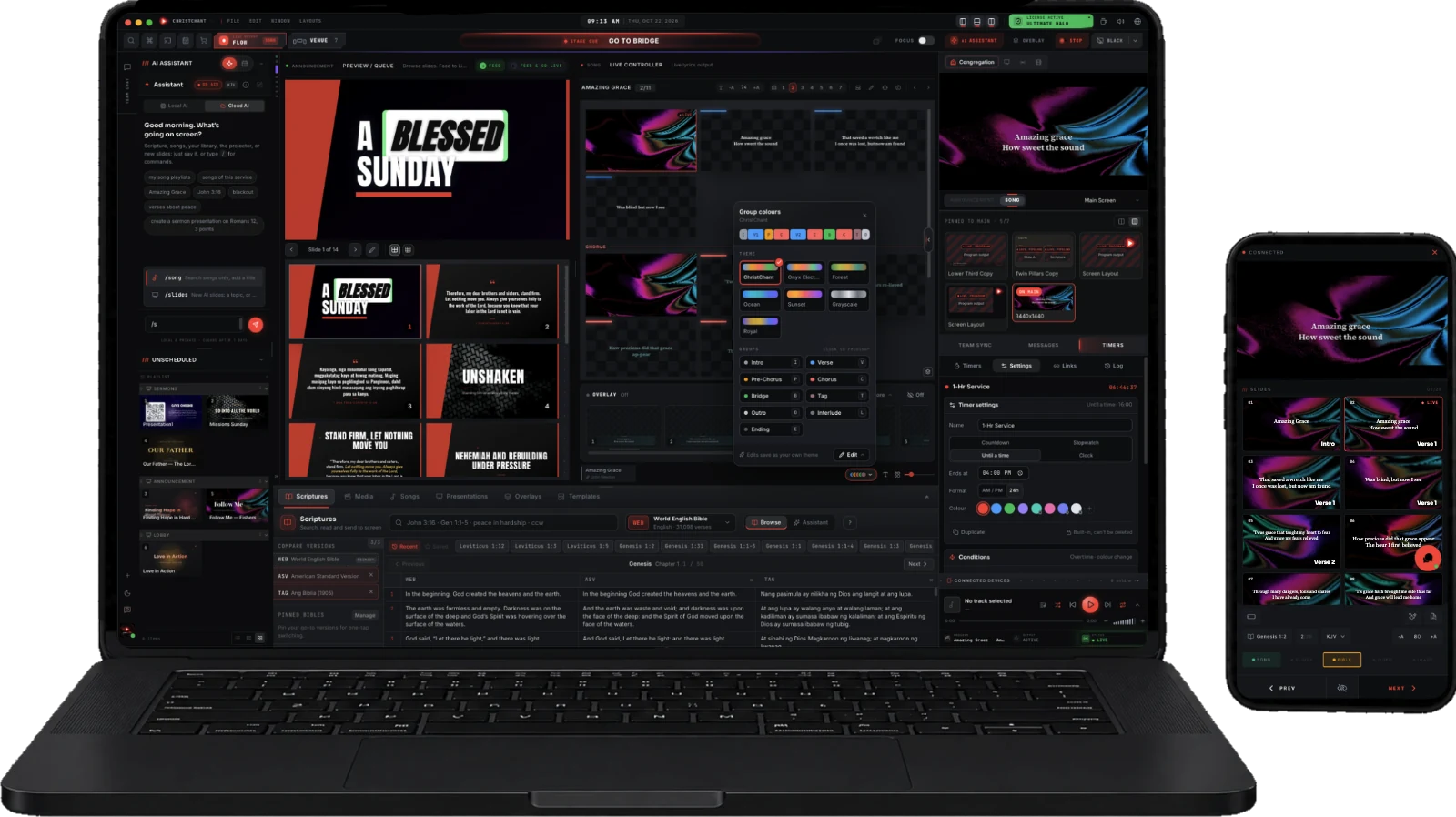
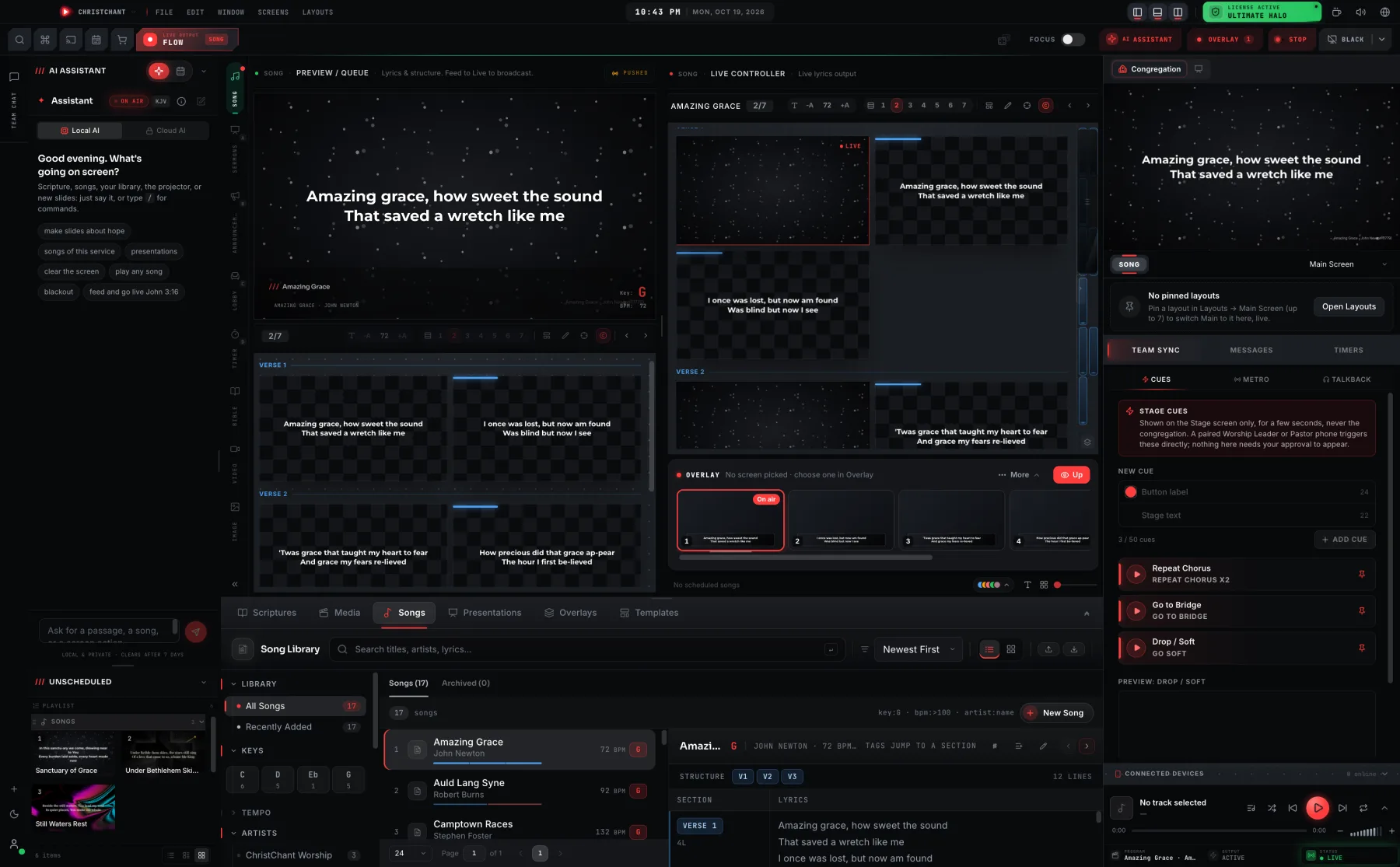
ChristChant is advanced multi-screen presentation software, powered by an AI assistant that puts a verse, a song, or a full cue live the moment you type it. Behind it, eight independent pipelines route and blend customized lyrics with chords and a transposer, scriptures, video, images and up to 4 slide sources to your congregation, stage worship team, and lobby views at the same time, complete with a mobile remote and annotator.
No card required · Every Premium feature for 30 days · Free to keep after

Built for churches like
One slide. Two layers.
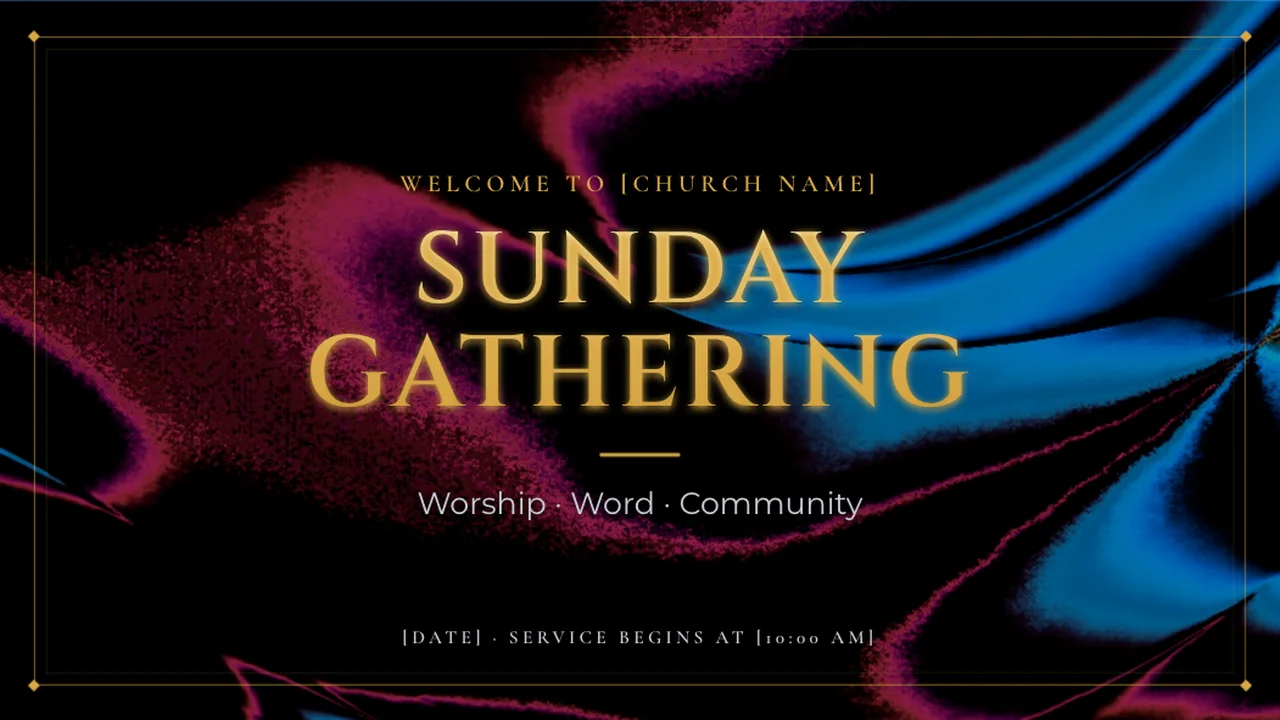
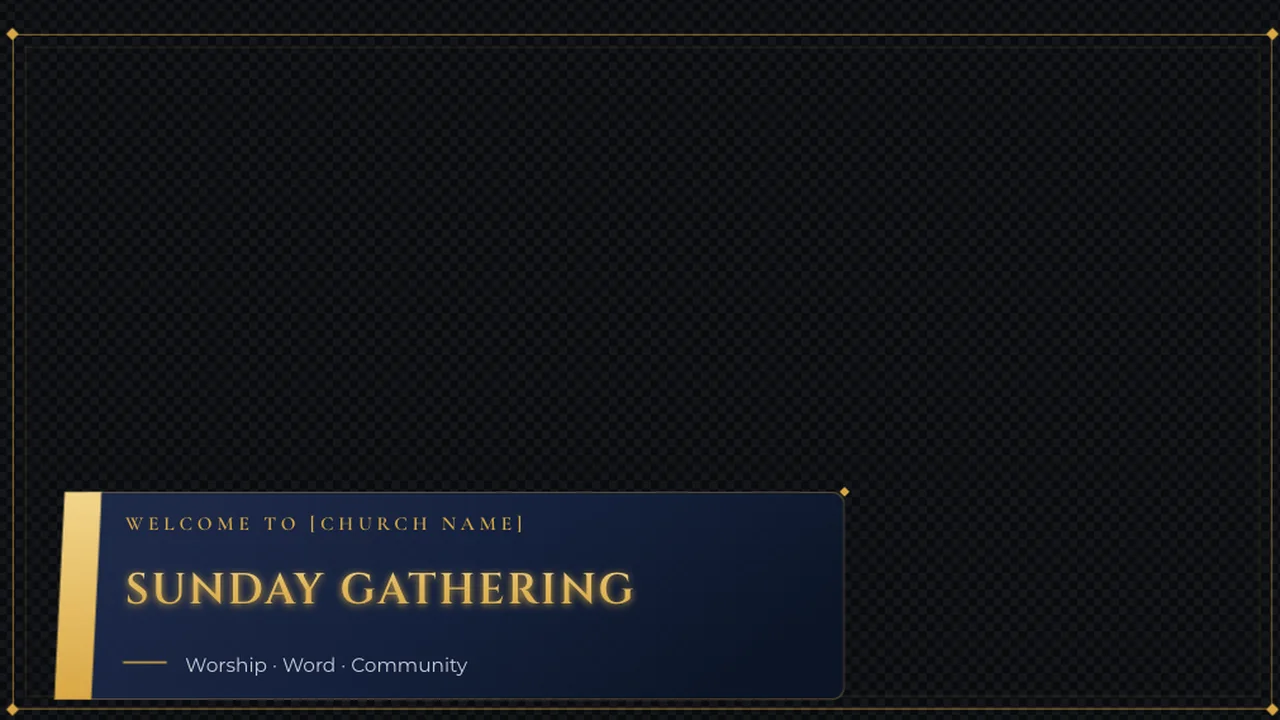
Every slide carries a Main page for the room and a see-through Overlay twin, saved in the same file. The projector gets the full slide while the livestream gets a clean lower third over the camera, from one click.
- PropsLower thirds, logos, QR codes
- MessageAudience messages, your design
- SlidesEach slide’s overlay page
- LyricsEvery line, as a lower third
- BibleEvery verse, as a lower third
12 looks. Any size you need.
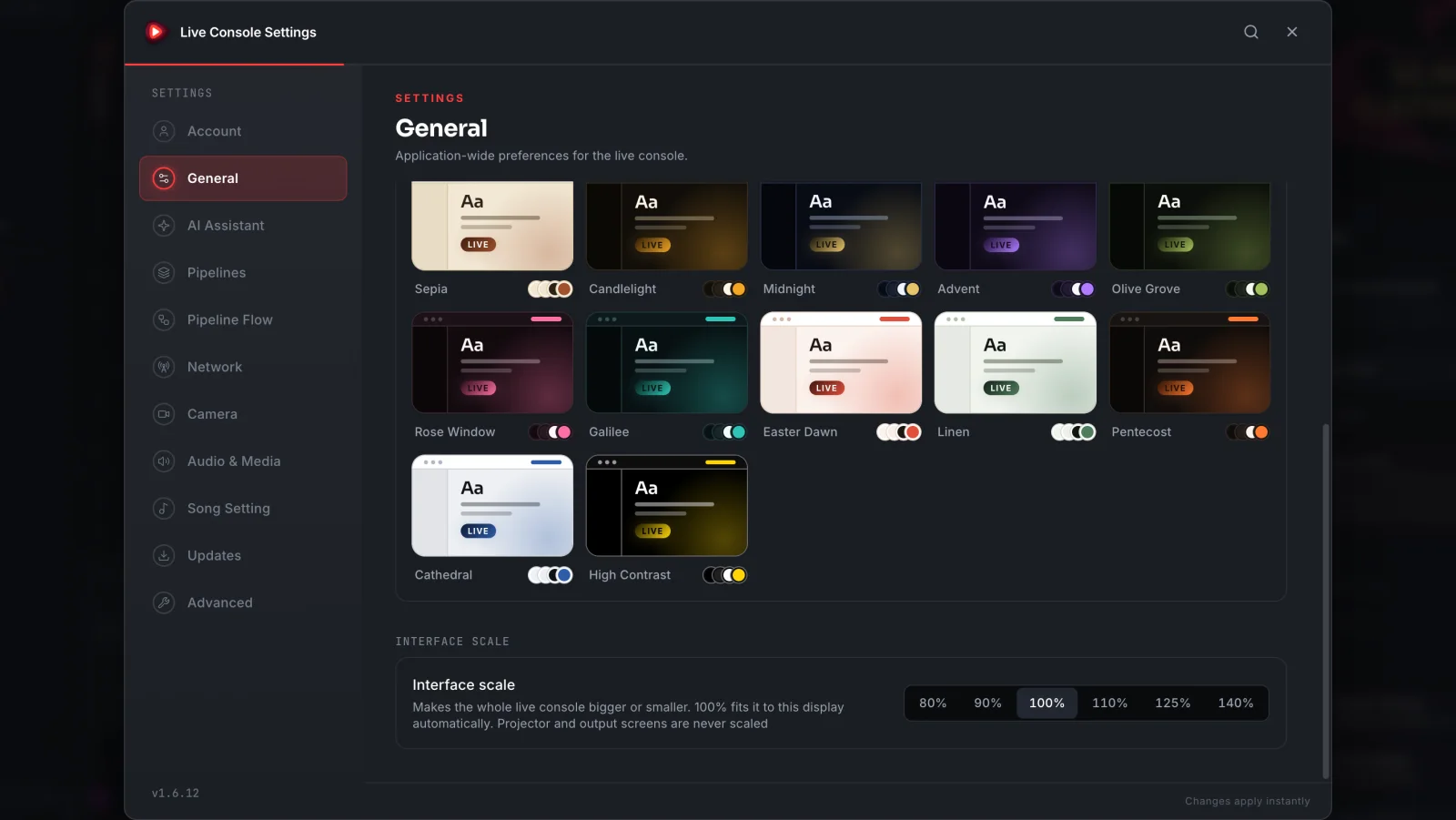
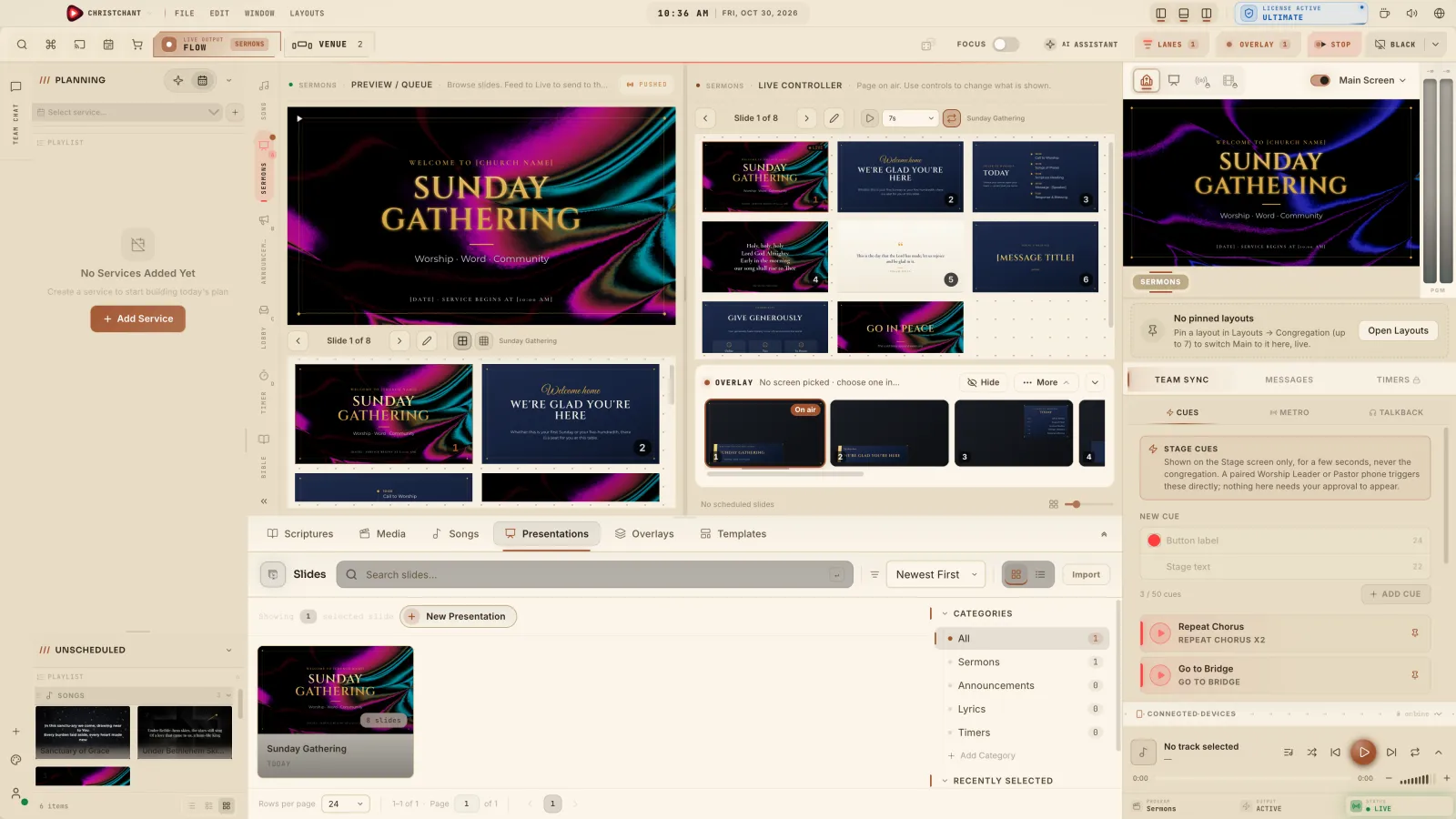
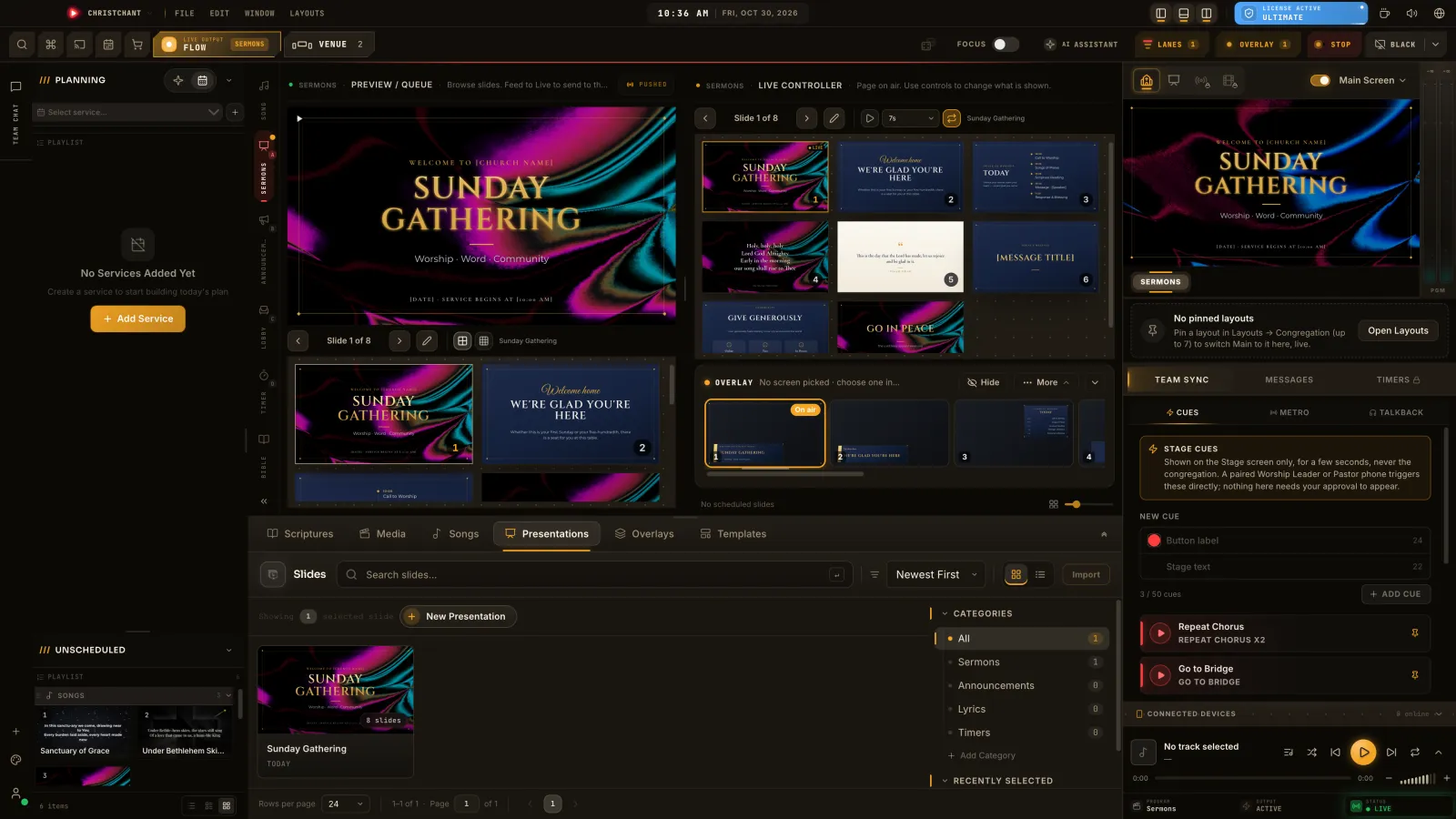
Dress the console you run the service from in one of 12 themes, then scale the whole thing from 80% to 140%: denser on a laptop, bigger in the booth. Only your console changes. The projector and every output screen stay exactly as they are.
Moods
Interface scale
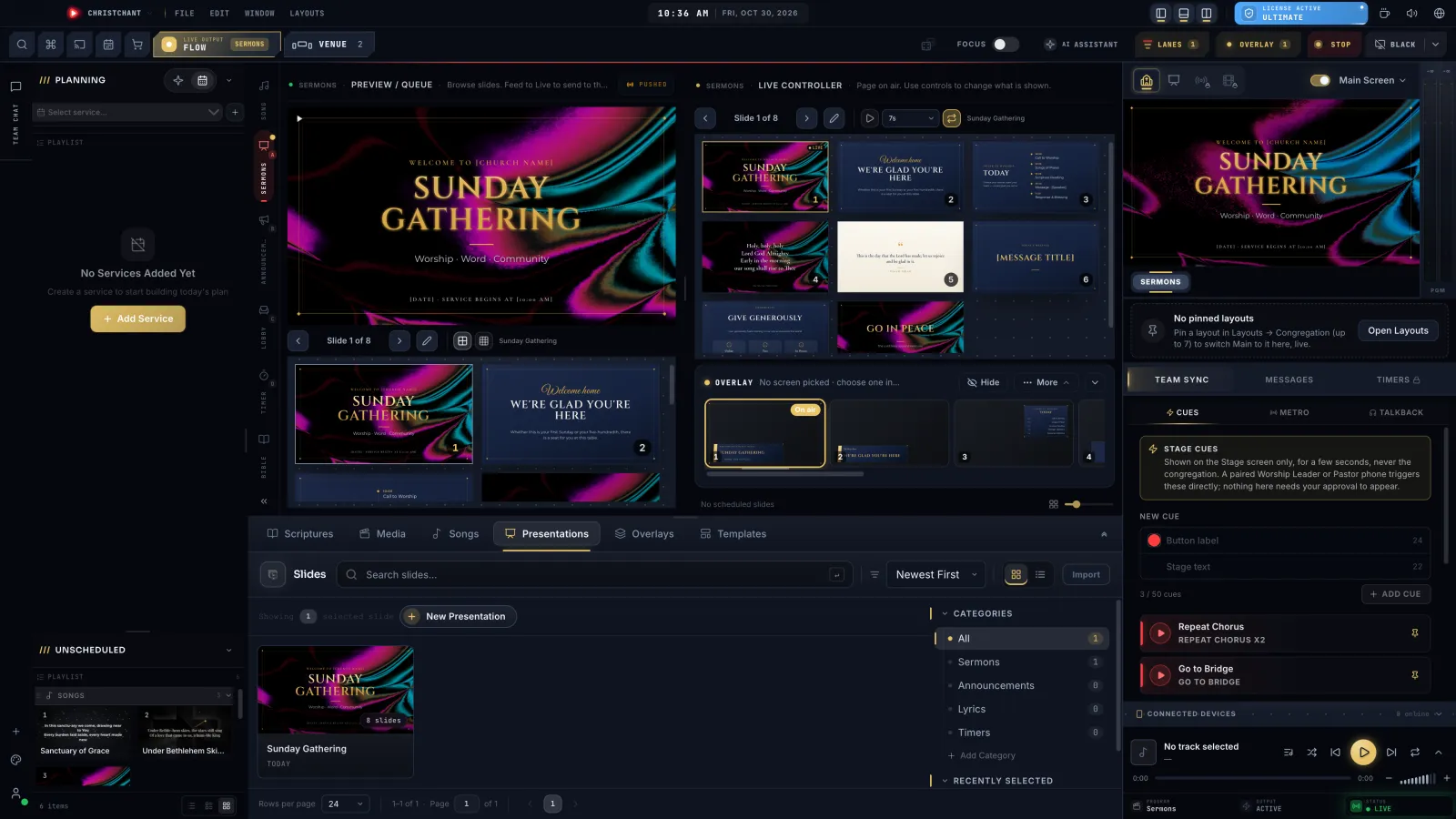
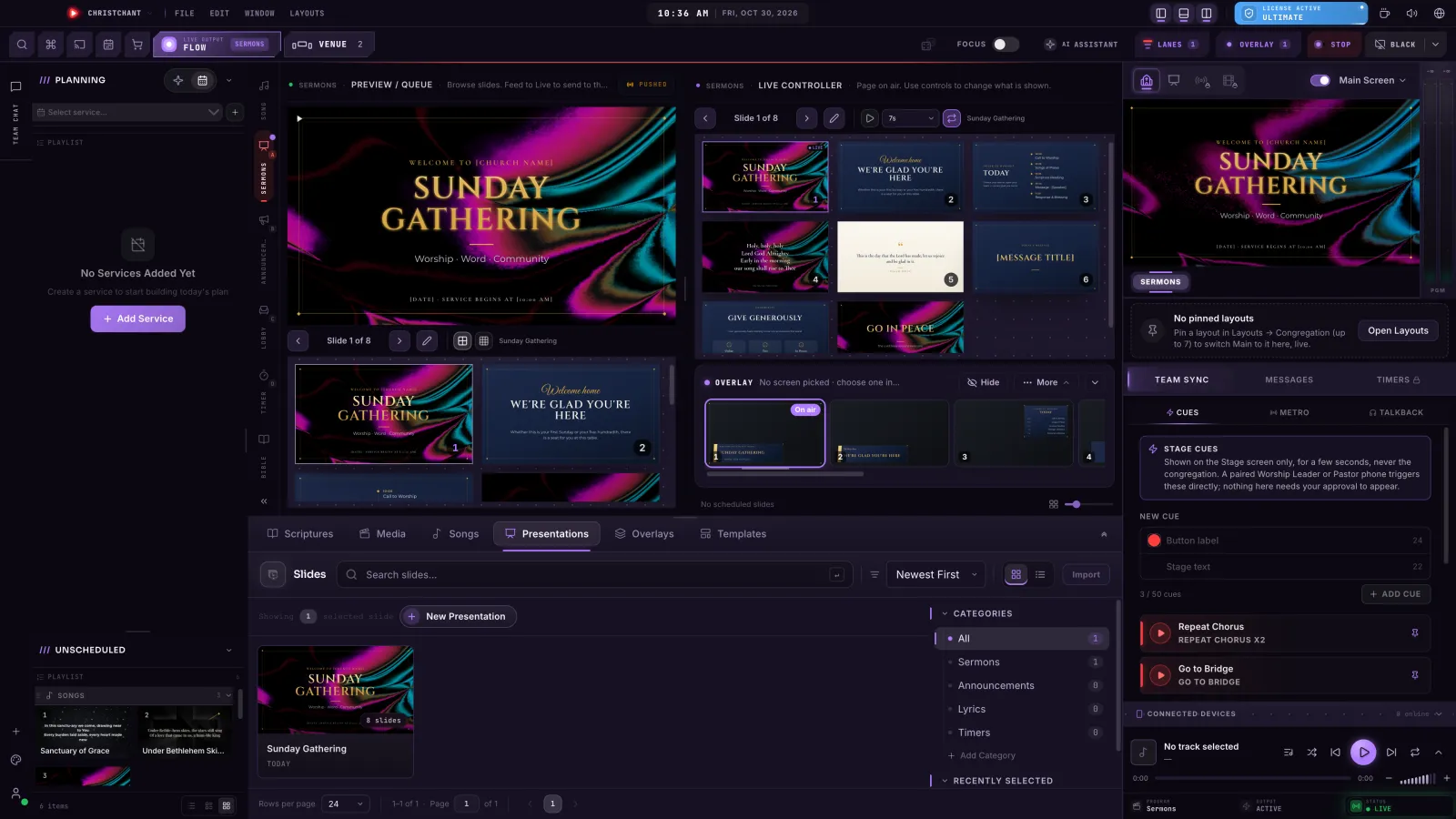
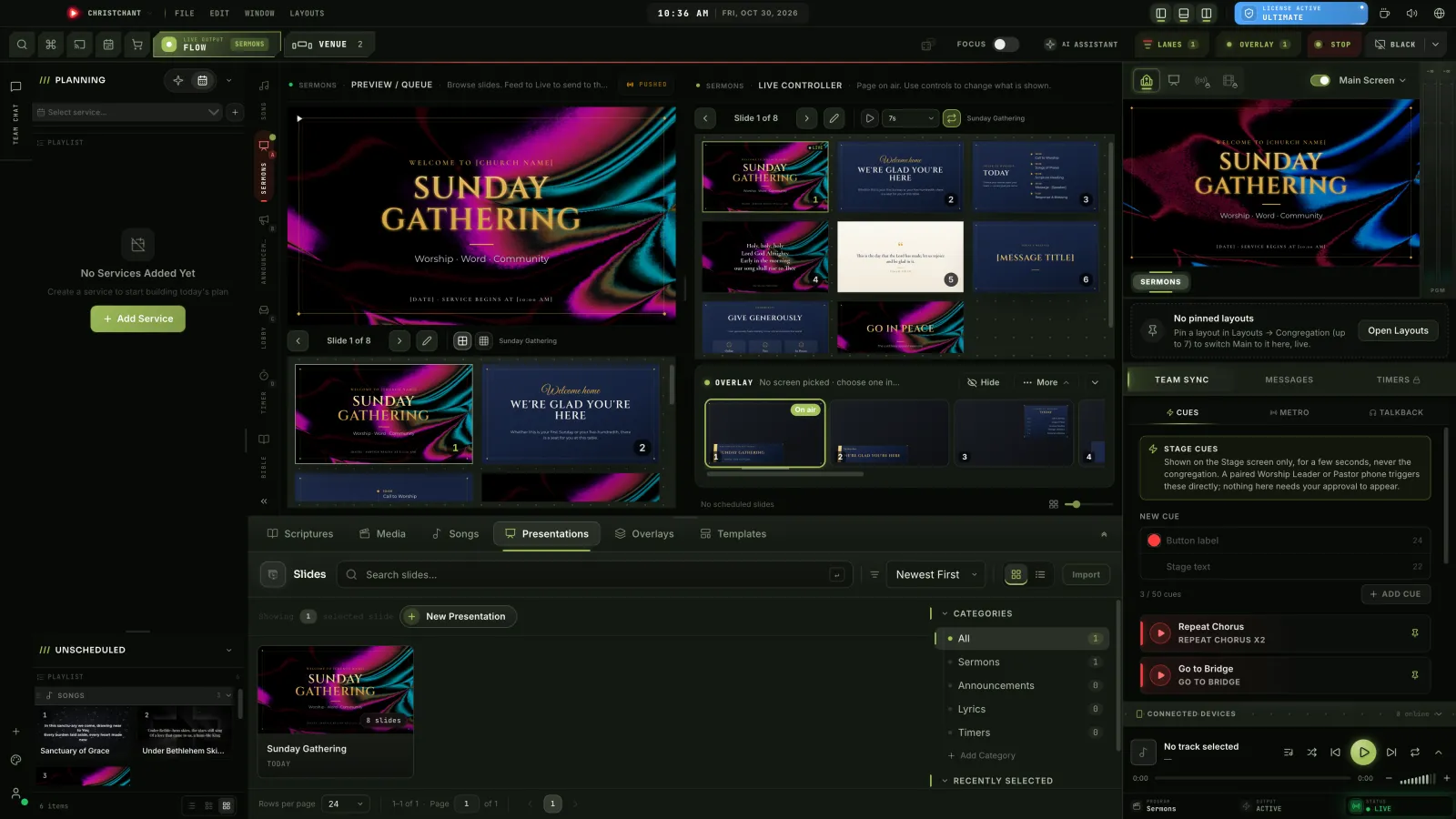
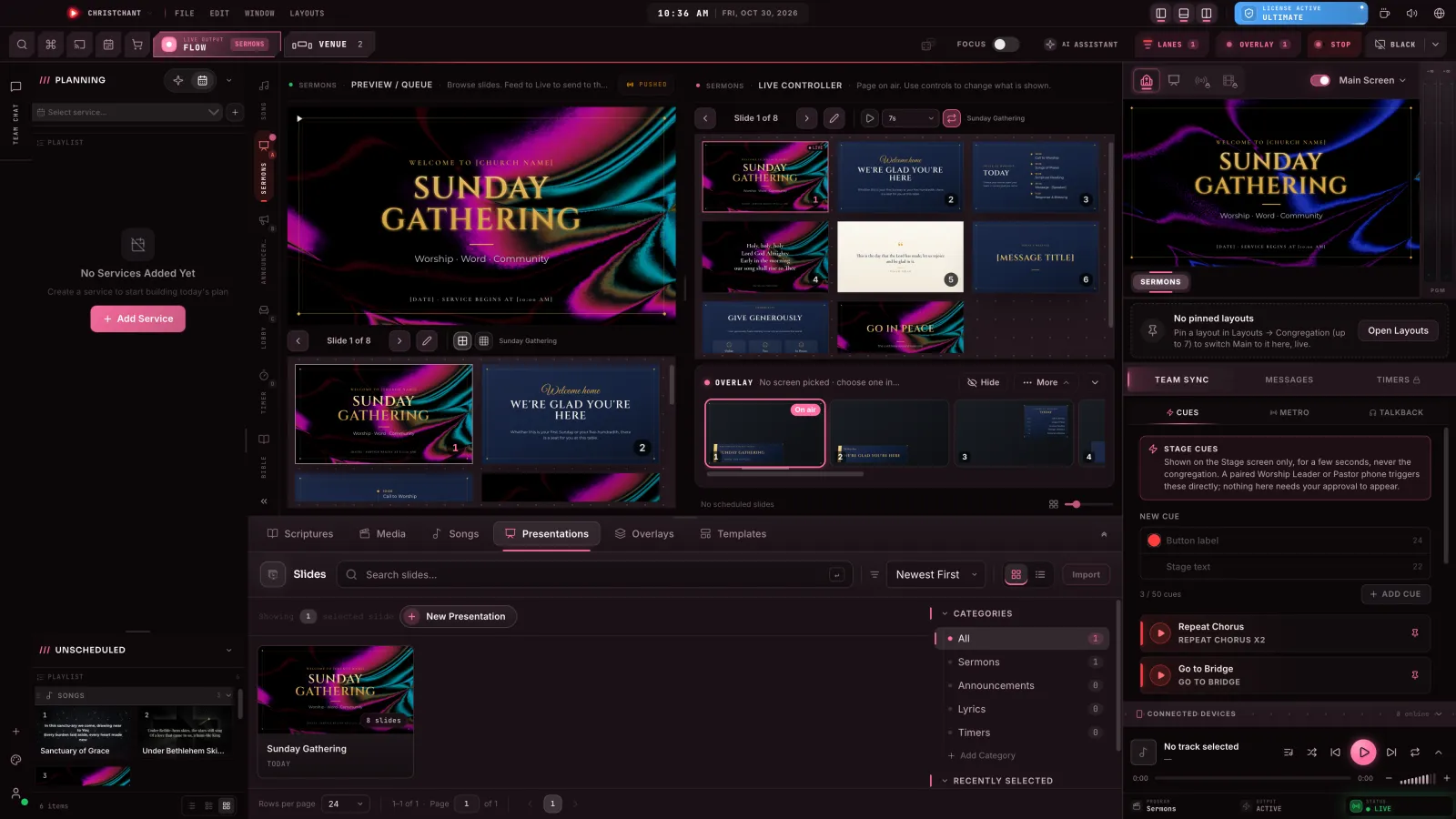
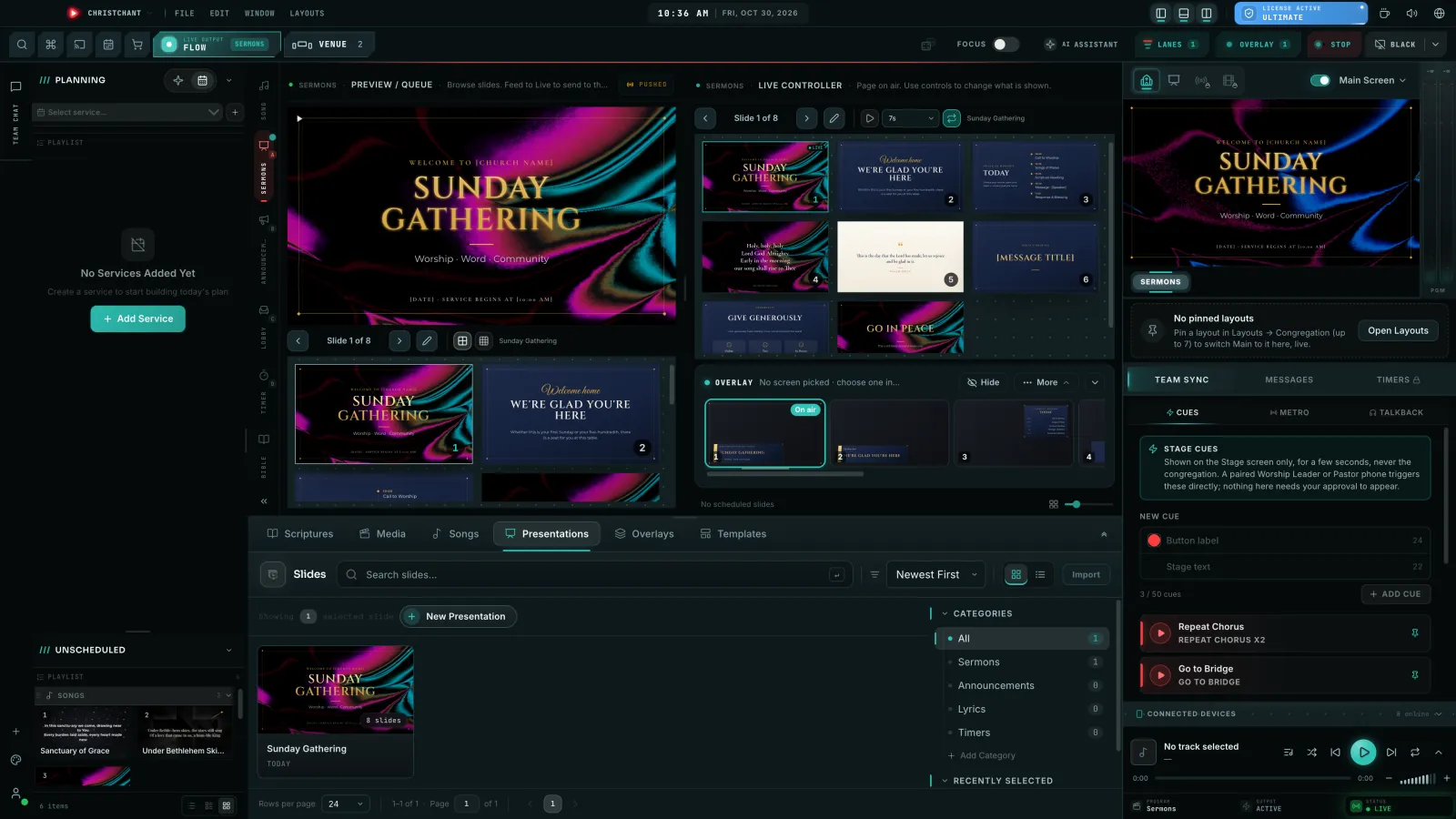
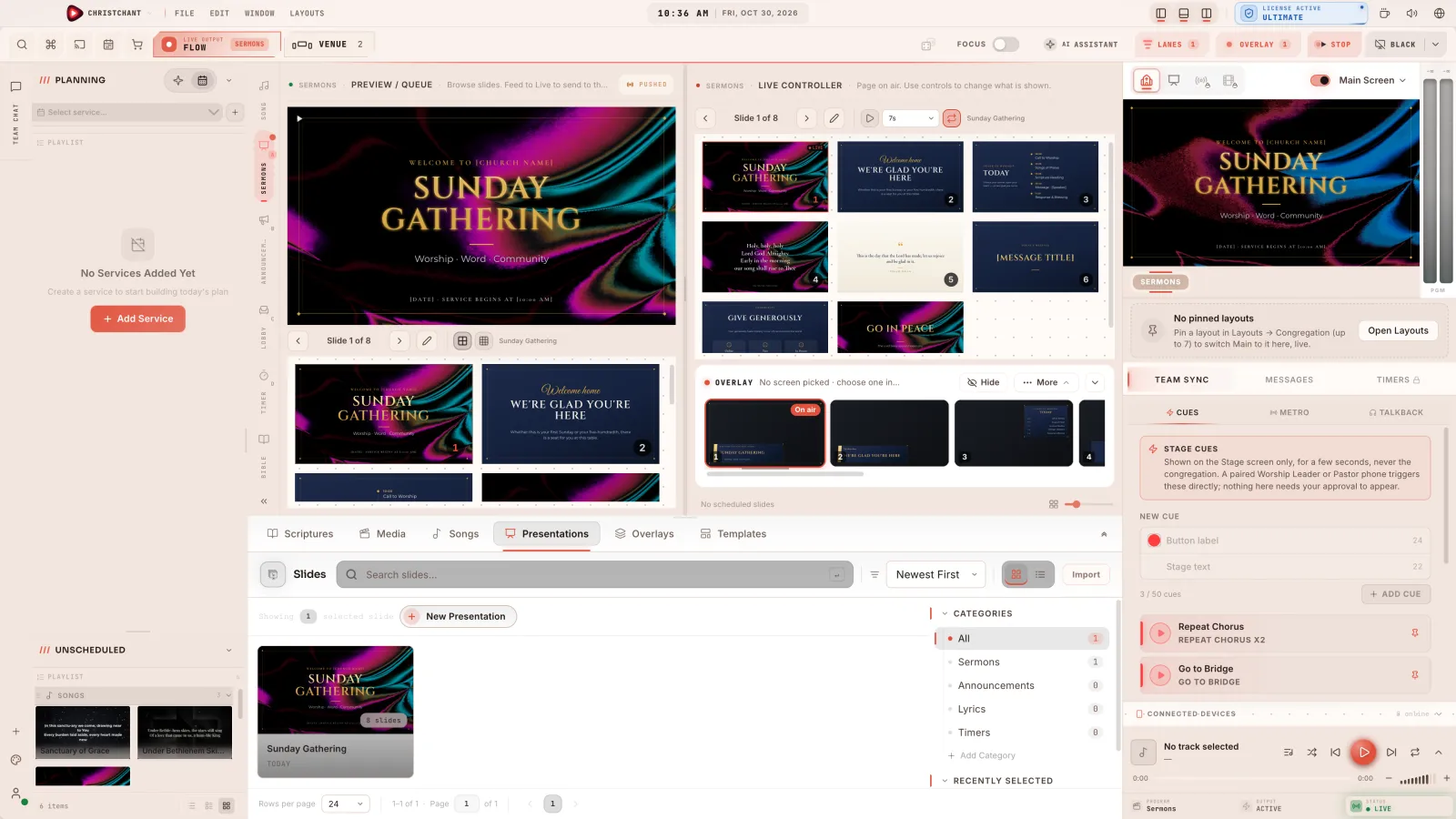
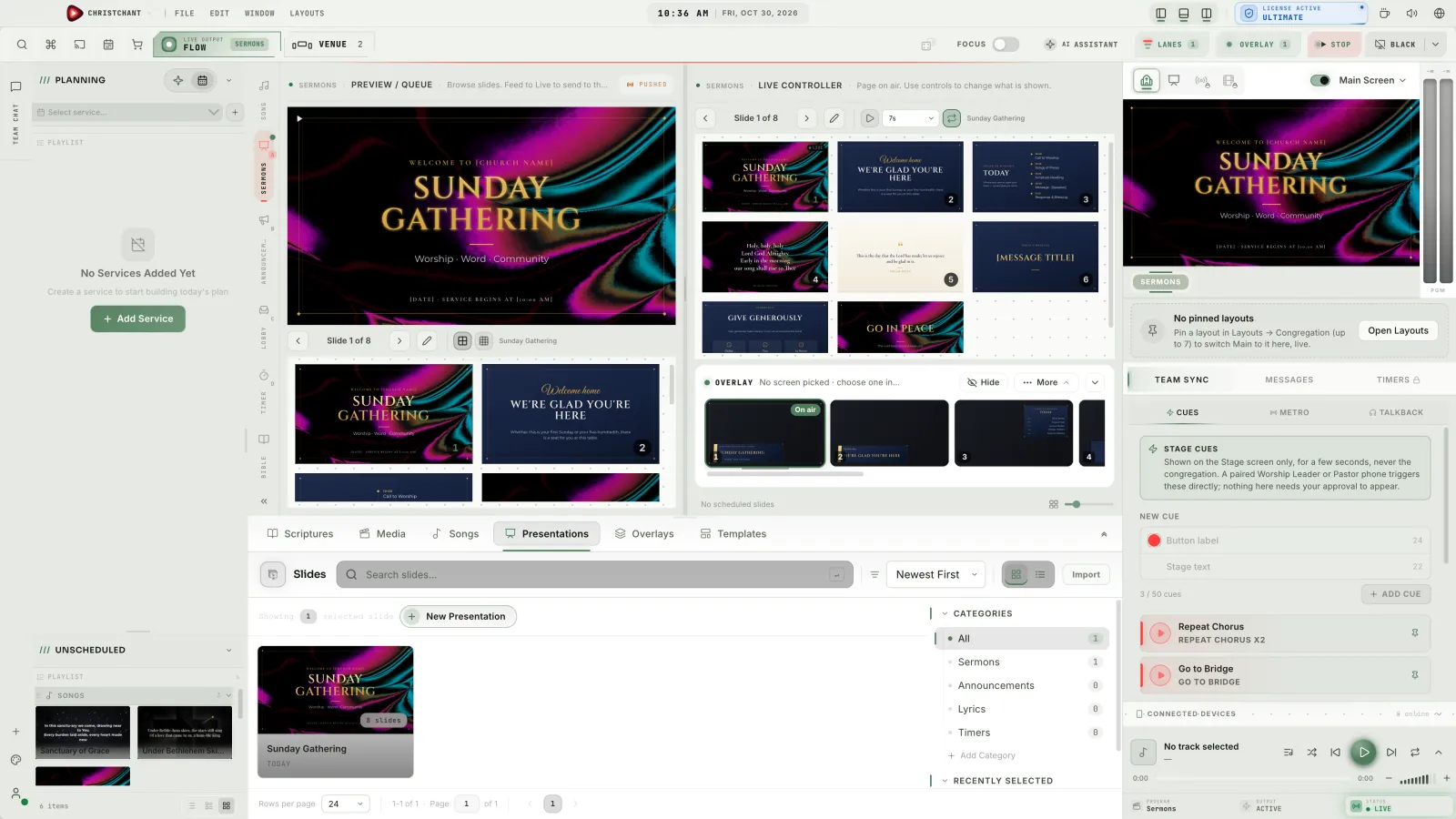
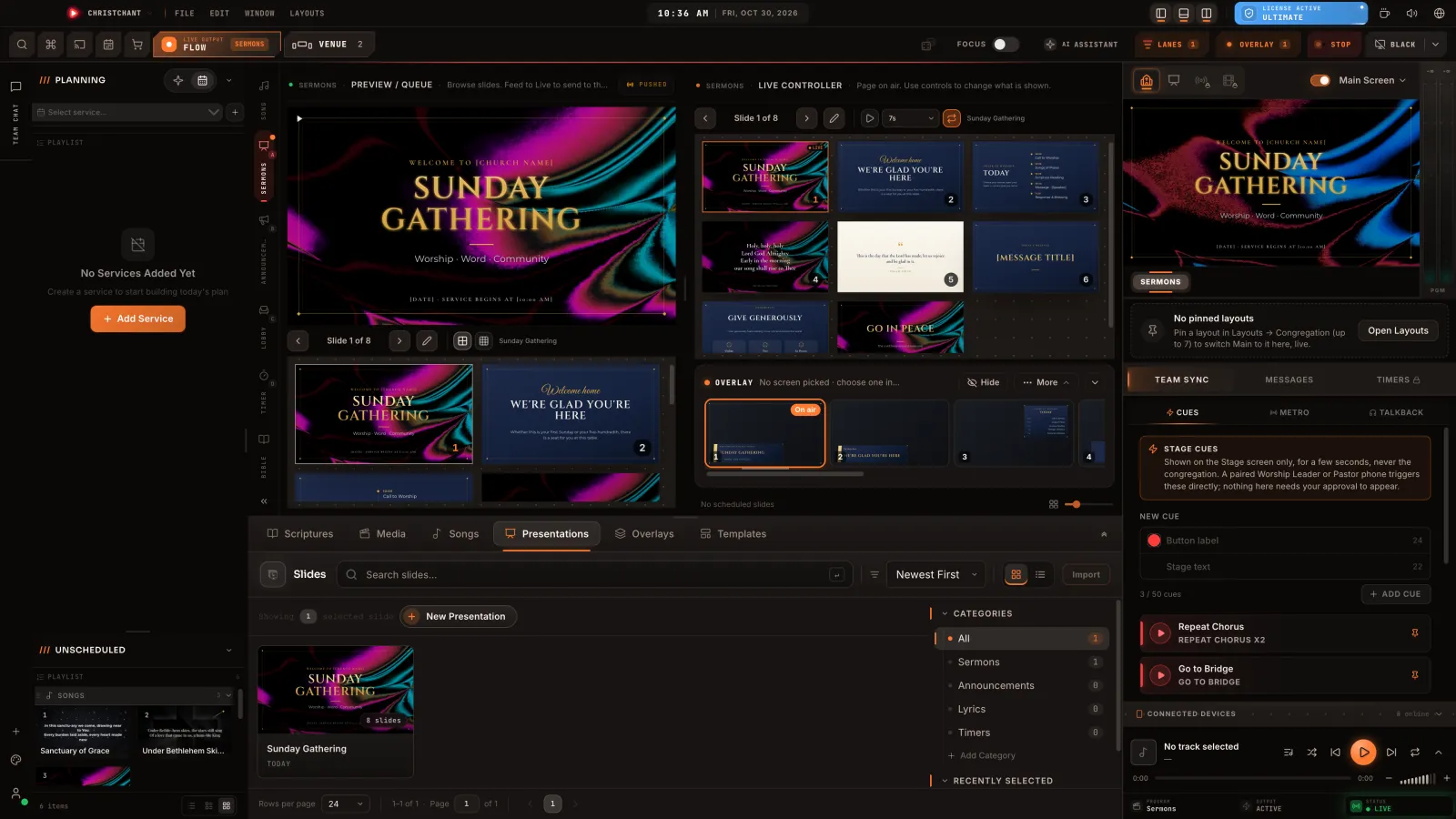
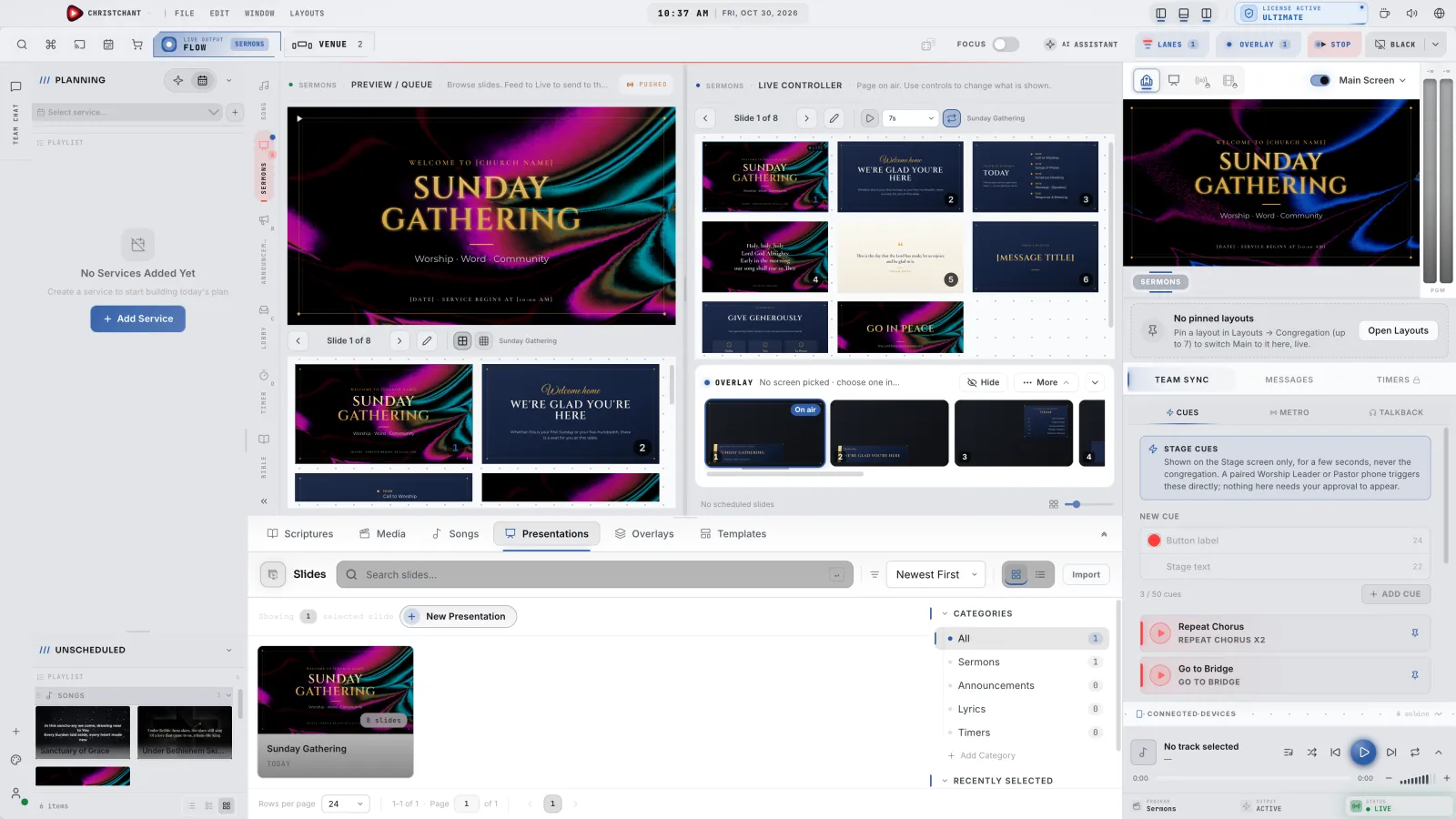
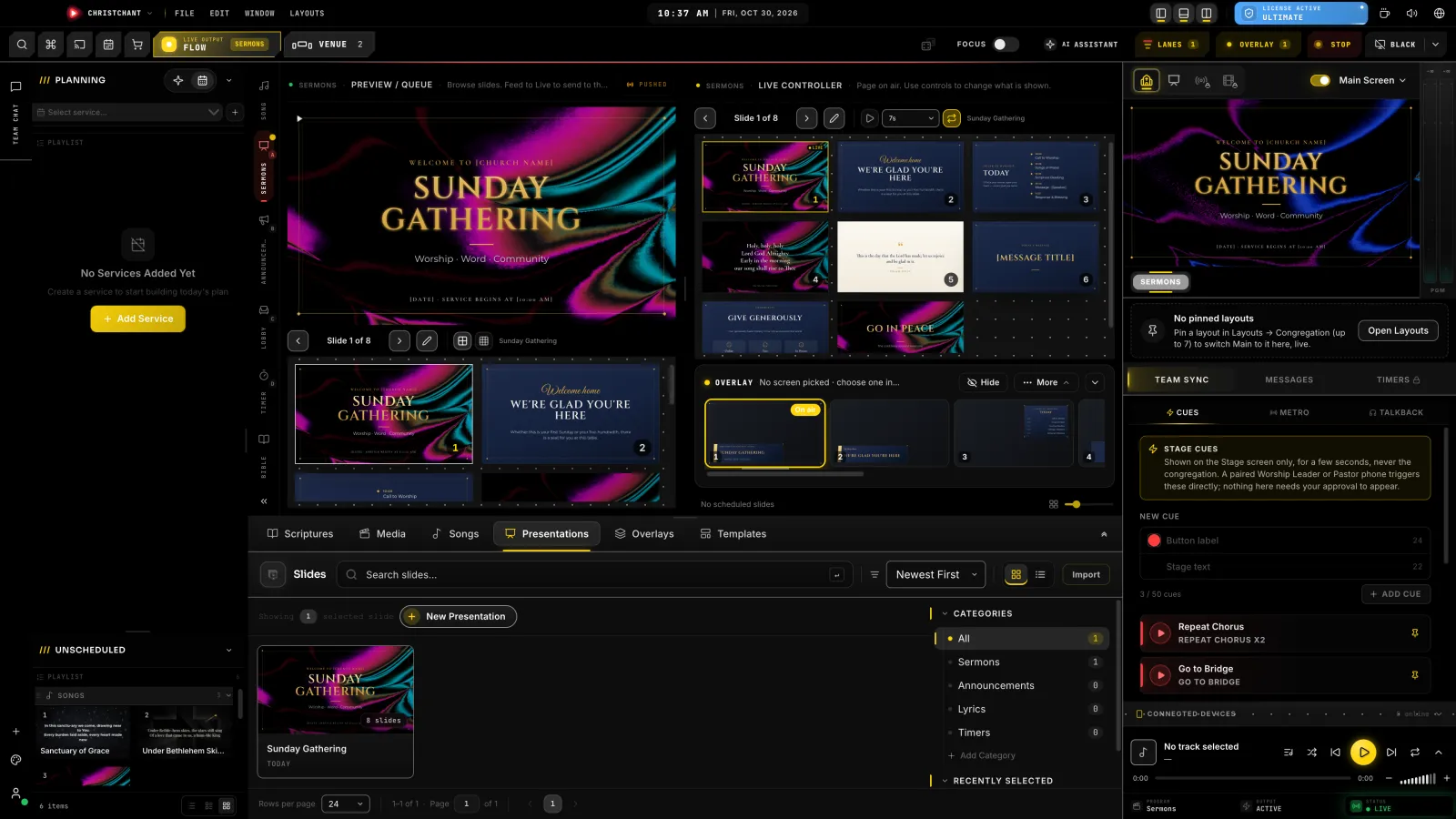
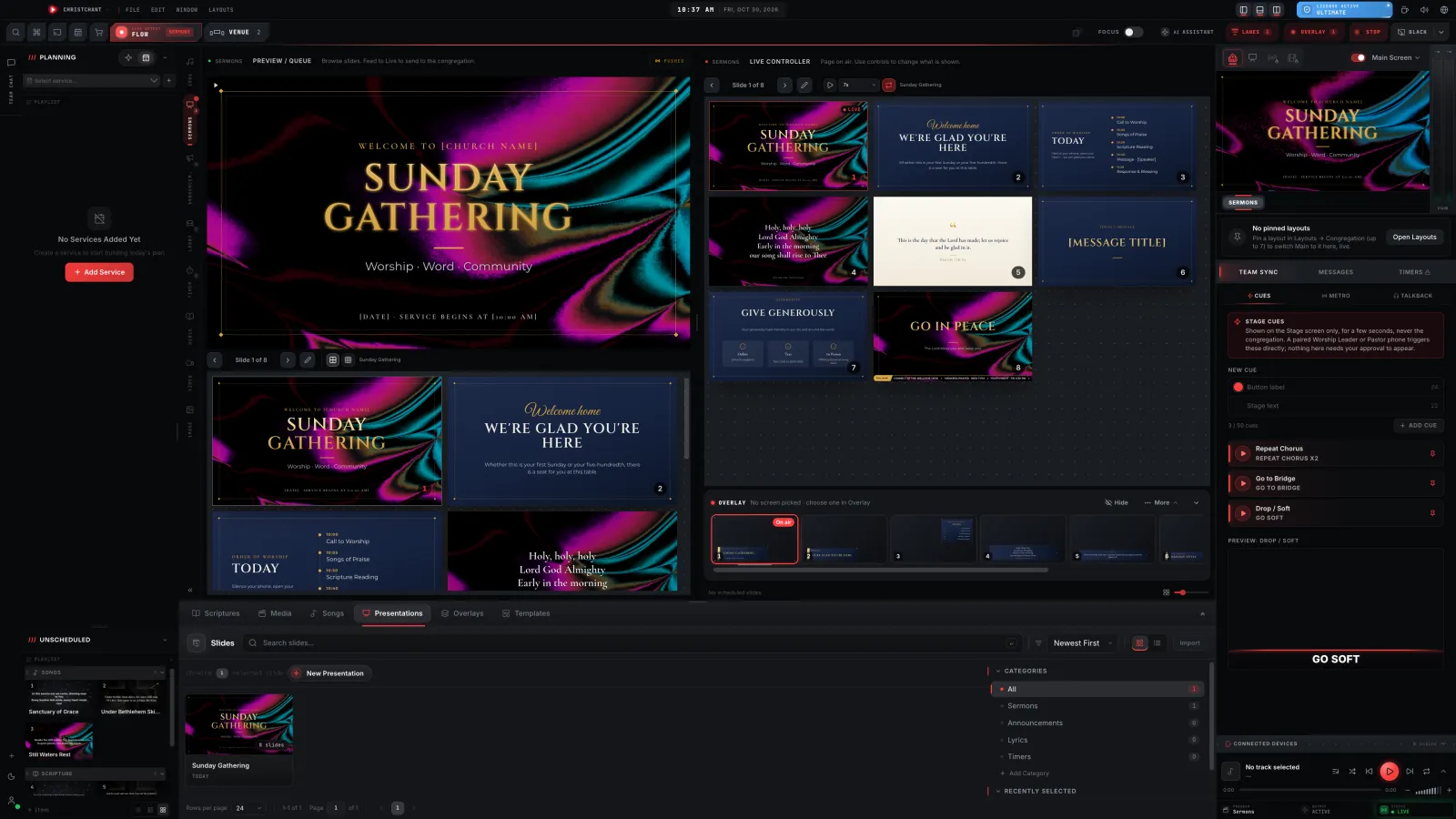
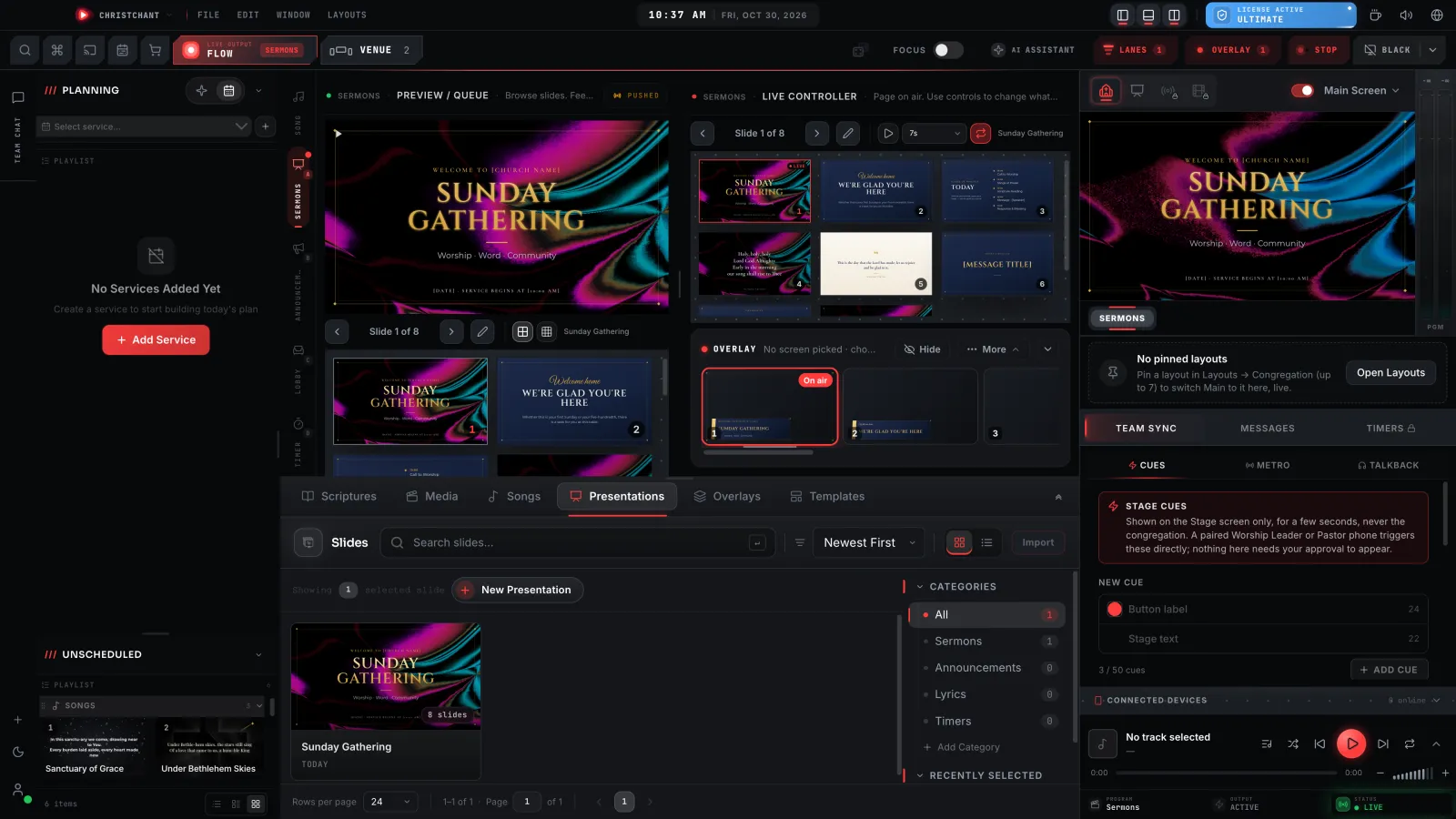
Live Console Settings · Display
Every source, every screen,
on one canvas.
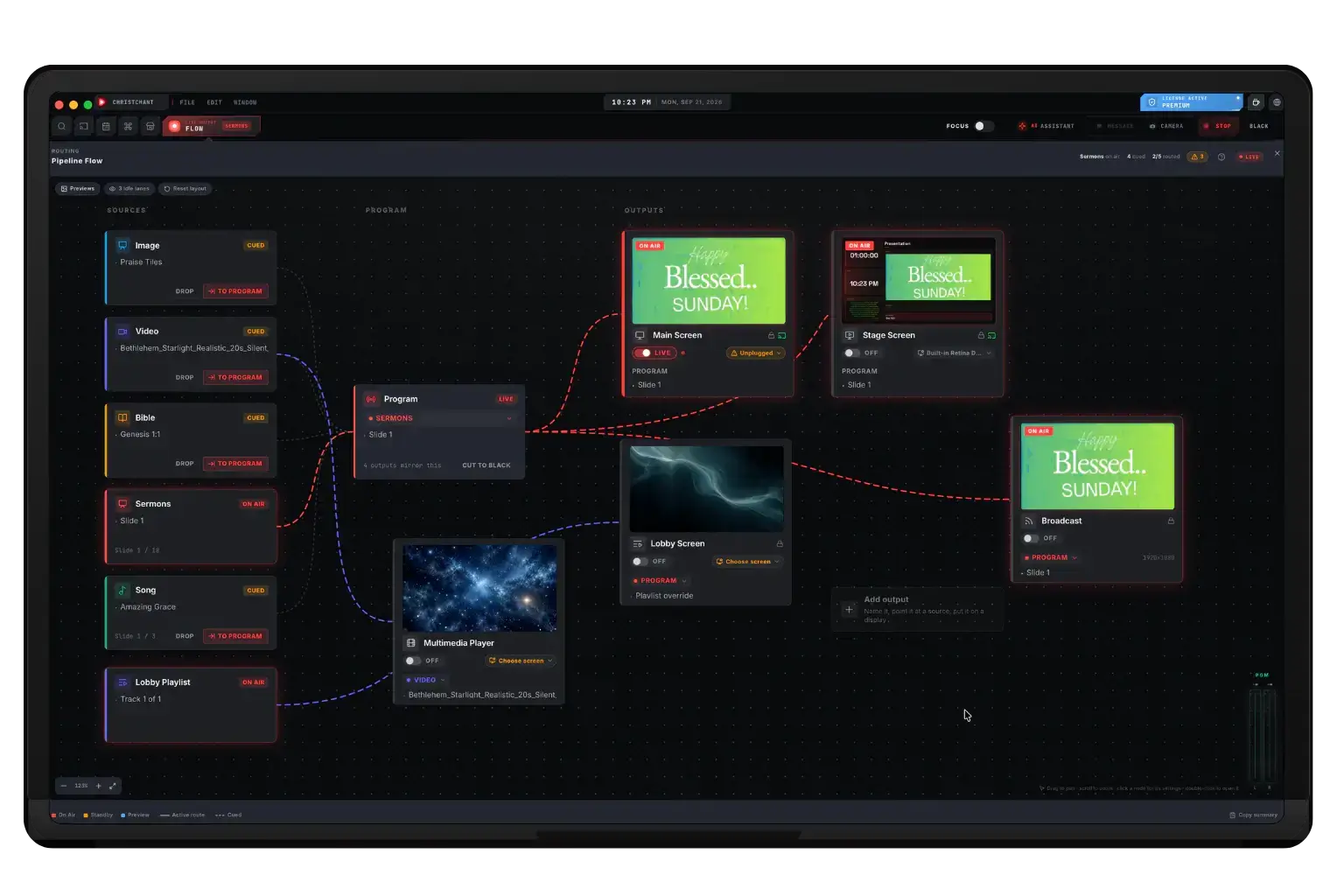
Eight pipelines are loaded at once and each screen wants something different: the congregation sees the lyrics, the stage sees the next verse and a clock, the lobby keeps looping. Pipeline Flow draws that as a routing canvas, so what is ON AIR and what is merely cued is something you can see rather than remember.
- Every pipeline loaded and cued at once, exactly one on air
- Point an output at program, or give it a source of its own
- Add an output, name it, and put it on any connected display
- As many screens as your GPU can drive, with no cap in the software
- Cut every mirrored output to black in one click
See your room in 2D or 3D, before Sunday.
Every screen drawn at its real size and placed where it hangs. Flip between the flat plan and a 3D room you can walk through.
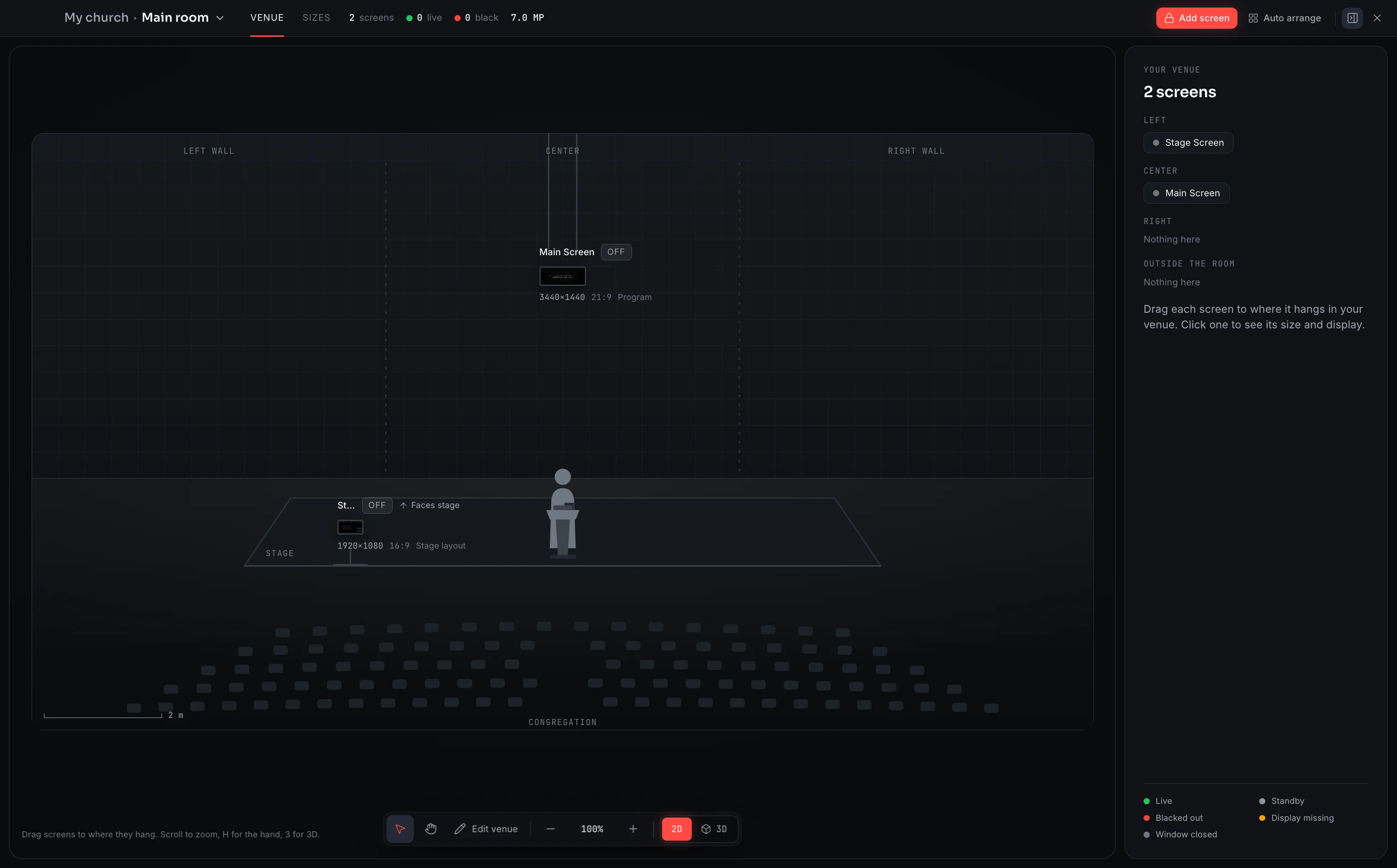
Stage display, extra screens and your whole venue library are part of Premium.
Everything a service actually needs
Not a feature list built for a comparison chart. The things you touch every week.
13 CORE TOOLS
Your phone, and a pen
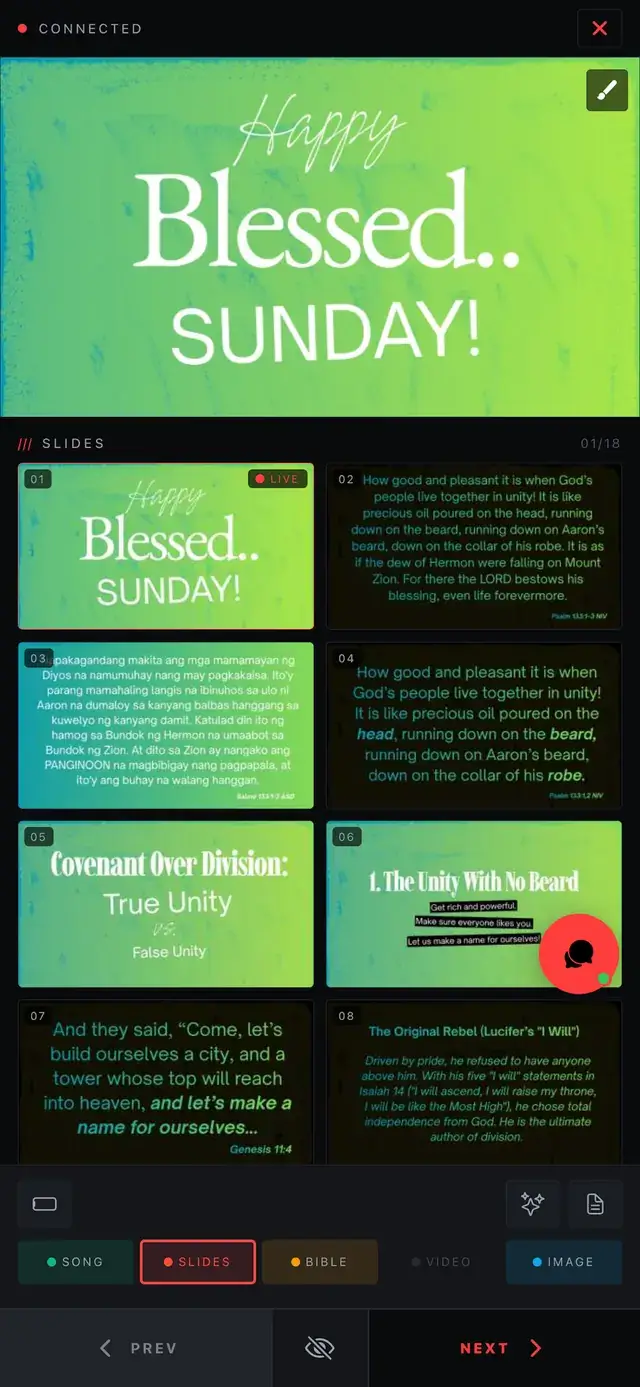
Pair by QR code or PIN, then advance slides, cue video and read your notes from anywhere in the room, and draw straight onto the live output when you need to point at something.
Your phone, and a penThe screen your band needs
Chord columns that line up over the words, the key, what is coming next, time left, and a shared click track with an accented downbeat.
The screen your band needsWalk the room before Sunday
Drag every screen to where it hangs at its real size, place the band and the lights, then walk the room in 3D and check the back row before anyone arrives.
Walk the room before SundayChords follow the key you land on
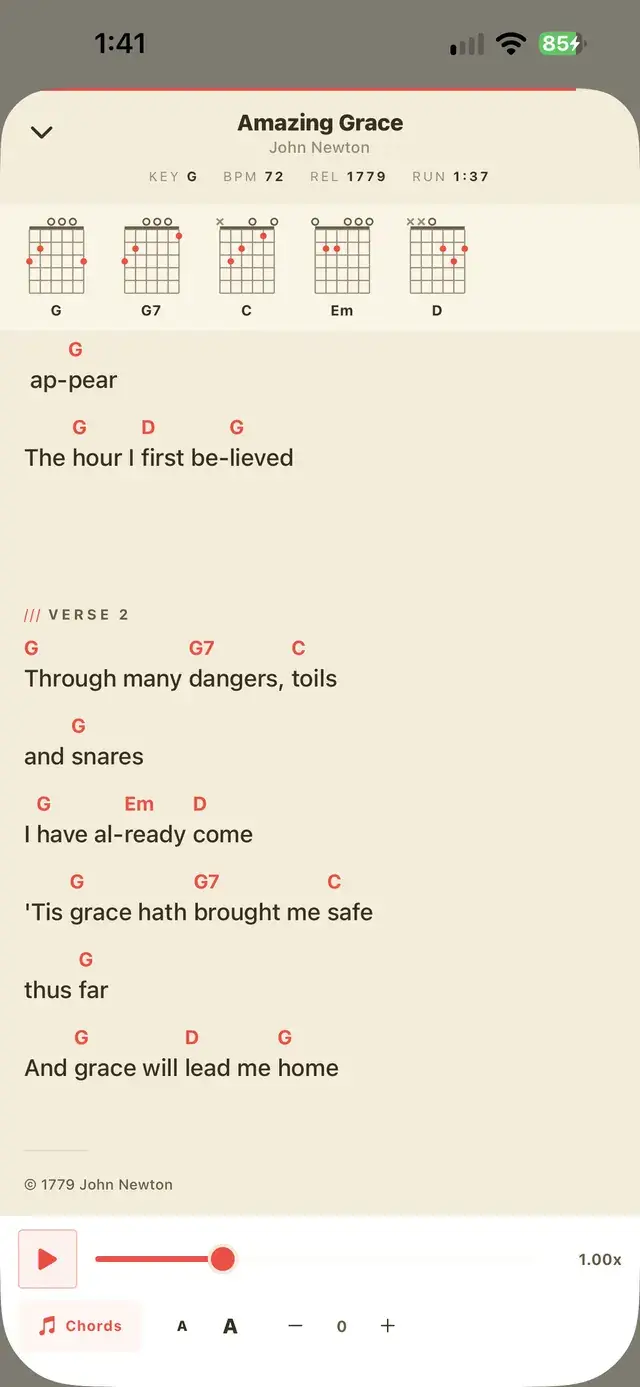
Chords live inline in the lyrics as [Am] and [C/E], not on a separate sheet. Drop it a tone and every stage screen follows: the call can even come from the phone.
Chords follow the key you land onA real editor, not a text box
Nine element types, text effects, entrance motion and slide transitions, plus YouTube, Vimeo and Facebook videos pasted straight onto a slide, in the same app that puts them on screen.
A real editor, not a text boxPowerPoint, without PowerPoint
Drop in a .pptx or a PDF and ChristChant parses it natively, keeping text, shapes and layout, with no Microsoft Office installed and no internet connection.
PowerPoint, without PowerPointSay what goes on screen
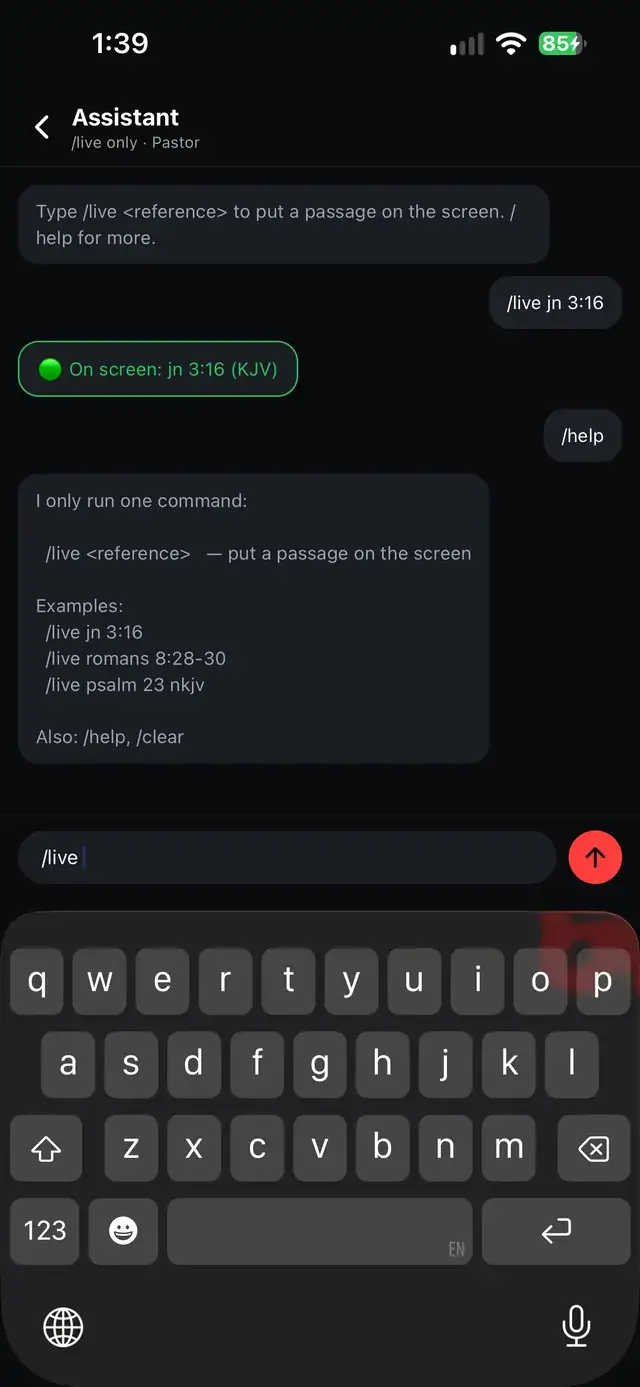
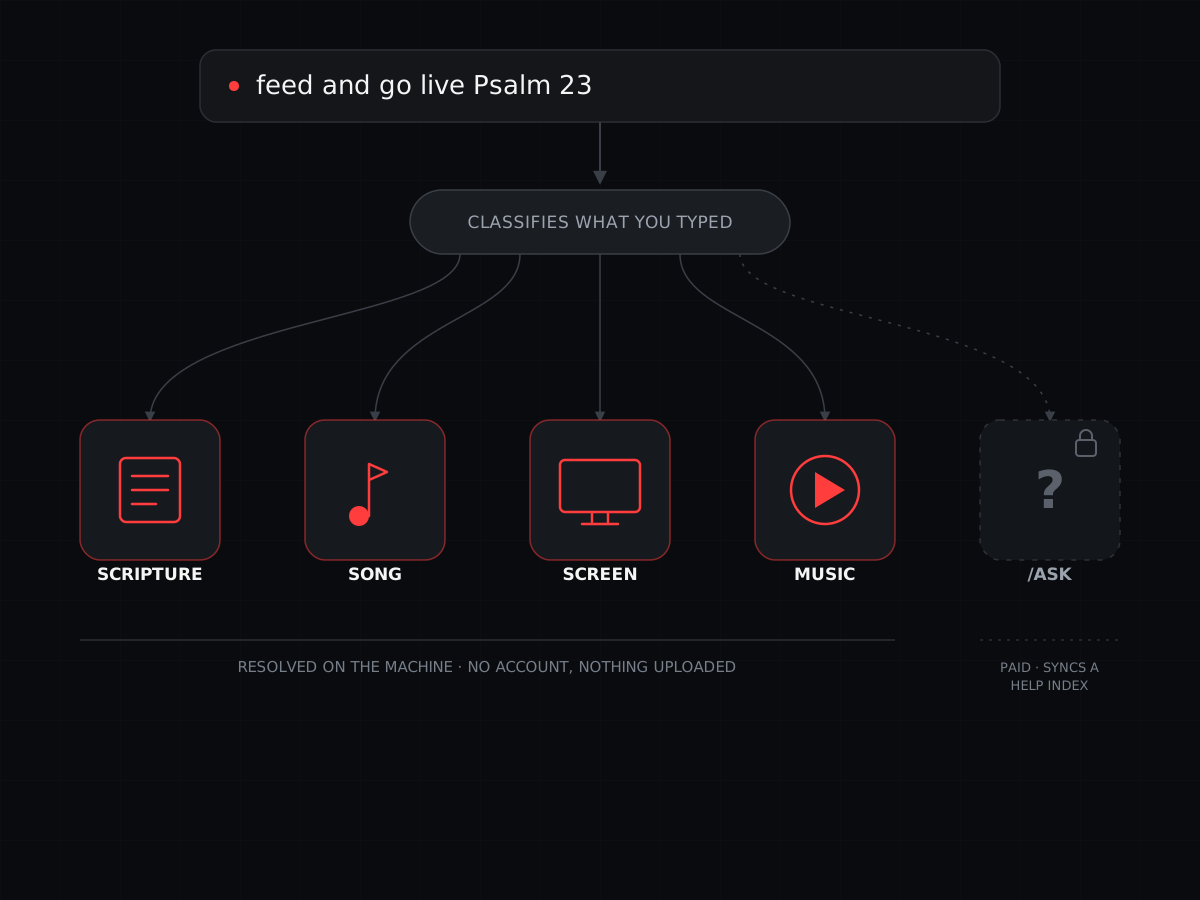
Type “feed and go live Psalm 23” into the assistant and it is on the projector. Scripture, songs and screen commands, resolved on the machine.
Say what goes on screenScripture built in
The Bible ships inside the app and stays on the machine, so a passage reaches the screen without waiting on a network round-trip.
Scripture built inOne screen can show it all
Only one projector? A Main Screen layout shows the slide, the verse, the lyrics and video on it together. More screens each get their own layout, in any shape, and switching never shows black.
One screen can show it allTemplates, decks and motion, built in
Lyric and Bible templates, ready-made presentations, motion backgrounds, layouts, Bibles and text effects in a store inside the app. Download once and it works offline.
Templates, decks and motion, built inA calendar your team subscribes to
Publish service times and setlists to a calendar any phone can subscribe to, on Google, Apple or Outlook.
A calendar your team subscribes toPhoto decks, no deck required
Drop the photos that arrived this morning straight into the Image lane, run them as a slideshow, and let them disappear after the service.
Photo decks, no deck requiredBuilt to not fall over
Licensing validates against verified network time rather than the system clock, and updates install on quit, never mid-service.
A Bible that becomes a remote
ChristChant for Android is a free download: no plan, no account tier. On its own it is a full offline Bible. Paired with a desktop, it is your slide remote and your live annotator.
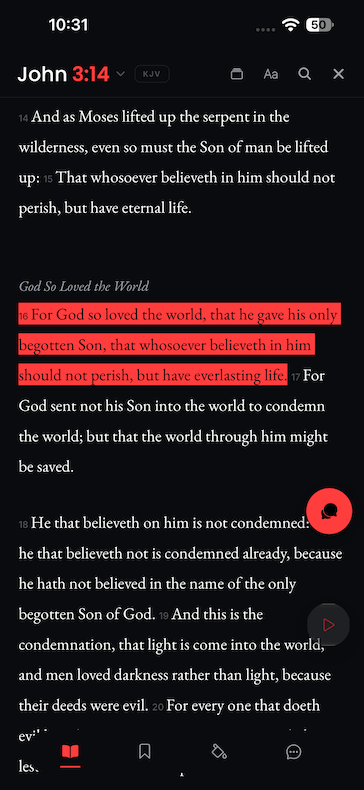
Scripture, with the signal off
The text ships with the app and stays on the device: read by book and chapter, jump to a reference, search by keyword, and mark what you want to keep. Highlights, bookmarks, verse notes and standalone notes of your own all save to the phone rather than to somebody's account.
The set, in your hand
The songs you are leading, with chords written inline where they belong rather than on a separate sheet. Follow the line that is live, and send a transpose from the stage without anyone walking back to the booth to do it.
Pair it, and it runs the room
Scan the QR code on the desktop or type the PIN, and the phone becomes the controller: a live monitor of what is on screen, the slide grid under it, every pipeline a tap away, media playback, and a pen and highlighter you can draw straight onto the live output with.
And the rest of what it carries
Ask the assistant for a passage in plain English and it goes on screen. Keep the team talking in a per-service chat. Pull motion backgrounds, countdowns and text-effect packs down from the store once and use them offline for good.
Design it once. Two screens follow.
One slide, built once, ends up in front of two different audiences at the same time: the room reads the words, and the band reads a screen built for playing rather than watching. Neither one is an afterthought.
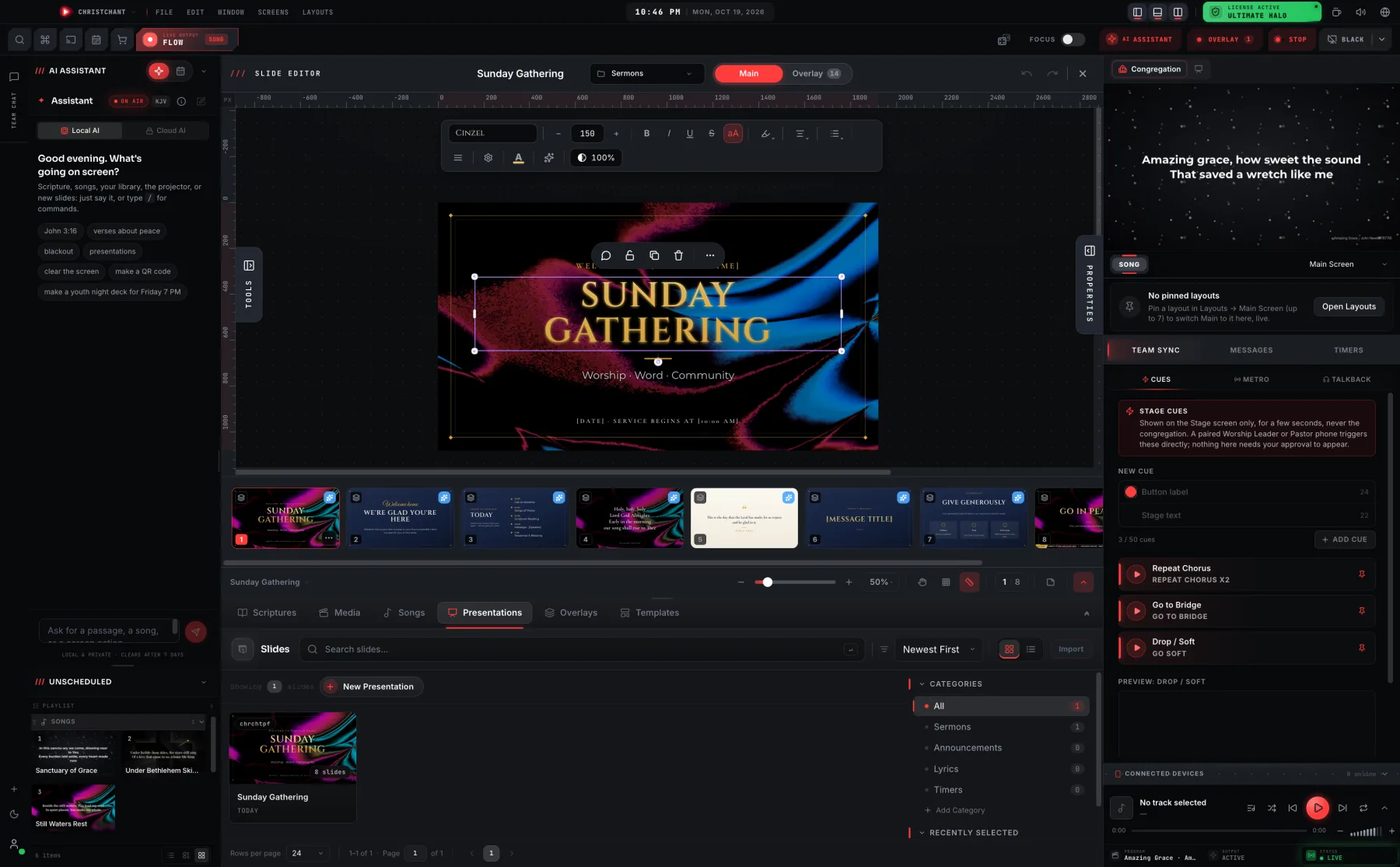
Design it once. The room sees it like this.
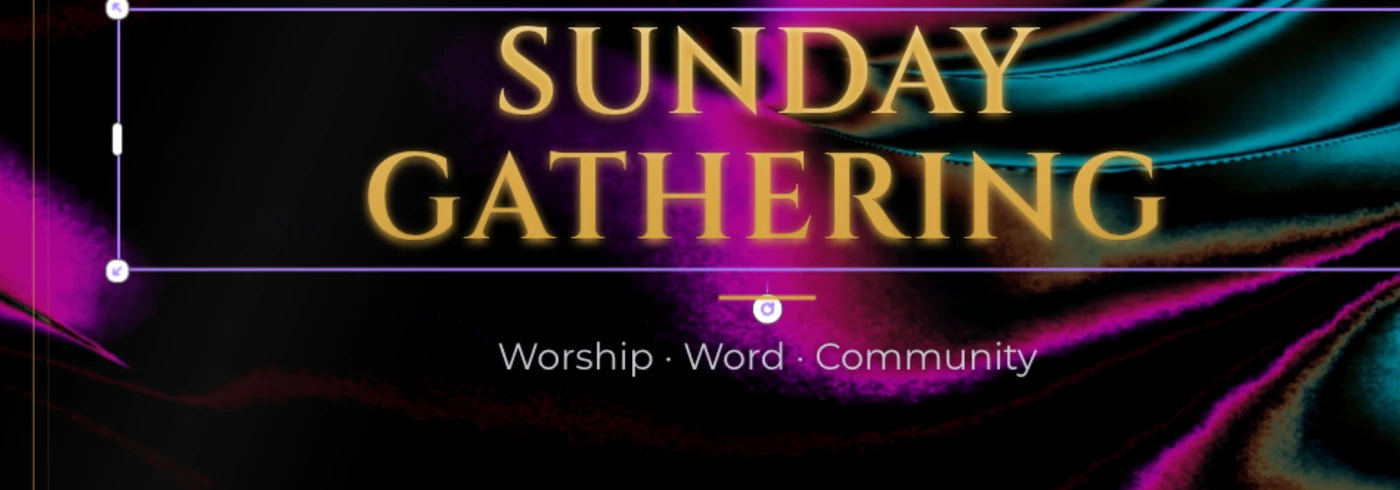
Built in the same app that projects it: type, shapes, symbols, photos and animations down one side; the gradient studio and background controls down the other; the song's sections along the bottom. Name a template once, and every song you add next week arrives wearing it.
- Ninety-five gradient presets, or build your own in the gradient studio
- App fonts that travel with the file, or any font installed on the machine
- Verse, chorus, pre-chorus, intro, interlude and ending, laid out along the bottom
The screen the room never sees.
The congregation gets the words. The band gets chords in their own columns, the current line and the next one, a running clock, and whatever the booth needs to tell them: a screen built for the people playing, not the people watching. Turn on Beat Light and the whole screen flashes red on the beat, read straight off the song's own BPM, so a drummer can hold tempo without hunting for a click track.
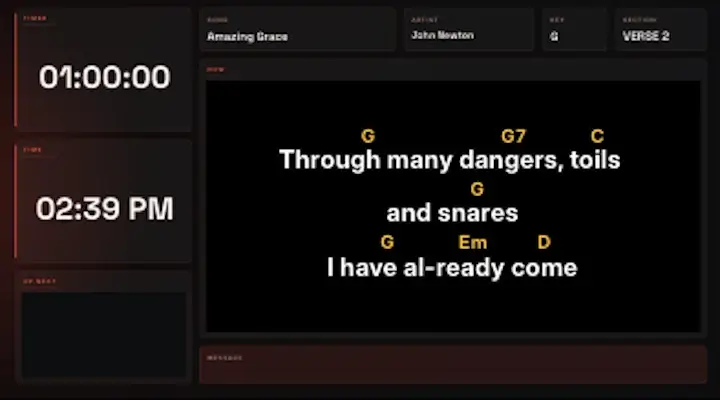
- Chord columns that hold their position over the lyrics, however they wrap
- Current slide, what's next, a timer and the time, together on one screen
- Seven art-directed designs, each fitted to song, Bible, slide, video and image
One box. It doesn't just search, it acts.
Type a reference, a theme, a song title or a screen command into one box and the assistant works out which it was. An exact match runs straight away and logs a receipt in the thread; more than one match becomes a short pick list instead of a guess. Scripture, song, screen and music requests resolve on the machine, with no account and nothing you type ever leaving it.
"/ask", for how-to questions about the app itself, is the one exception: it keeps a help index synced in the background on Pro Sunday and up. What you type still never leaves the machine, only that index needs an occasional connection to stay current.
- One box for a reference, a theme, a song title or a screen command
- An exact match runs and logs a receipt; more than one match becomes a pick list
- Scripture, songs, screen and music commands resolve on the machine, no account
- "/ask" (paid plans) answers how-to questions, and never sends what you type
What you get that you probably don't today
Established worship software is good at the core job. These are the places it tends to leave gaps.
| Capability | | Typical legacy |
|---|---|---|
| Eight source pipelines (song, Bible, video, images and four slide lanes), each cued and previewed on its own | Varies | |
| Every output driven separately, with its own layout rather than a mirror of the main screen | Varies | |
| Plain-English assistant that finds the content and puts it live, resolved on the machine | ||
| PowerPoint and PDF open natively, with no Microsoft Office installed | ||
| Runs a full service with no internet connection at any point | Varies | |
| Phone remote with a live annotator: pen and highlighter straight onto the output | Varies | |
| Chords inline with the lyrics, transposed live, with every stage screen following | Varies | |
| Tempo and meter read from the live song, with nothing to tap in | ||
| Bibles, motion backgrounds, countdowns and text-effect packs included, and yours offline once downloaded | Varies | |
| Team chat, stage messaging and a congregation ticker the booth approves before it appears | ||
| NDI and SDI output at the same time, RTMP live streaming, plus a lobby screen with its own playlist | Varies | |
| Updates install on quit, and licensing validates against verified network time | ||
| A built-in web browser with tabs and bookmarks, to find lyrics and chords without leaving the app | ||
| A content marketplace inside the app: templates, presentations, motion backgrounds, layouts, Bibles and text effects, yours offline once downloaded | Varies | |
| Only one screen? A Main Screen layout shows the sermon slide, verse, lyrics and video side by side, and layouts switch mid-service without a black frame | ||
| A real editor for slides, templates and stage layouts, with elements, layers, effects, motion and QR codes, in the same app that puts them on screen | Varies | |
| Stage screens showing chords, key, what's next and a click track, each with its own editor | Varies | |
| Your service calendar published to every volunteer's phone | ||
| AI that drafts presentation outlines, service plans and lyric structure from a plain-English request (Premium) | ||
| An All Screens wall that shows every live output at once, so the booth sees exactly what each room sees | Varies | |
| Every shortcut remappable: window-wide combos, slide navigation and jump-to-section keys for songs | Varies | |
| New sermon decks sync into your library in the background, with a notice when they are ready | ||
| One-touch voice macros that speak a cue into the band's in-ear monitors (Premium) |
"Typical legacy" describes the common feature set of established desktop worship software, not any single named product. Capabilities vary by vendor and version. These rows span our plans: the pricing page shows which tier each one needs.
Free to start. Premium when your stage grows.
Try everything in Premium for 30 days with no card. Keep what you like, or fall back to Free with nothing lost.
₱0
Free for as long as you like, no card
- Every resource type, with no watermark
- One projector output
- Slide and stage-layout editor, PowerPoint and PDF import
- Offline Bible and the built-in assistant
₱575/ month
Stage screen, lobby, broadcast and the full worship-team toolkit.
- Stage screen: main projection plus a stage display for the band
- Three or more output screens, each with its own layout
- Lobby screen fed from any lane, with its own video playlist
- Slide B / C / D lanes for notices, lobby loops and countdowns
- NDI and SDI output at the same time: Blackmagic fill + key and embedded audio
No card required · nothing renews by itself
Or buy Premium nowPay with GCash, Maya or any bank app. Yearly plans come with a 14-day money-back guarantee. Compare every feature →
No. ChristChant unpacks .pptx files and parses their XML itself, so PowerPoint decks open on a machine that has never had Office installed. PDFs come in through the same pipeline.
Try Premium free before next Sunday
Install it on the booth machine, import last week's deck, and run the whole stage for 30 days with no card. Keep Premium if it earns its place, or carry on with Free.