
Every screen, independently
Each screen in your building is doing a different job for a different person. Mirroring one output to all of them is the compromise most software asks you to accept.
Main projection
Lyrics, scripture and media at full size for the room.
Stage display
A view built for the band, instead of the congregation screen read backwards.
Confidence monitors
Extra surfaces around the room, each driven on its own.
One shared clock
Countdowns and segment timers stay in step across every output.
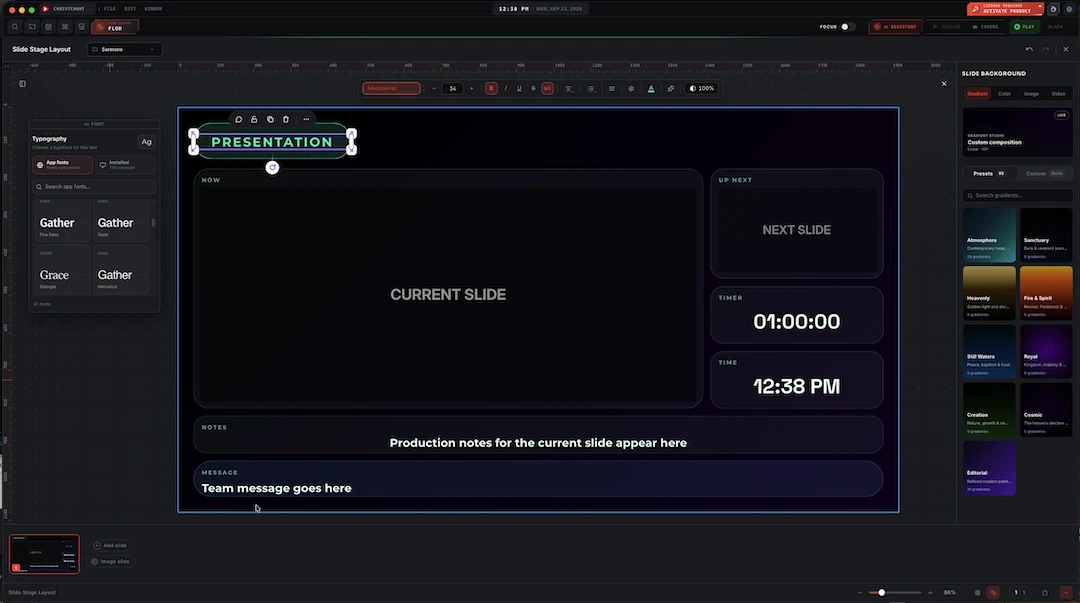
Composed once, in the same editor
Stage layouts are not a separate product with its own rules. They are built in the same slide editor as everything else: text styling, templates, transitions, and the same gradient design picker with dozens of preset looks, so what you learn for the main screen carries straight over. Open a layout and it is a real editable document, not a locked template: every panel, every field, every colour is the same editor you already know from the main screen.
- Independent layout per output surface
- Built with the same editor, templates and transitions
- Timers and countdowns on a shared clock
- Assign screens once and they stay assigned
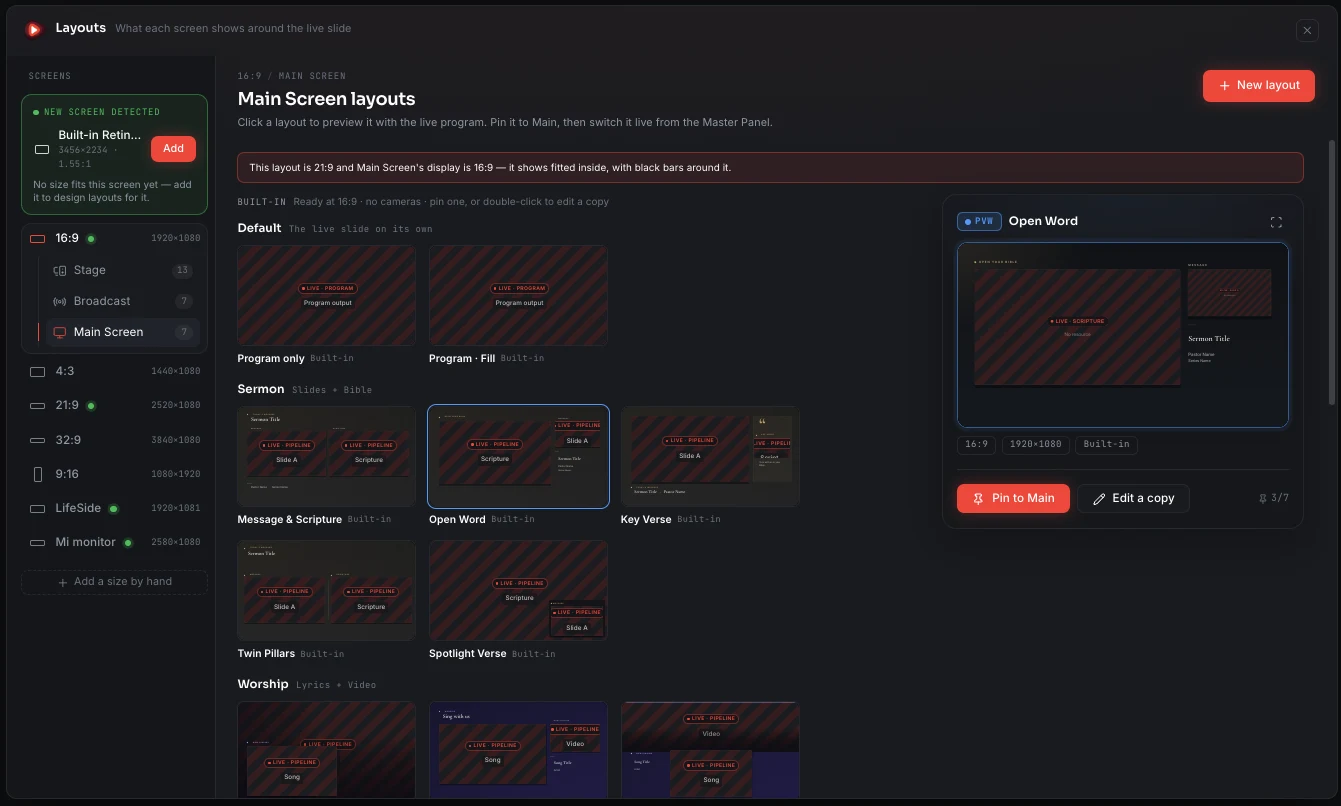
Each screen gets a layout made for its own shape
Screens in a building are rarely the same shape: a 16:9 projector, a 4:3 confidence monitor, an ultrawide or a portrait panel. Every built-in layout comes in every screen size, a newly connected screen is detected and offered as a size of its own, and a layout made for another shape is shown fitted inside rather than stretched.
- 16:9, 4:3, 21:9, 32:9 and 9:16 out of the box
- A connected display is detected and offered as its own size
- Add a custom size by hand
- Each layout keeps the size it was made for
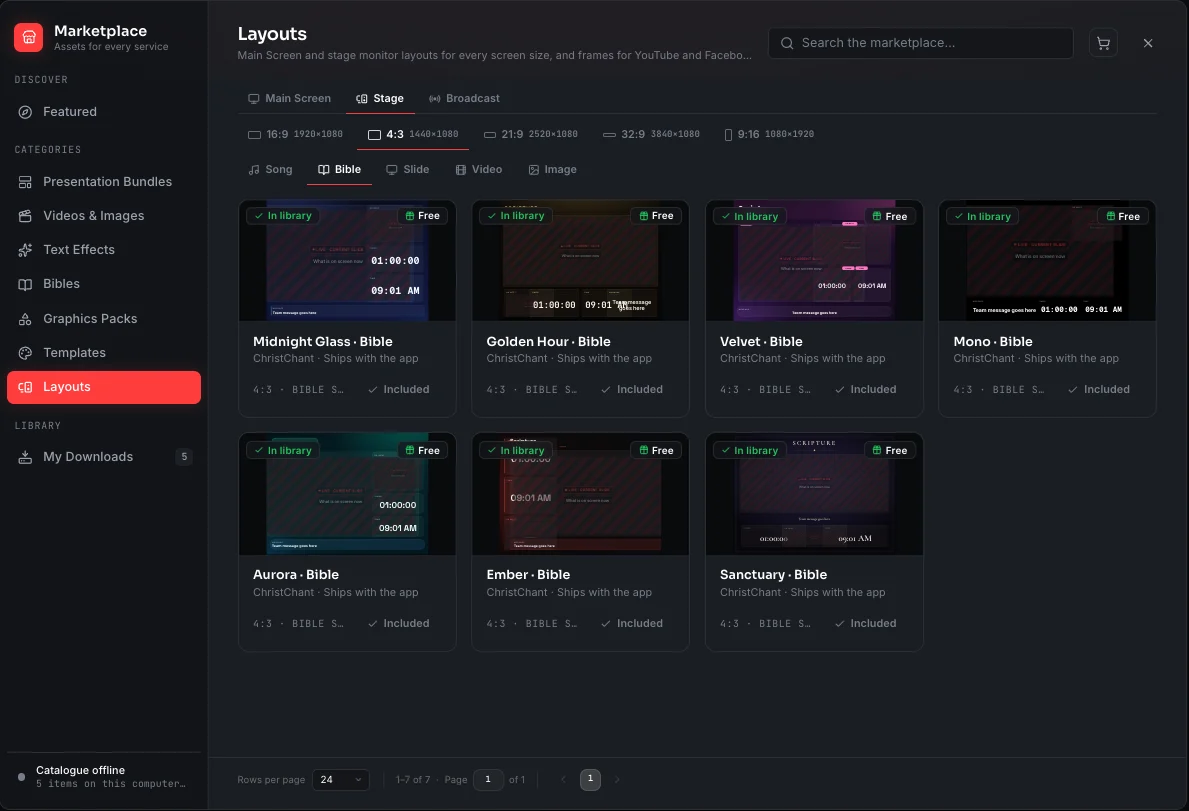
The stage monitor switches with the content
A song shows the current and next lines with chords, scripture shows the passage large enough to read from the platform, and a video leads with the time remaining. Separate layouts for each kind of content, seven built-in designs each, in every screen size.
- Separate layouts for Song, Bible, Slide, Video and Image
- Current and next, the clock and messages from the booth
- Seven built-in designs, in every screen size
- The stage display arrives with Premium
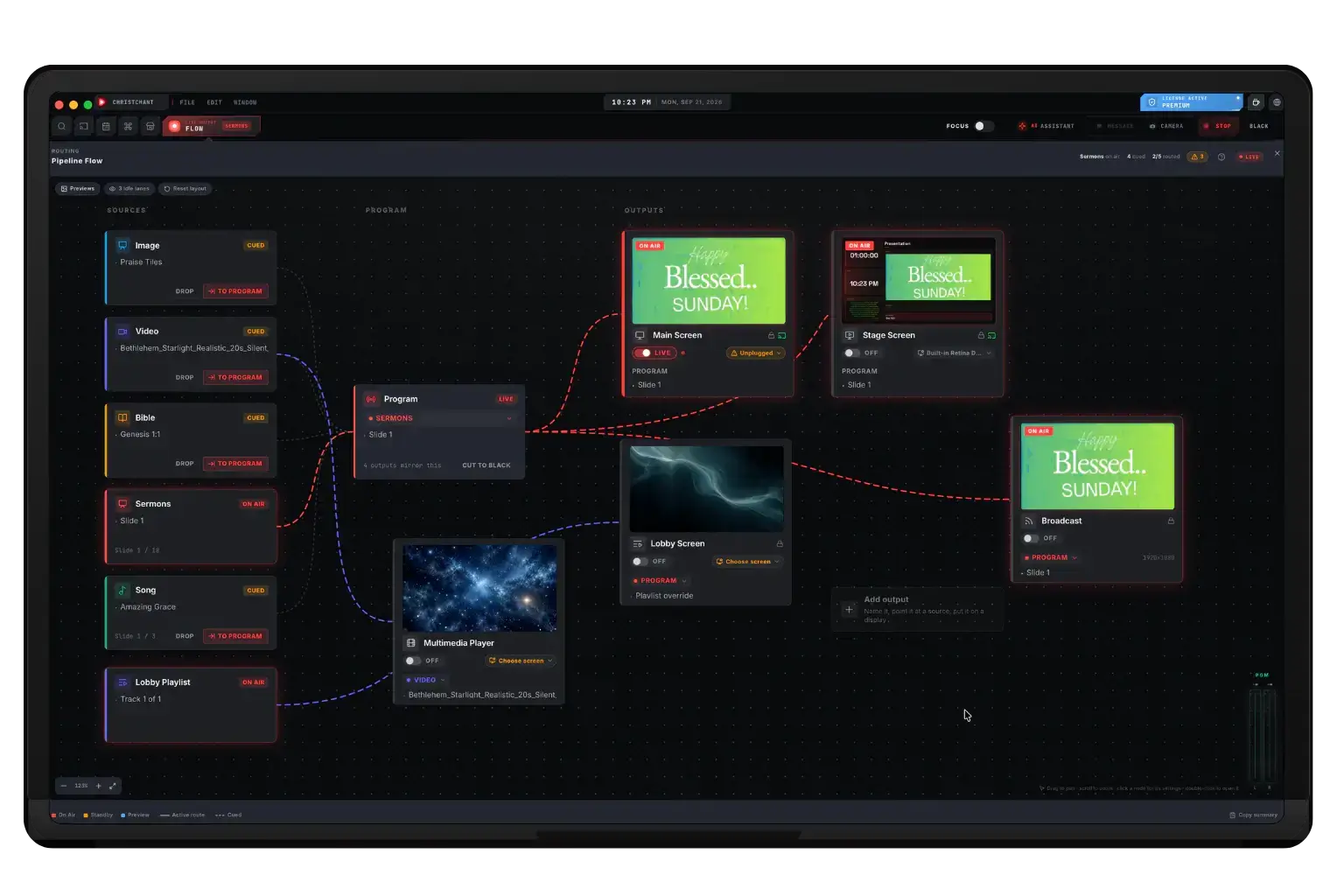
One switch decides whether a screen exists
A screen is either active or it is not, and that is a single switch wherever you find it: in Settings, on the Pipeline Flow card, or in the flow inspector. Turning it on shows the screen in Master Output and opens it on its display. Turning it off closes the window, stops any NDI, SDI or RTMP feed it was sending, and dims it on the flow canvas so you can see at a glance what is actually running. The main output is always active and cannot be switched off.
- The same Activate switch in Settings, the flow card and the inspector
- Activating opens the screen on its display and shows it in Master Output
- Deactivating closes the window and stops its NDI, SDI or RTMP feed
- Inactive screens are dimmed on the Pipeline Flow canvas
The main projection is available on every plan. The stage display arrives with Premium, and a third or further output surface, plus NDI, SDI and RTMP output, is a Premium capability. See pricing for the full split.
About this feature
No. The main projection works on every plan. The stage display starts with Premium, and a multi-screen array of three or more displays is also Premium. The pricing page has the full breakdown.
Try it before next Sunday
Start Premium trial
Free for 30 days with every Premium feature: stage screen, extra outputs and broadcast. No card, and you keep the app on the Free plan afterwards.
Create account and start trialThree steps: create your account, start your 30-day Premium trial in one click, then download ChristChant and sign in. Every feature, no credit card.