
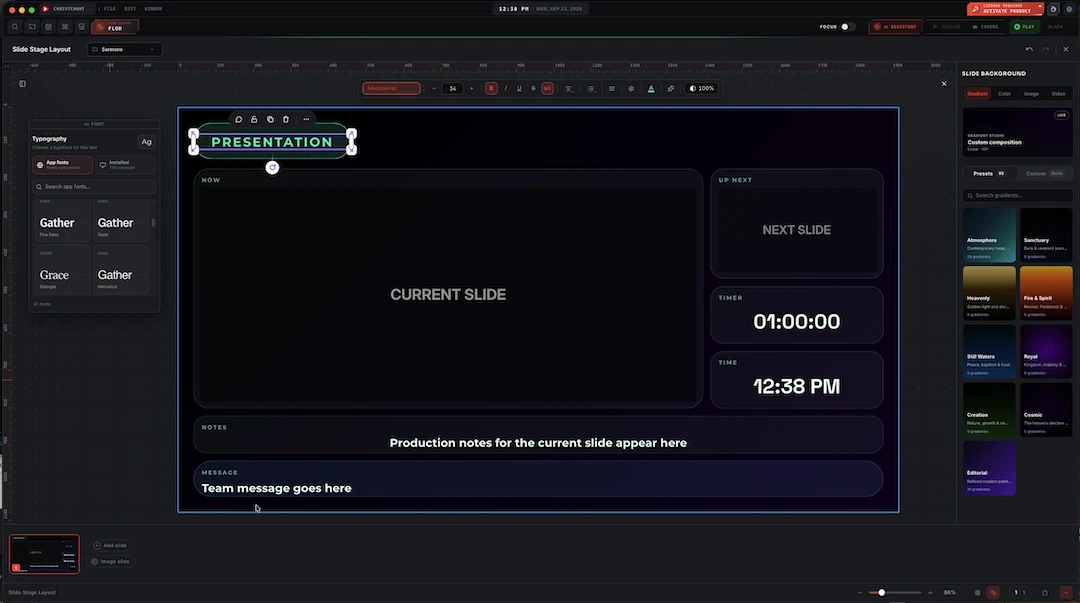
NDI, SDI and Direct Live, all at once
Your stream runs over the network, your switcher still takes a cable, and the congregation at home needs a link to click. ChristChant sends every screen to NDI for OBS, vMix and TriCaster, and out of a Blackmagic card straight into an ATEM, while Direct Live pushes the same Broadcast screen to YouTube, Facebook or any RTMP server, no separate encoder.
NDI per screen
Every screen is its own NDI source, named and discoverable on your network.
SDI out of Blackmagic
DeckLink and UltraStudio ports each play a screen, clocked by the card itself.
Fill + key
Lyrics and scripture keyed cleanly over cameras, on NDI alpha or SDI fill and key.
Sound travels with it
Each output carries its own audio mix, embedded in the NDI source or the SDI signal.
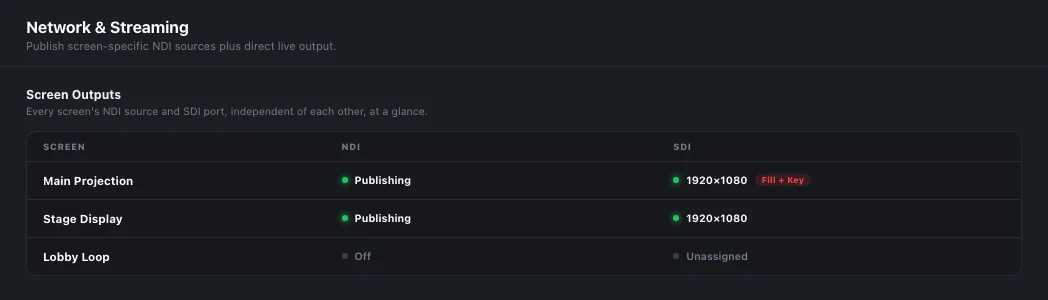
One screen, every destination
NDI and SDI are not an either-or setting. The same lyrics screen can publish an NDI source for the stream computer and play out of an SDI port into the switcher at the same moment, while the stage display goes somewhere else entirely. Each output is independent: its own screen, its own format, its own key, its own sound.
- NDI and SDI outputs run side by side, from the same screen or different ones
- Every screen is its own NDI source, like a keyed source on a switcher
- Each SDI port picks its screen, format and keying on its own
- Turning a screen off stops every feed it was sending
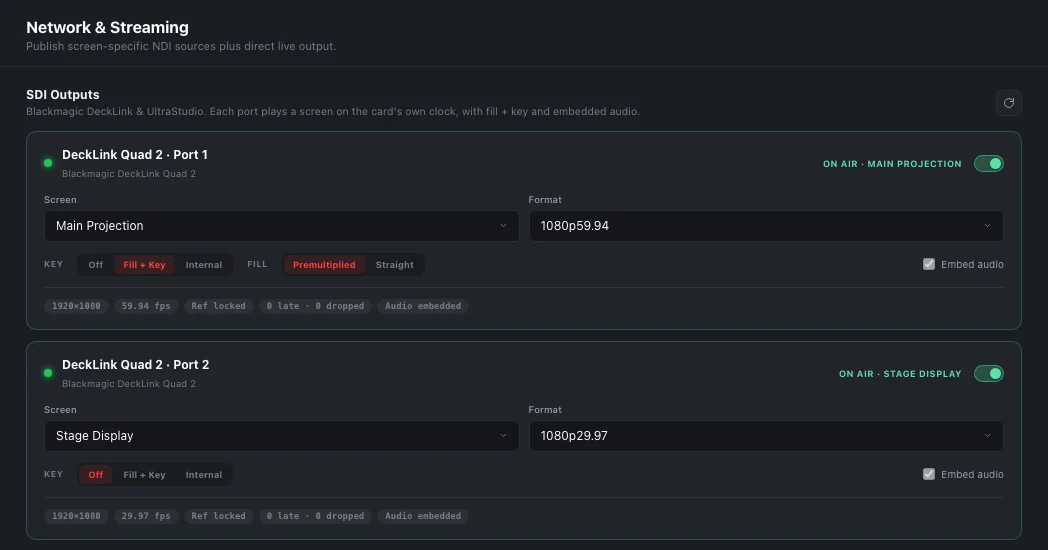
Blackmagic SDI, done like a broadcast graphics box
Connect a Blackmagic DeckLink or UltraStudio and every output port shows up in Settings. Give a port a screen and a format, 1080p, 1080i or 720p at any broadcast frame rate including 29.97 and 59.94, and it plays out on the card's own clock, so the picture never judders with what the computer is doing. Ports come back on their own after a restart, a replug or a busy card.
- Fill + key on paired connectors for an ATEM or any switcher keyer
- Internal keying: the card keys graphics over its own SDI input
- Premultiplied or straight fill, to match your keyer
- 48 kHz stereo embedded in the SDI signal
- Live health per port: format, reference lock, late and dropped frames
Network video that behaves like a cable
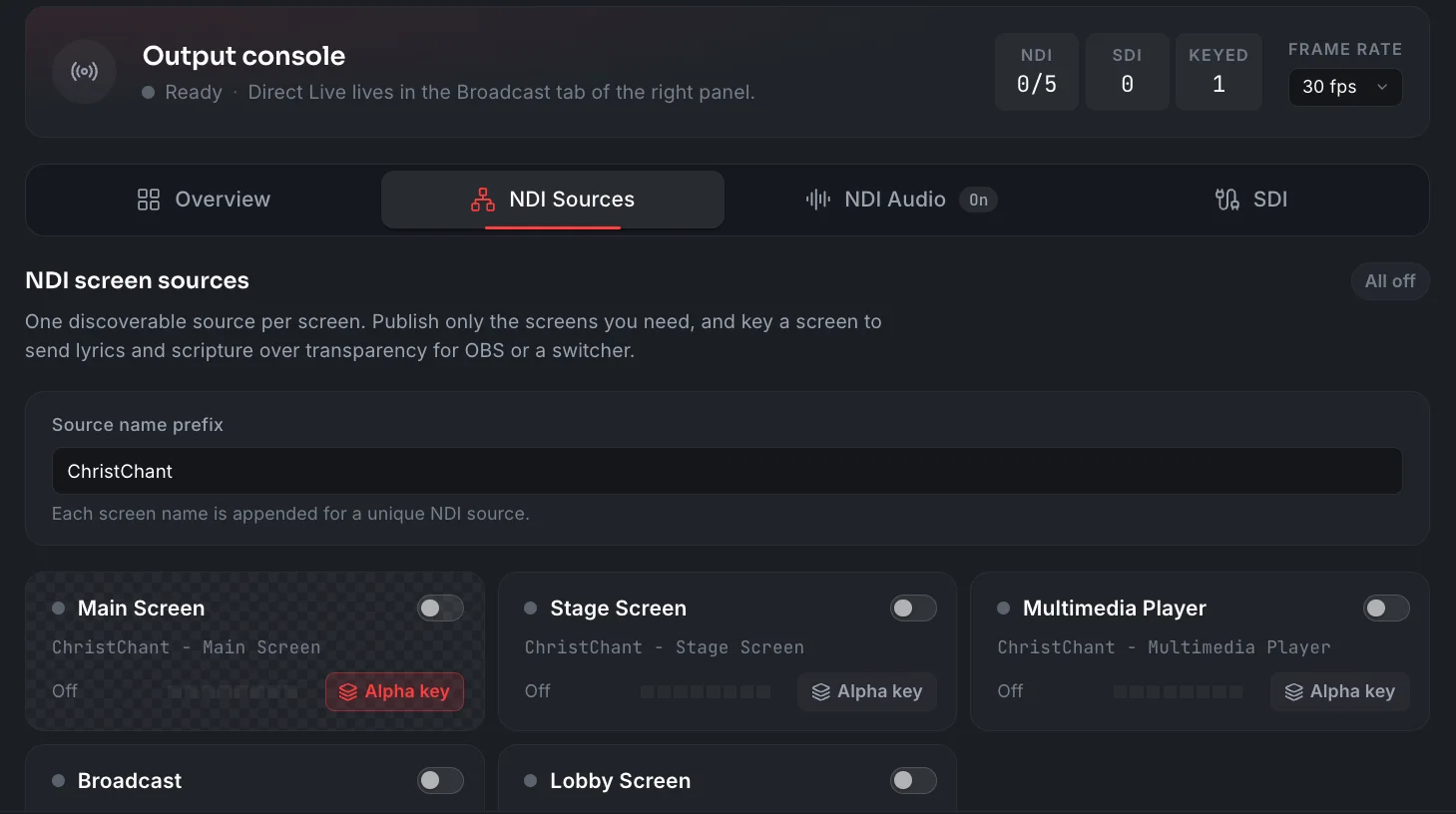
NDI sources arrive in OBS, vMix, TriCaster and any NDI switcher as full 1920×1080 at a steady frame rate, even on a still slide. Every screen is its own source, named after your church, and you publish only the ones you need. Key a screen and it publishes with a true alpha channel, so lyrics sit over the camera without a chroma key.
- One discoverable source per screen, named with your own prefix
- Publish only the screens you need, each with its own switch
- Alpha key per screen: transparent background, crisp text
- Frame rate set once for NDI and Direct Live
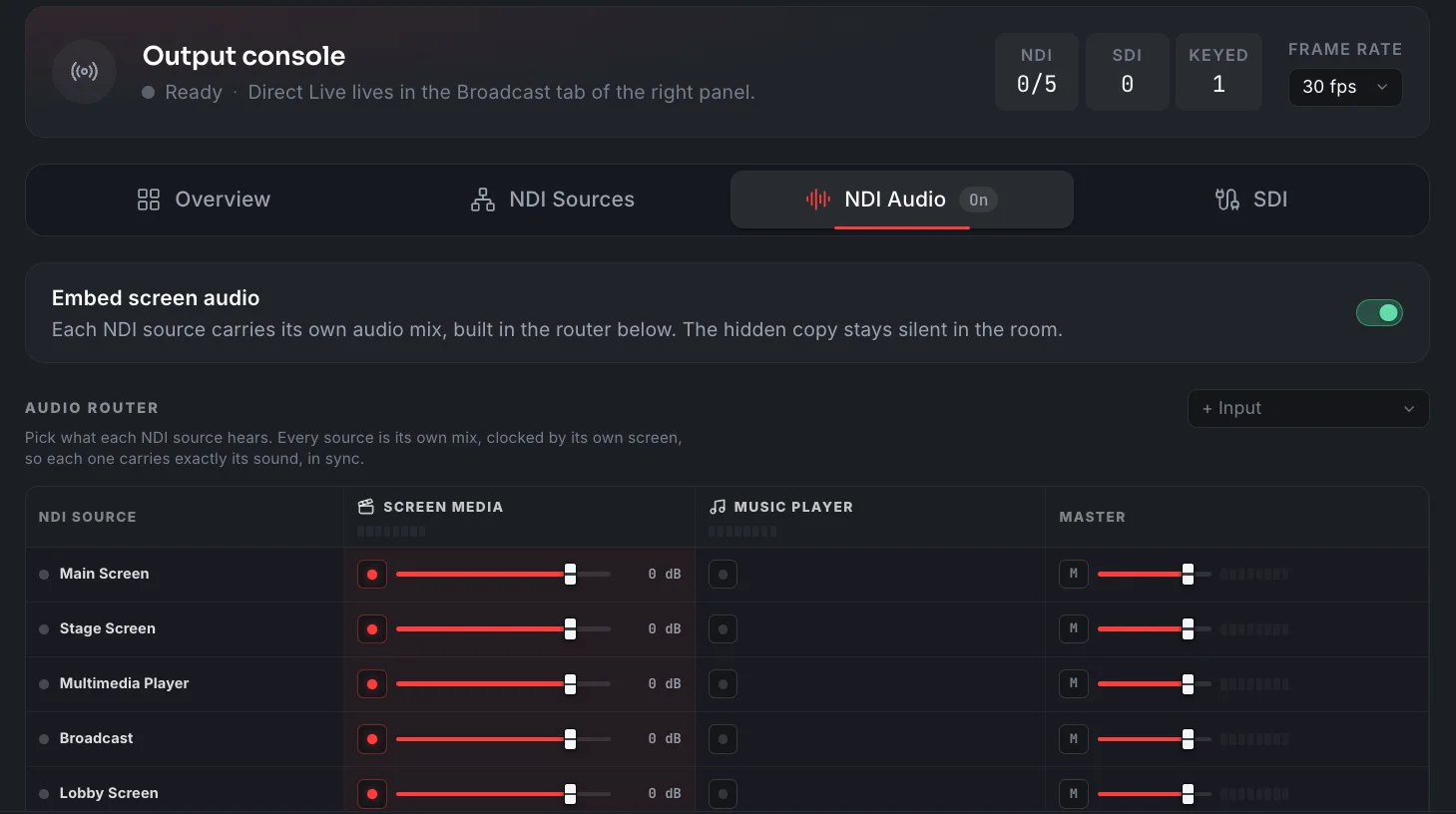
Every source carries its own sound
Turn on Embed screen audio and each NDI source carries its own mix, built in the audio router: a row per source, a column per feed. Send the screen's own media, the music player or an audio input into any source at its own level, with a master fader per source. Each mix is clocked by its own screen, so the sound stays in sync with the picture, and the hidden copy stays silent in the room.
- Embed screen audio in every NDI source with one switch
- Route screen media, the music player and audio inputs per source
- A level for every connection and a master per source
- Each mix stays in sync with its own screen
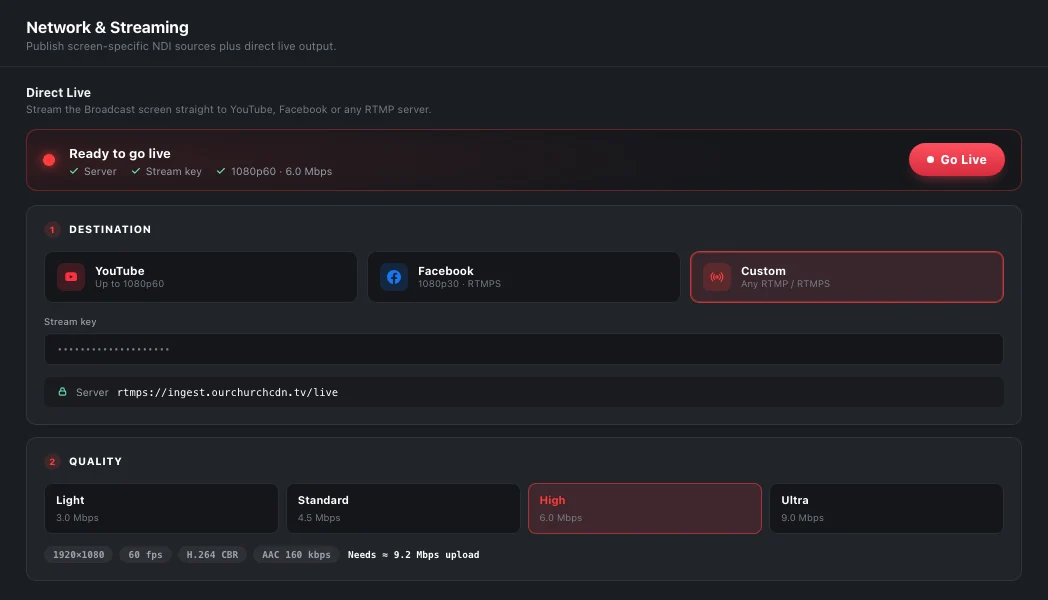
Go live without a separate encoder
Direct Live streams the Broadcast screen straight out to the internet: pick YouTube, Facebook or a custom RTMP / RTMPS server, paste a stream key once, and Go Live starts an H.264 stream ChristChant encodes itself. It mixes in whatever media is playing on the Broadcast screen with a microphone and the room's program audio, so the online feed carries the same service, not a silent screen. A live readout shows bitrate and dropped frames the whole time you're on air.
- YouTube, Facebook or a custom RTMP / RTMPS server, no separate encoder or OBS in between
- Up to 1080p60 at 9 Mbps on YouTube and custom servers
- Facebook's own ingest caps a stream at 1080p30, 6 Mbps and 128 kbps audio; ChristChant applies that automatically
- Mixes the Broadcast screen's media with a microphone and the room's program audio into one stream
- Live bitrate and dropped-frame readout while the stream is running
- Part of Premium
NDI, SDI and Direct Live output are all Premium capabilities. SDI needs a Blackmagic DeckLink or UltraStudio device and Blackmagic's free Desktop Video driver; Direct Live needs only a stream key from YouTube, Facebook or your own RTMP / RTMPS server. Windows and macOS.
About this feature
Yes. They are separate outputs, so one screen can go out over NDI and SDI together, or different screens can go to each. Nothing has to be switched between them.
Try it before next Sunday
Start Premium trial
Free for 30 days with every Premium feature: stage screen, extra outputs and broadcast. No card, and you keep the app on the Free plan afterwards.
Create account and start trialThree steps: create your account, start your 30-day Premium trial in one click, then download ChristChant and sign in. Every feature, no credit card.