
The screen your band actually needs
The congregation screen is the wrong screen for the people playing. They need the chords, the key, how long is left and what is coming next, and none of that belongs in front of the room.
Design it once. Two screens follow.
One slide, built once, ends up in front of two different audiences at the same time: the room reads the words, and the band reads a screen built for playing rather than watching. Neither one is an afterthought.
Design it once. The room sees it like this.
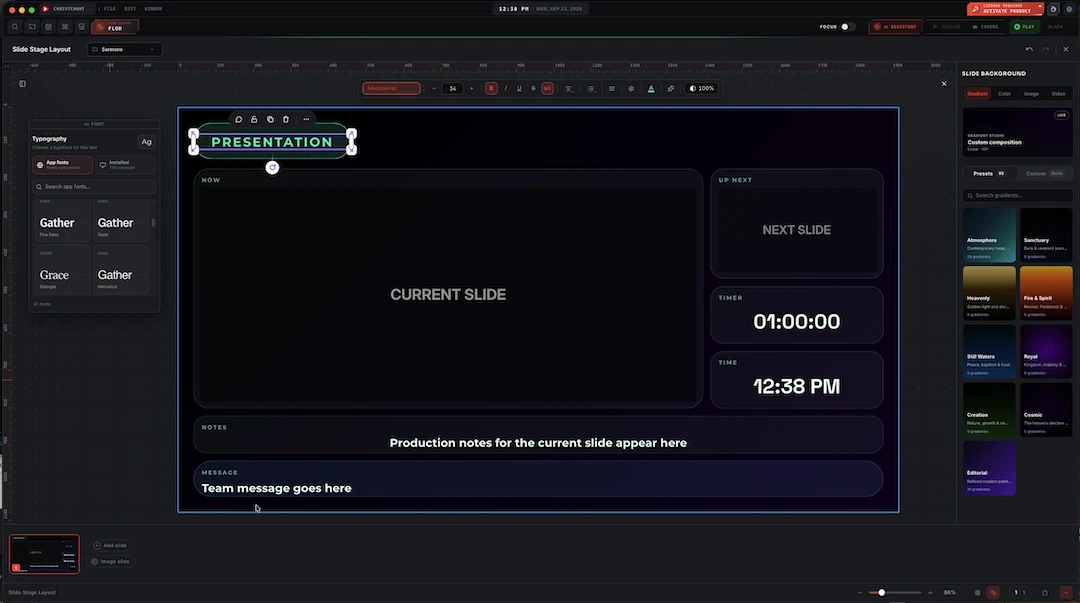
Built in the same app that projects it: type, shapes, symbols, photos and animations down one side; the gradient studio and background controls down the other; the song's sections along the bottom. Name a template once, and every song you add next week arrives wearing it.
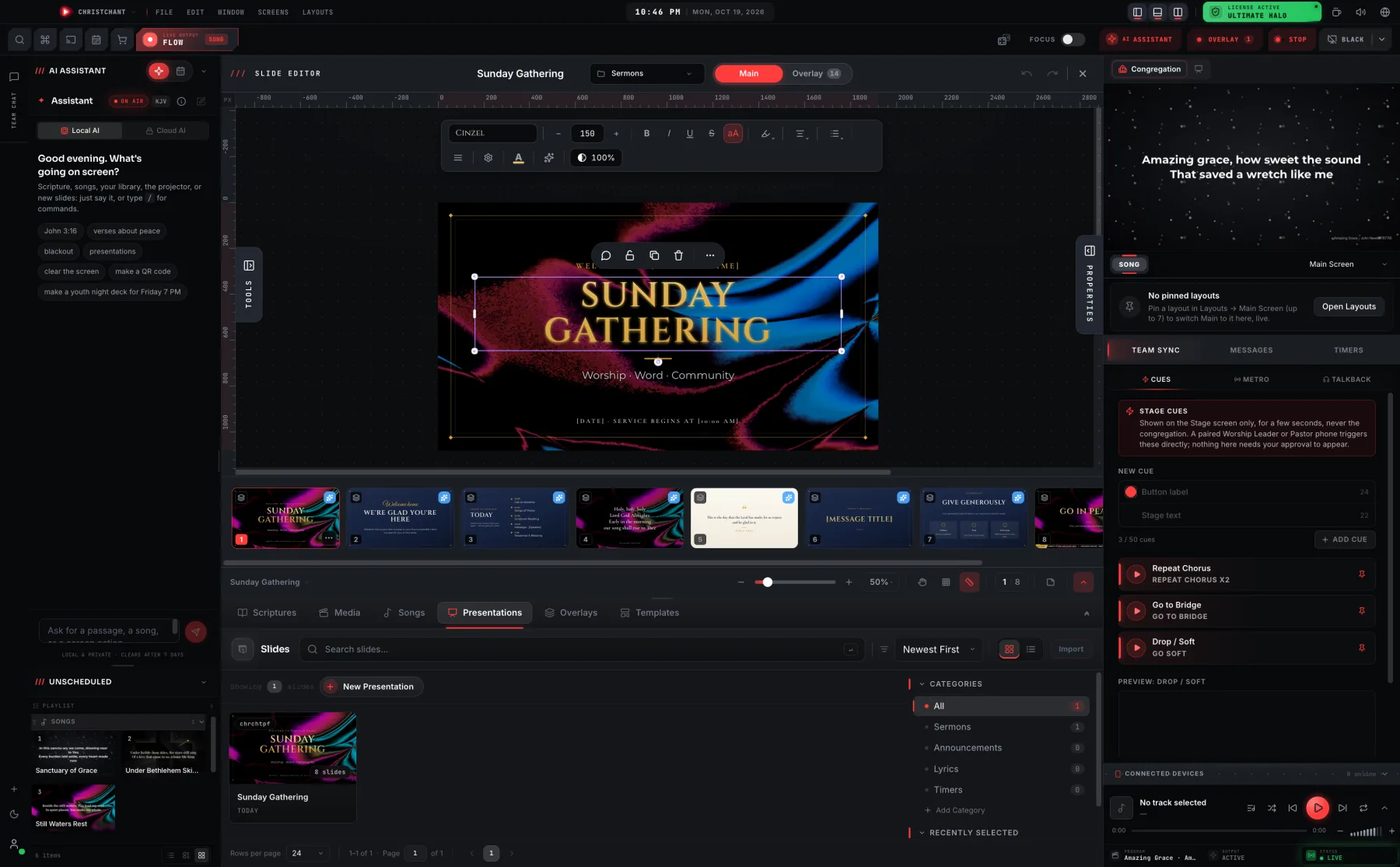
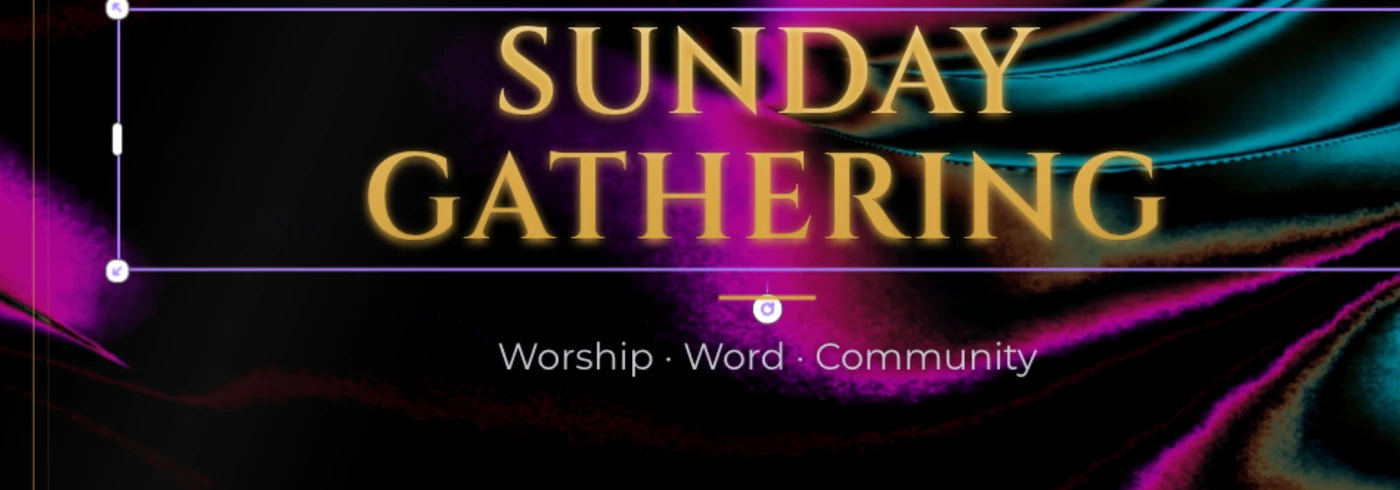
- Ninety-five gradient presets, or build your own in the gradient studio
- App fonts that travel with the file, or any font installed on the machine
- Verse, chorus, pre-chorus, intro, interlude and ending, laid out along the bottom
The screen the room never sees.
The congregation gets the words. The band gets chords in their own columns, the current line and the next one, a running clock, and whatever the booth needs to tell them: a screen built for the people playing, not the people watching. Turn on Beat Light and the whole screen flashes red on the beat, read straight off the song's own BPM, so a drummer can hold tempo without hunting for a click track.
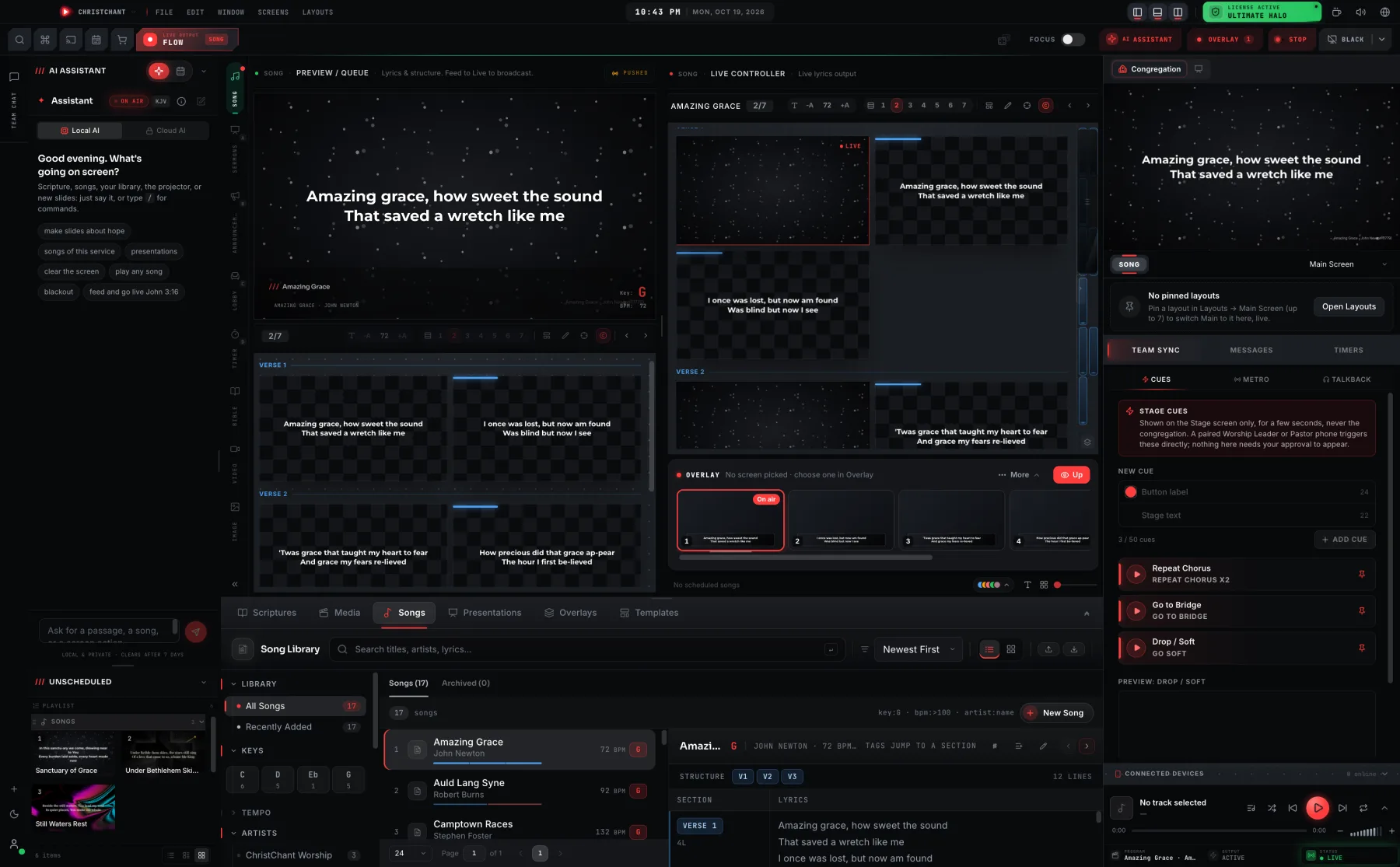
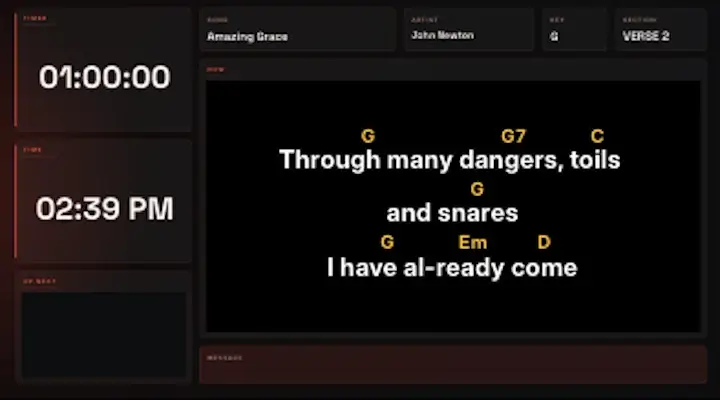
- Chord columns that hold their position over the lyrics, however they wrap
- Current slide, what's next, a timer and the time, together on one screen
- Seven art-directed designs, each fitted to song, Bible, slide, video and image
Chords, laid out properly
Musicians get a dedicated song canvas, so chord columns line up over the words instead of scattering.
Now, next and time left
The team layout carries the current slide, the one after it, and a timer together.
Metronome
A shared click with BPM and beats per measure, accenting the downbeat.
Director mic
Pick the input device and watch its level, without leaving the Team Sync panel.
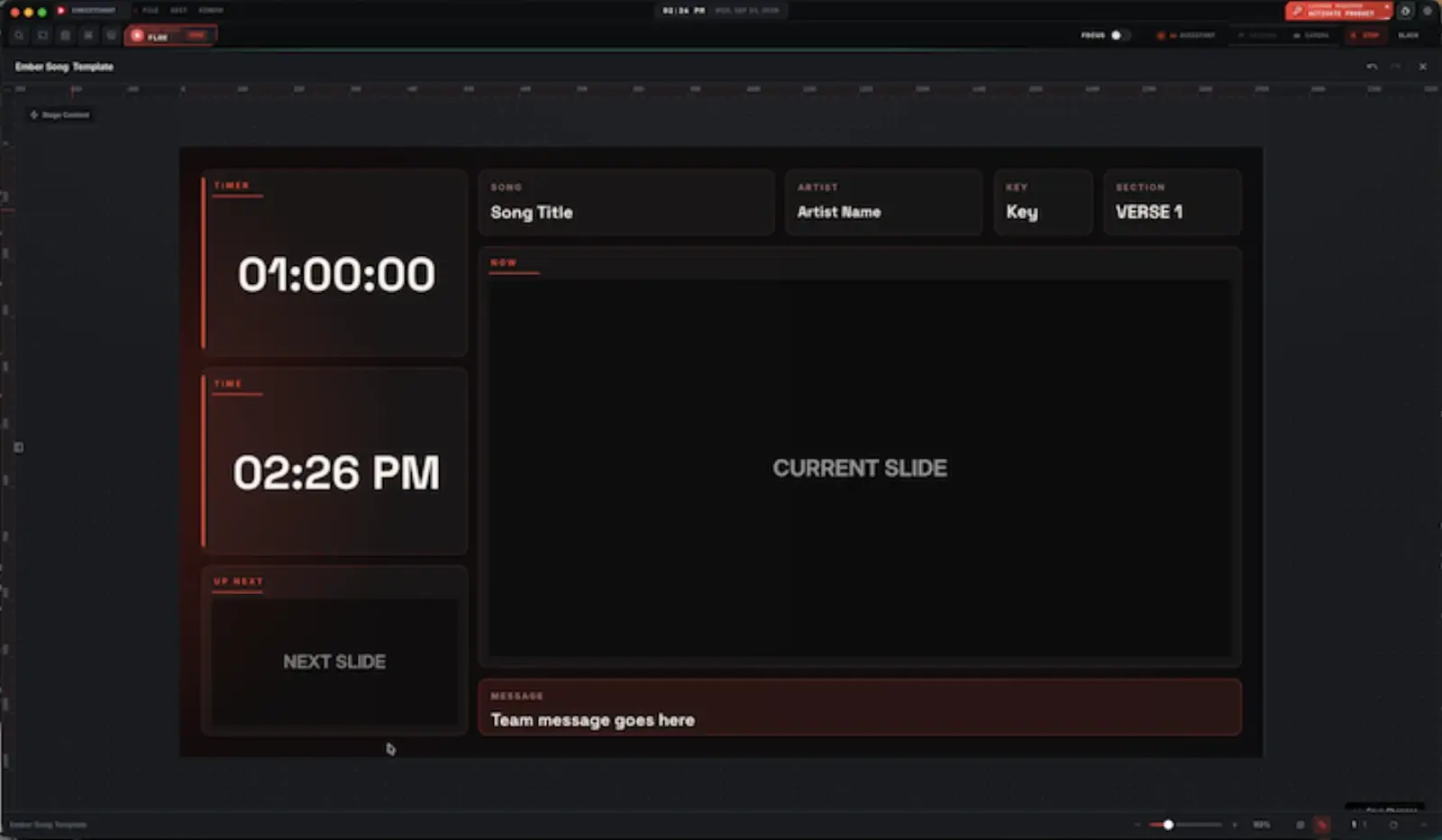
A canvas built for players, not for the room
The stage song view does not reuse the congregation template. It is its own display, deliberately bypassing the template renderer so chord placement is always correct: chords stay in their columns above the right syllables however the lyrics wrap.
- Chord columns that hold their position over the lyrics
- Song title, artist and key in the header
- The key follows your transposition, in semitones
- Pure-black stage dark or pure-white bright light, for the room you are in
Seven designs, or one you build yourself
The stage screen no longer starts as a grey box with zones in it. There are seven art-directed designs, Midnight Glass, Golden Hour, Velvet, Mono, Aurora, Ember and Sanctuary, and each one is fitted separately to every pipeline the stage can show: song, Bible, slide, video and image. Pick one and the screen is finished. Open it in the layout editor and it is a starting point rather than a template you are stuck with.
- Seven designs, each fitted to five pipeline kinds: 35+ built-ins
- Live content stays the largest thing on the screen, by construction
- Clocks and timers size to their own box, so digits never clip
- Every built-in opens in the layout editor as a starting point
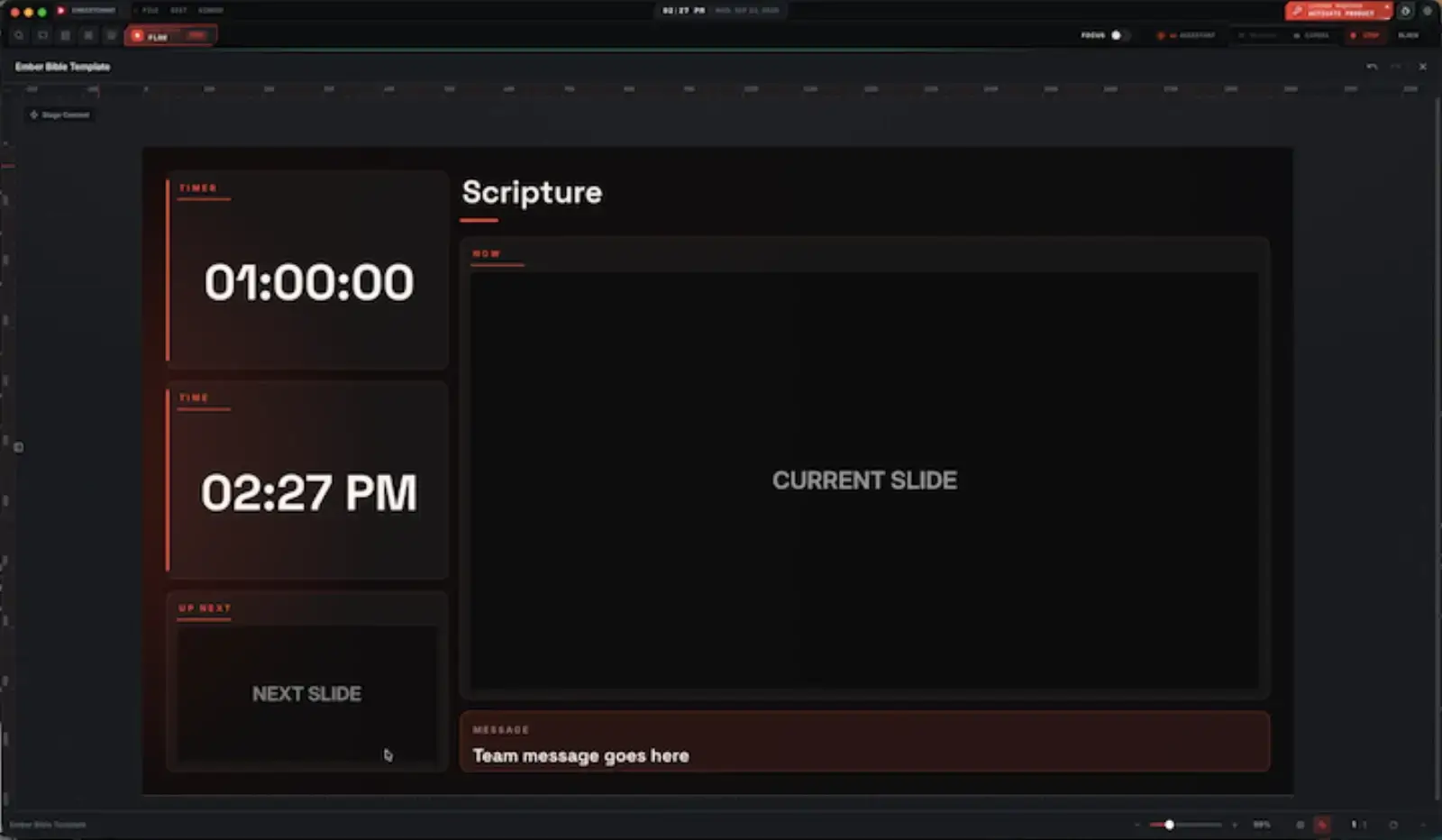
Scripture, without the song fields that do not apply
The Bible stage display drops the song-only fields rather than leaving them empty: no artist, no key, no section marker. What is left is the passage itself, a timer, the time, and what is coming next, so a reading gets a screen built for a reading rather than the song canvas with two labels blanked out.
- A plain "Scripture" header in place of the song's title, artist and key
- The current passage in the same NOW box every stage display uses
- Timer, time and Up Next, same as the song display
- The same team message row along the bottom as every stage display
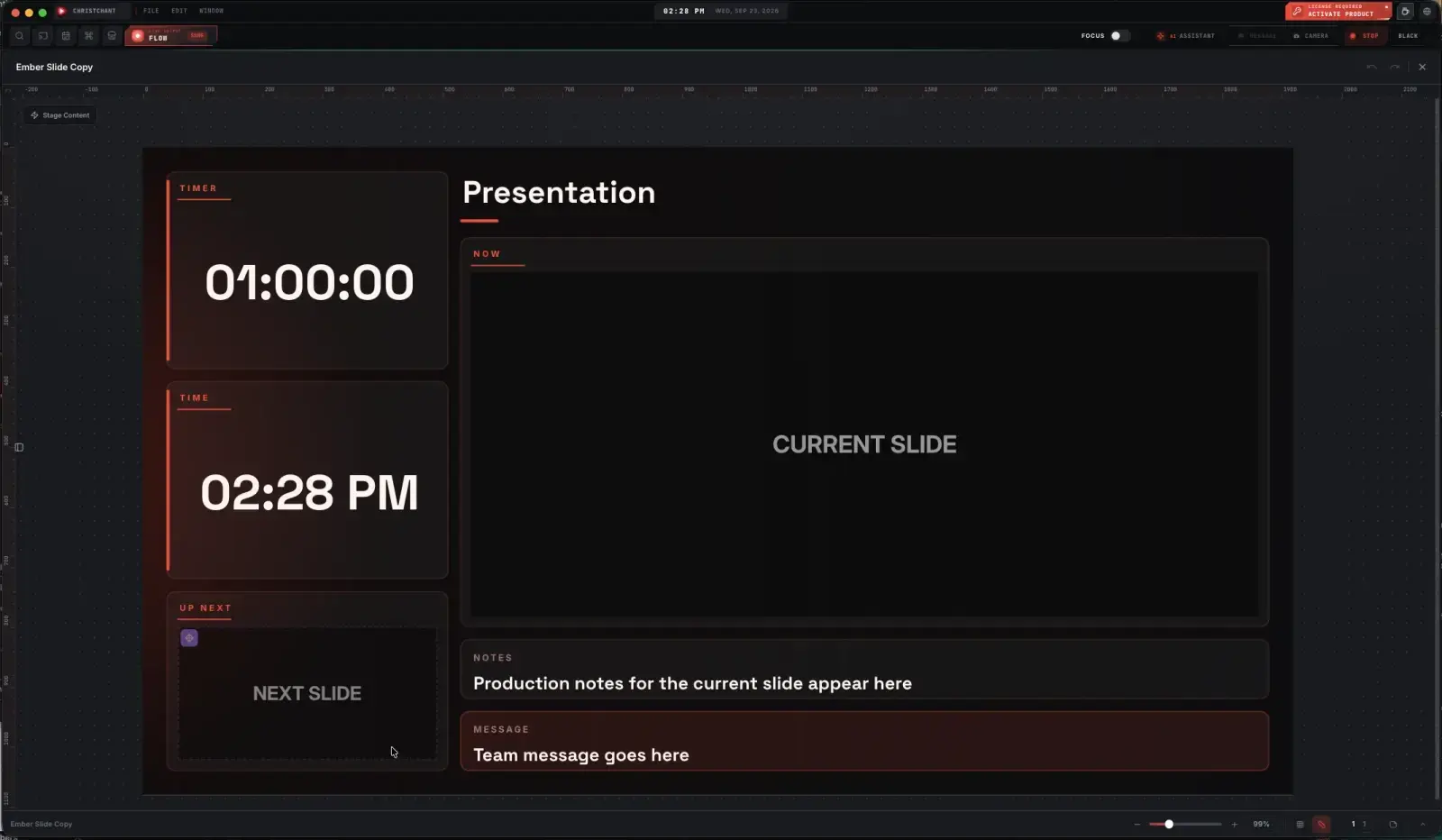
A presentation gets a production note, too
A slide deck for a sermon or an announcement is not a song, so its stage display is not the song canvas with the labels changed. It carries a Notes block the song and Bible displays do not: a line the operator can leave for whoever is running the service, separate from the team message that everyone sees.
- A "Presentation" header rather than a song or Scripture one
- A dedicated Notes block, only on the slide display
- Current and next slide together, same as every pipeline
- The team message sits below the notes, not instead of them
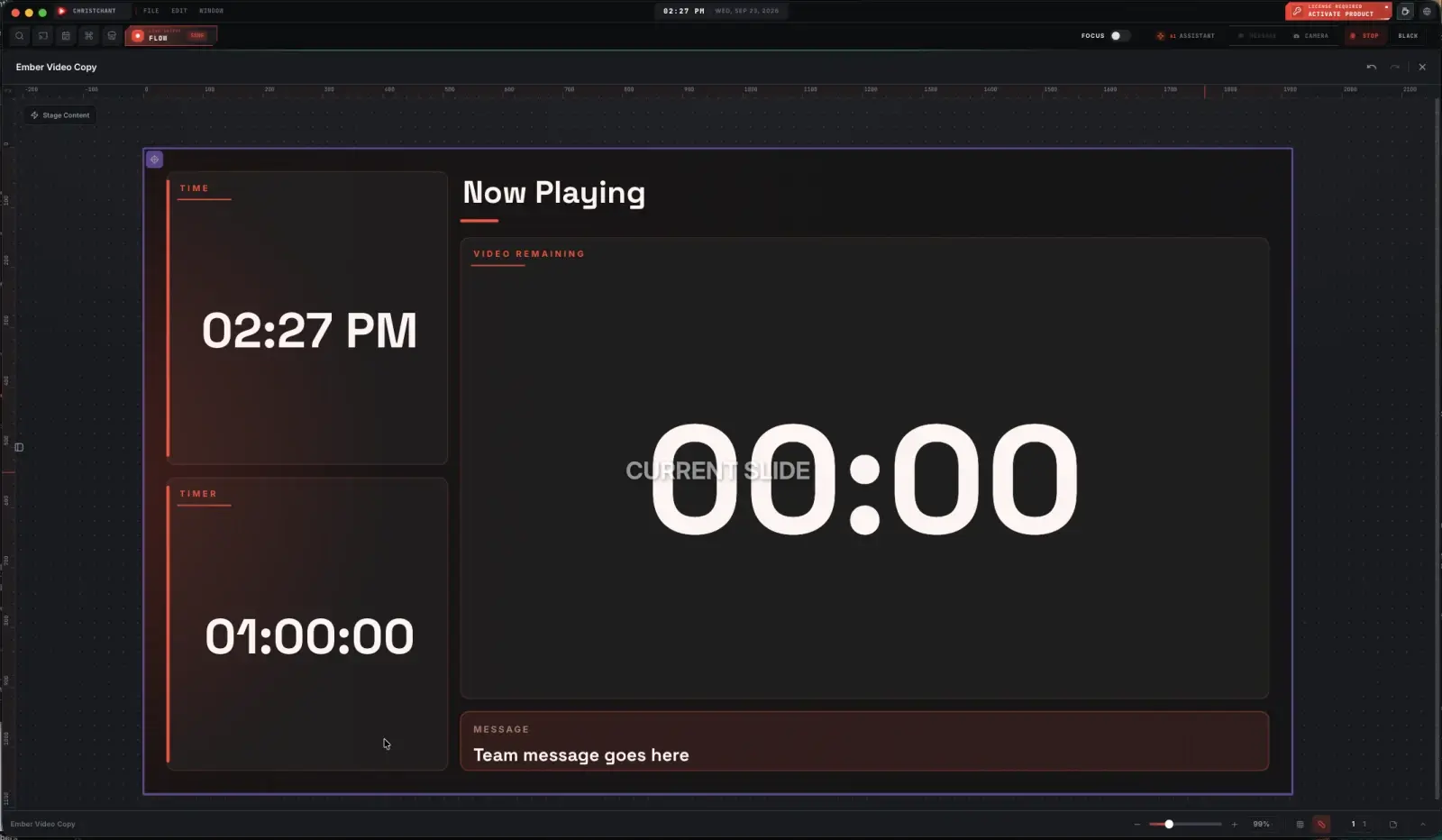
What matters during a video is how much is left
There is no Up Next block on the video display, because a video is not a set of slides to jump between: it is one thing playing. What replaces it is a countdown built into the display itself, sized to be read from the stage at a glance, so whoever is watching the room does not also have to watch a separate timer.
- A "Now Playing" header instead of a song or slide title
- Video remaining, counted down inside the main box itself
- No Up Next block: a video is one item, not a queue
- Time and a general timer still run alongside it
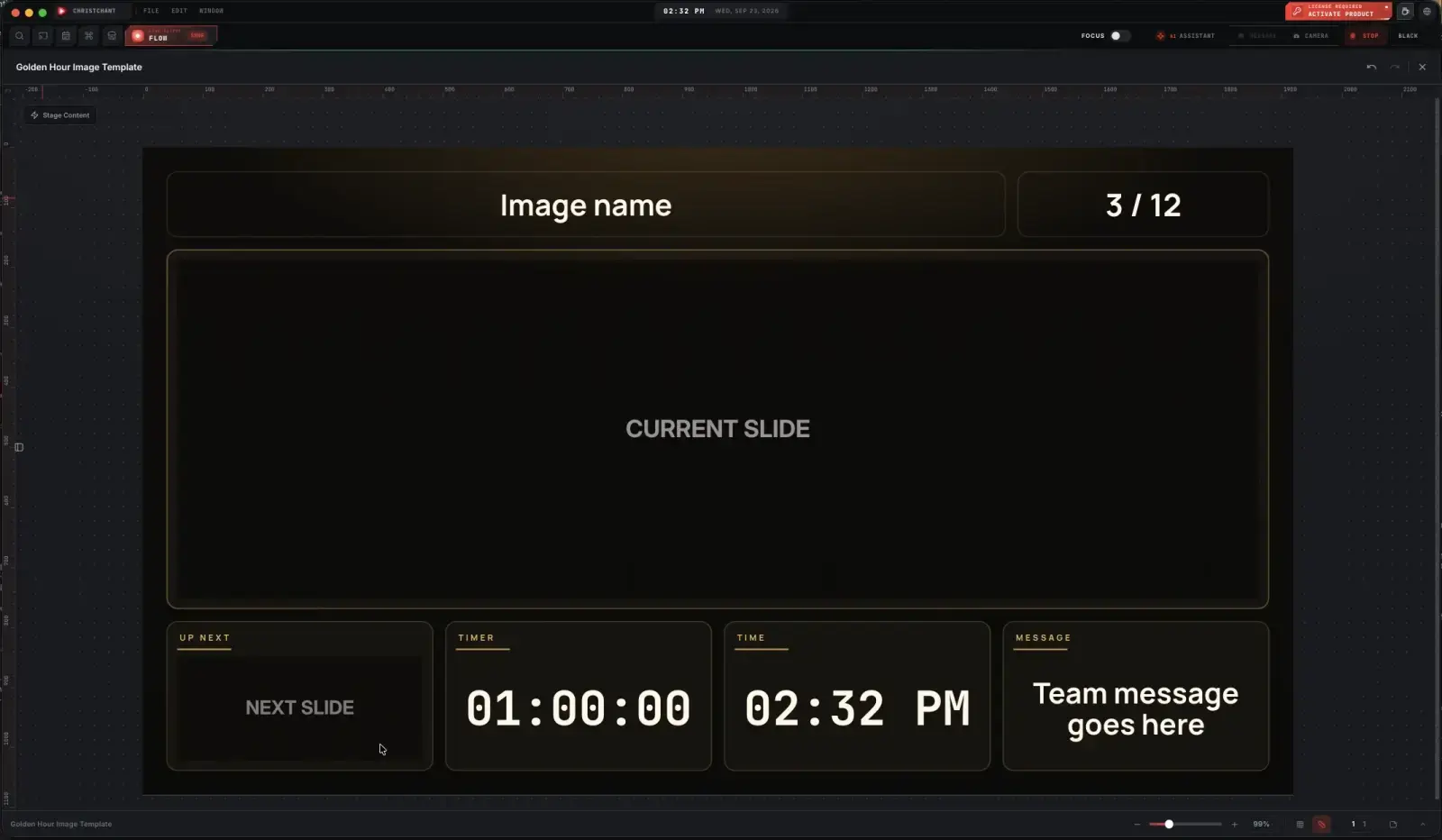
Which picture, and how many are left
Nine more baptism photos to go looks different from one. The image display adds the picture's name and its position in the deck to the header, so whoever is driving the service knows exactly where they are in a set that might be forty photos long, without switching back to the booth machine to check.
- The image's name and its position in the deck, e.g. 3 / 12
- Up Next, so the following photo is visible before it is on air
- Timer, time and the team message, same as every stage display
- Its own design skin, independent of whatever the song display is using
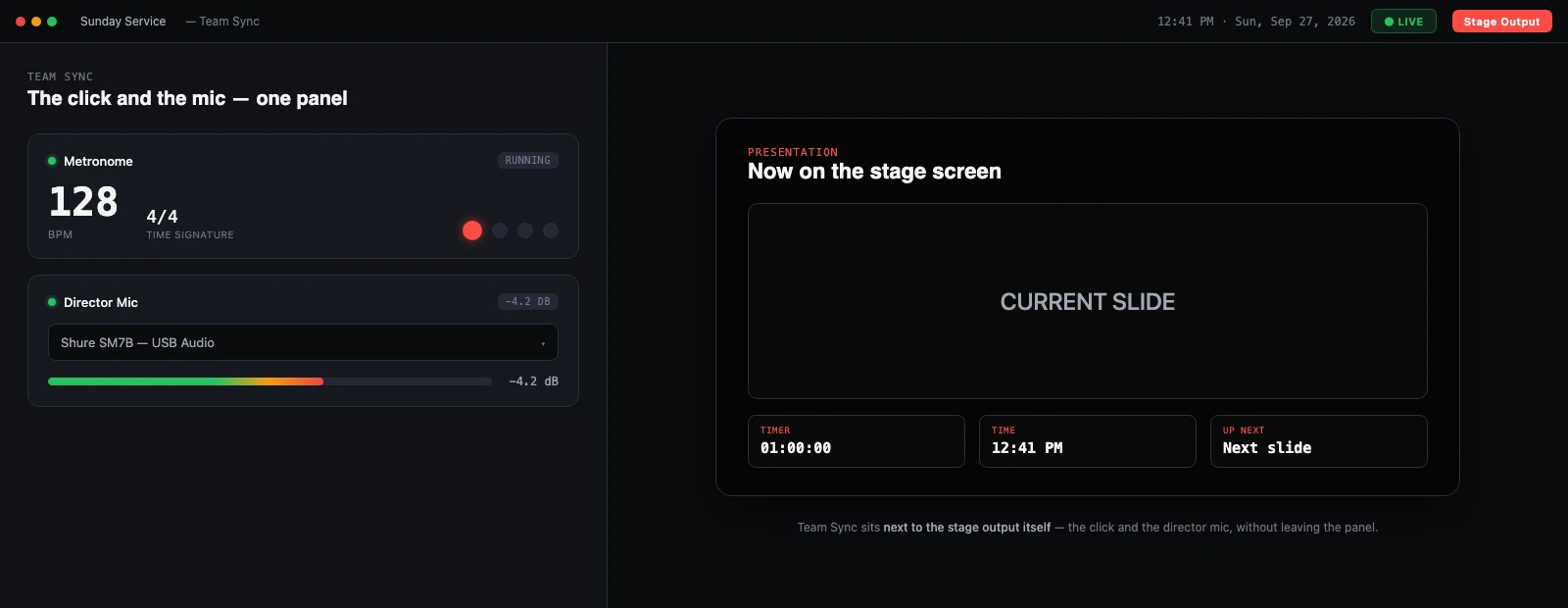
More than a second screen
The stage screen lives in a Team Sync panel that also holds the things a service runs on between songs: the click, the talkback input, and a list of every phone currently paired to the service.
- Metronome with BPM, beats per measure and an accented downbeat
- Director mic with input-device selection and level monitoring
- Connected devices, so you can see which phones are paired
- All in one panel, next to the stage output itself
The stage screen is a Premium capability; it is not included on the Free plan. Opening the Team Sync output window is gated in the app itself, not just hidden in the interface. See pricing for the full split.
About this feature
No. It is included from Premium upward. The gate is enforced in the app's main process rather than only hidden in the interface, so it is a real plan boundary.
Try it before next Sunday
Start Premium trial
Free for 30 days with every Premium feature: stage screen, extra outputs and broadcast. No card, and you keep the app on the Free plan afterwards.
Create account and start trialThree steps: create your account, start your 30-day Premium trial in one click, then download ChristChant and sign in. Every feature, no credit card.