
One screen is enough. More screens, each in its own shape.
Only one screen and a tight budget? One screen is enough. A Main Screen layout puts the sermon slide, the Bible verse, the lyrics and a video side by side on the single screen you already have. With more screens, each one gets a layout made for its own shape, and changing layouts mid-service never shows the room black.
One screen is enough
A single projector or TV shows the slide, the verse, the lyrics and video together.
Main Screen
Sermon, worship, announcement and media layouts for the projectors and LED walls the room sees.
Stage
A layout per kind of content for the band and the speaker: Song, Bible, Slide, Video and Image.
Broadcast
Frames for YouTube and Facebook Live: the slide, your cameras, your logo and links.
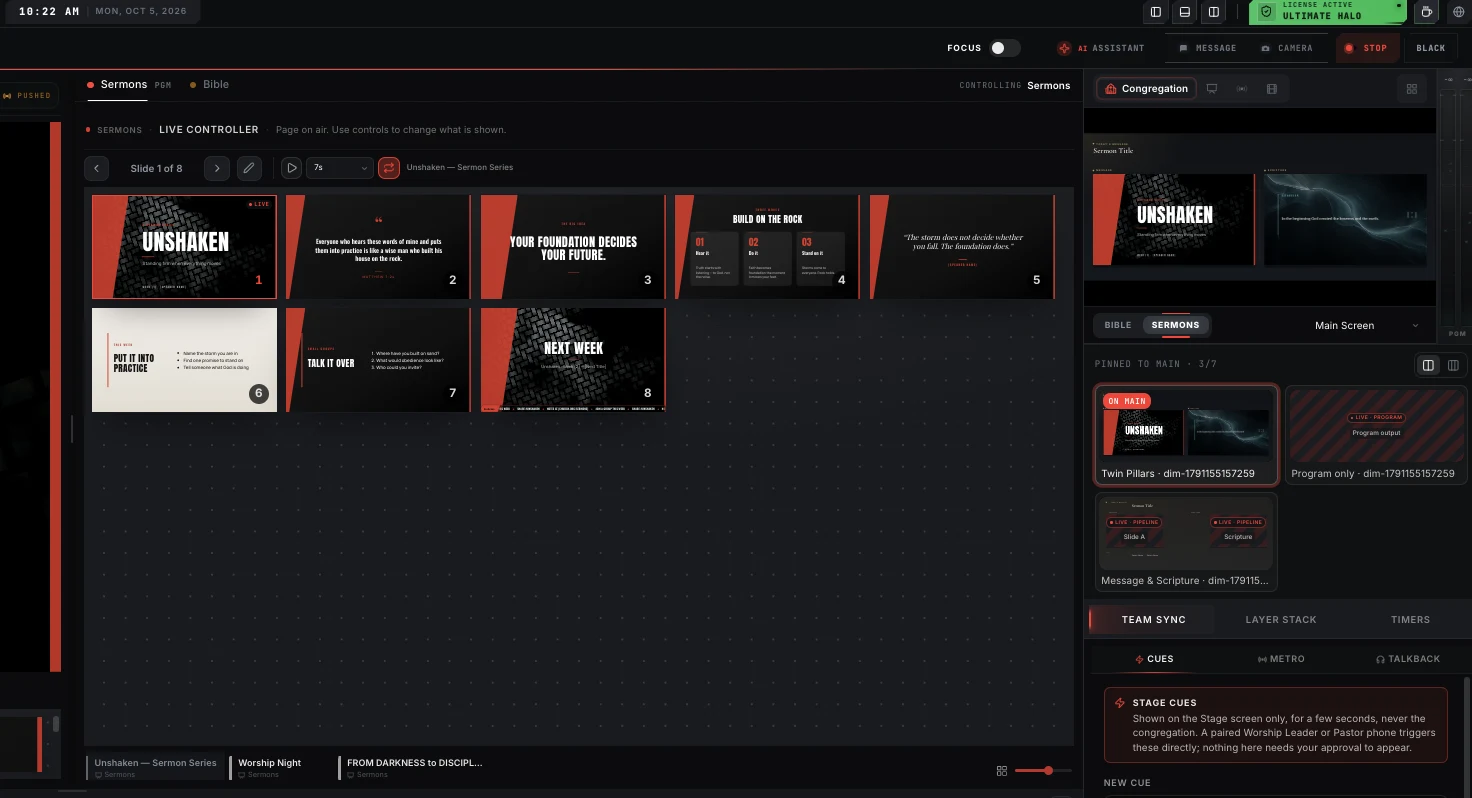
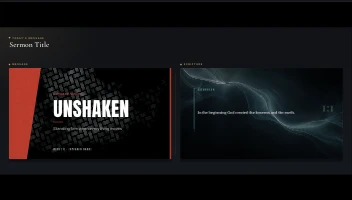
Only one screen? It can show everything at once
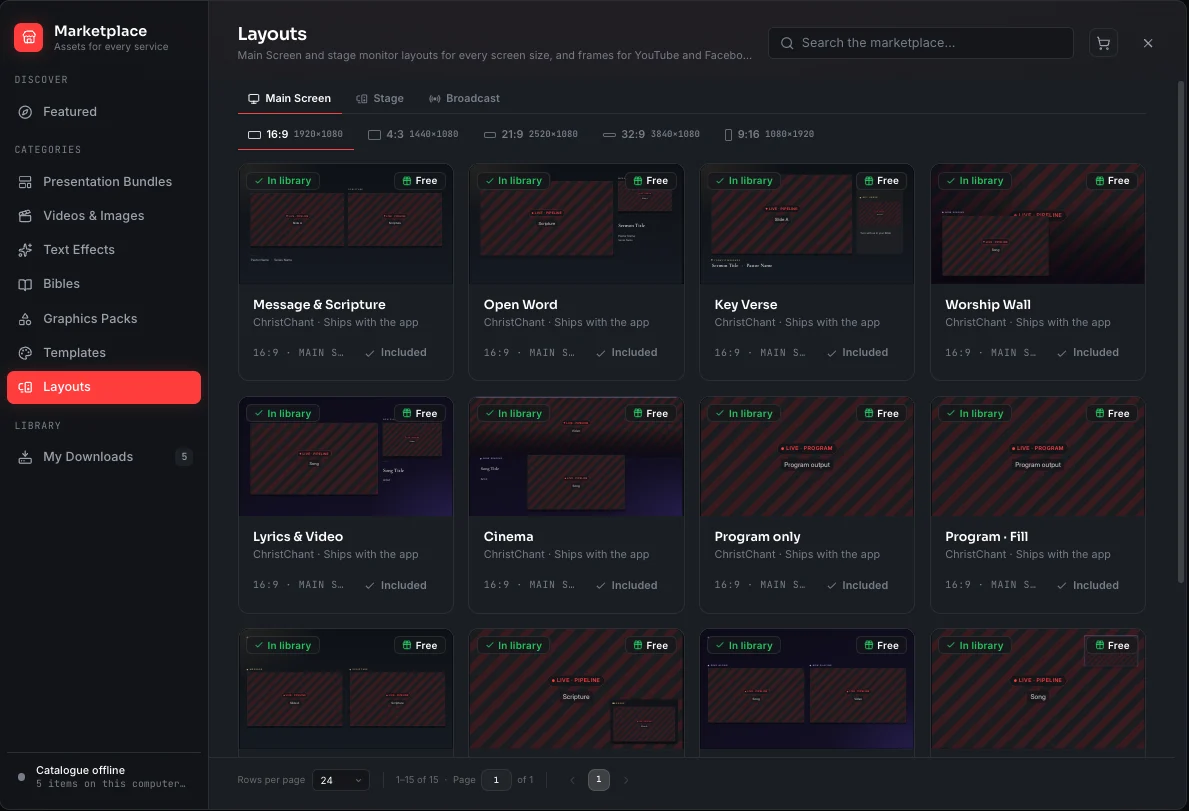
Most churches start with one projector or one TV, and a second screen is not in the budget. You do not need it. A Main Screen layout splits the one screen you have into zones: the sermon slide beside the verse being read, lyrics over the worship video, announcements next to photos. Every source stays live in its own box, and you can pin up to seven layouts to Main and switch between them from the Master Panel during the service.
- Slides, scripture, lyrics, video and images on one screen together
- Pin up to seven layouts to Main, switch with one click
- Works on the main output, which is on every plan, including Free
- Add more screens later and each one gets its own layout
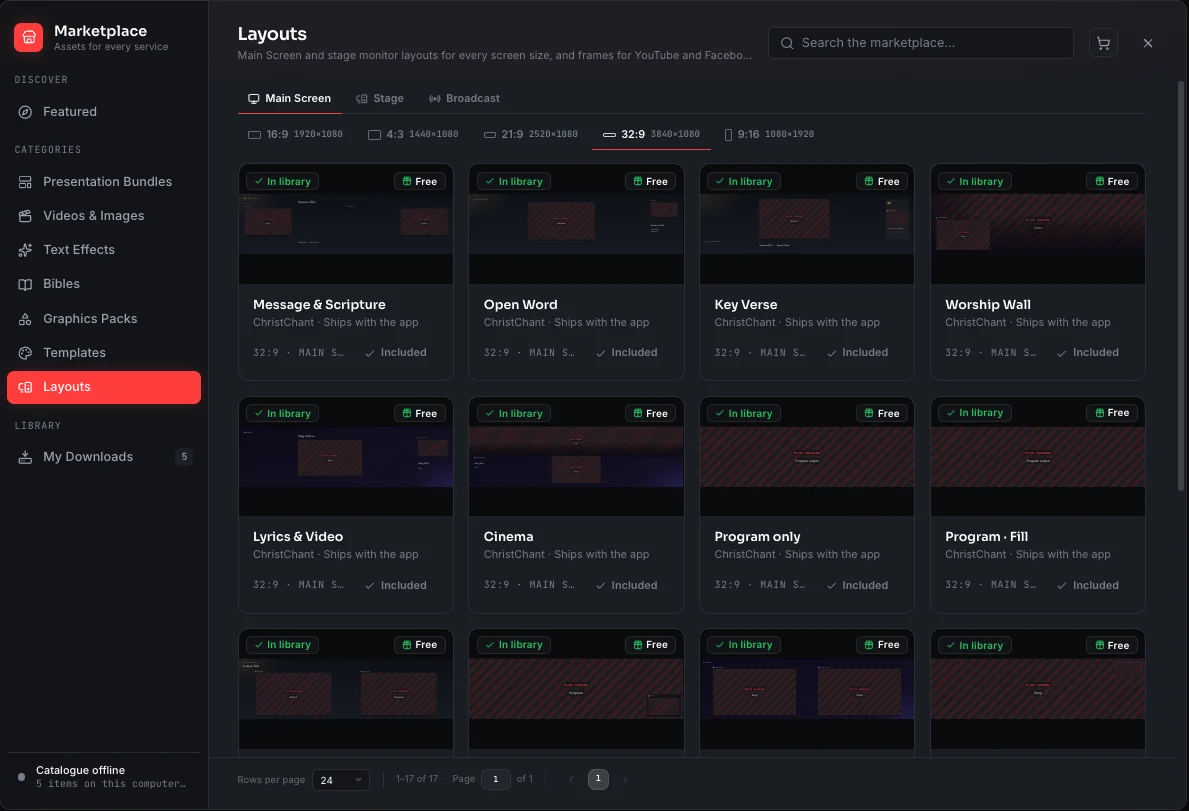
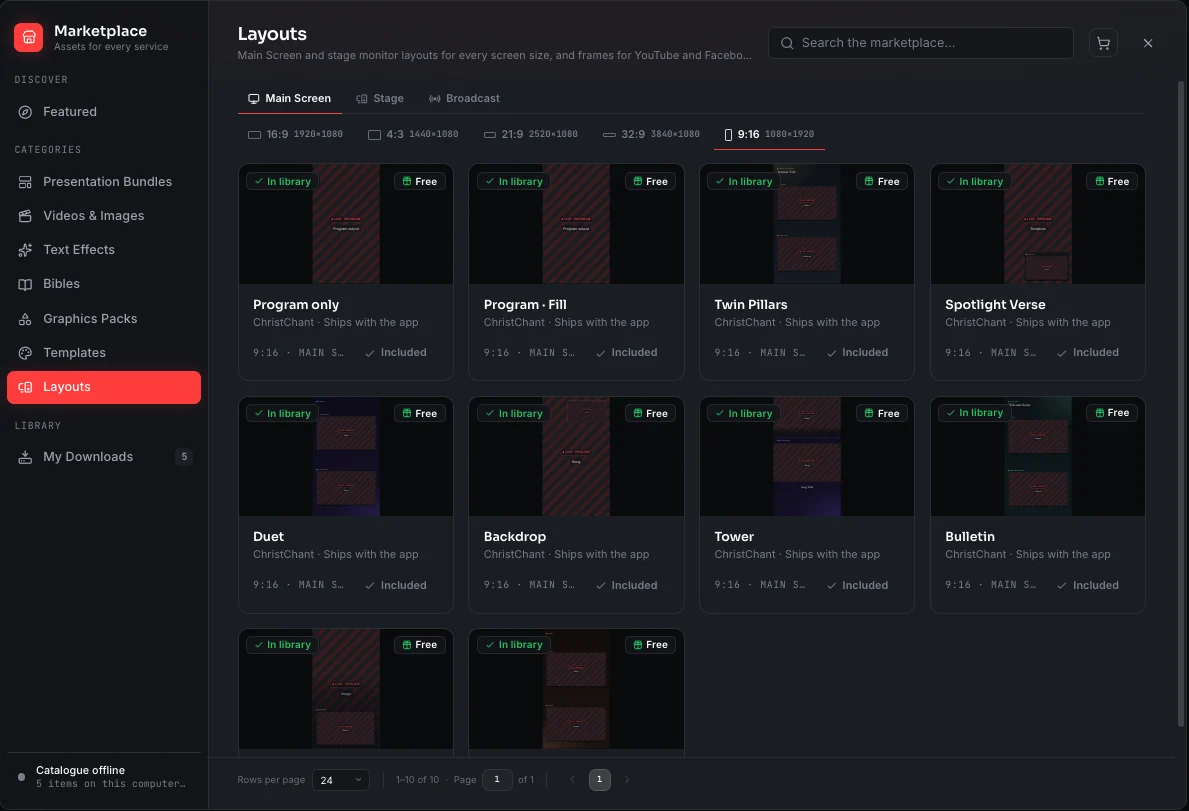
Screen so wide? No worries.
An LED wall across the front of the sanctuary, an ultrawide monitor, two projectors blended into one long image: wide screens are beautiful until the software stretches a 16:9 slide across them. ChristChant does not stretch anything. Every built-in layout is recomposed for 21:9 and 32:9, so the extra width becomes room: the sermon slide in the centre, the verse on one side, the worship video on the other, all at the right proportions.
- 21:9 ultrawide and 32:9 LED-wall layouts built in
- The extra width becomes room for more sources, not stretched pixels
- Edge-blended projectors are one wide screen to ChristChant
- Any width × height you type becomes its own size
Made for the screen, not stretched to it
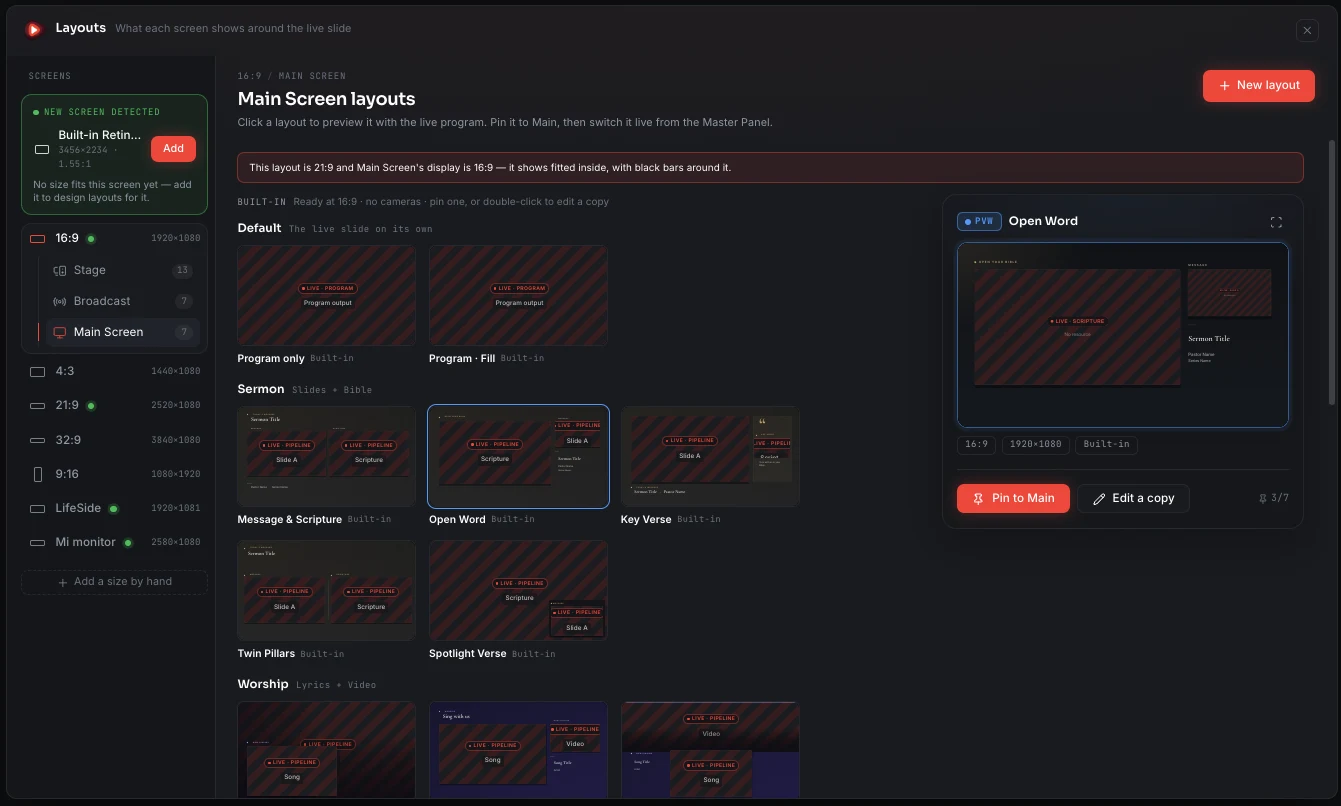
Every built-in layout comes in every screen size. A 21:9 wall gets a layout composed for 21:9, a portrait panel gets one composed for portrait, and a design that only makes sense on a wide wall is only offered there. Add a size of your own and the built-in designs are reflowed to it straight away. A newly connected screen is detected and offered as a size of its own, and a layout made for another shape is shown fitted inside rather than stretched.
- 16:9, 4:3, 21:9, 32:9 and 9:16 out of the box
- Add a custom size from a connected display or by hand
- Each layout keeps the size it was made for
- Duplicate any built-in design to make it your own
Change the layout mid-service. Nobody sees black.
Switching layouts is a crossfade, not a cut. The new design fades in over the old one, which stays whole underneath until it is covered, so the frame never dips to black. Anything both layouts show, the live program, the same camera, the same Bible feed, is never reloaded: it glides from its old box to its new one.
- The new layout fades in over the old one
- The program and cameras glide to their new places
- Nothing shared between layouts is reloaded or flickers
- Respects reduced-motion settings on the output machine
The platform sees what the platform needs
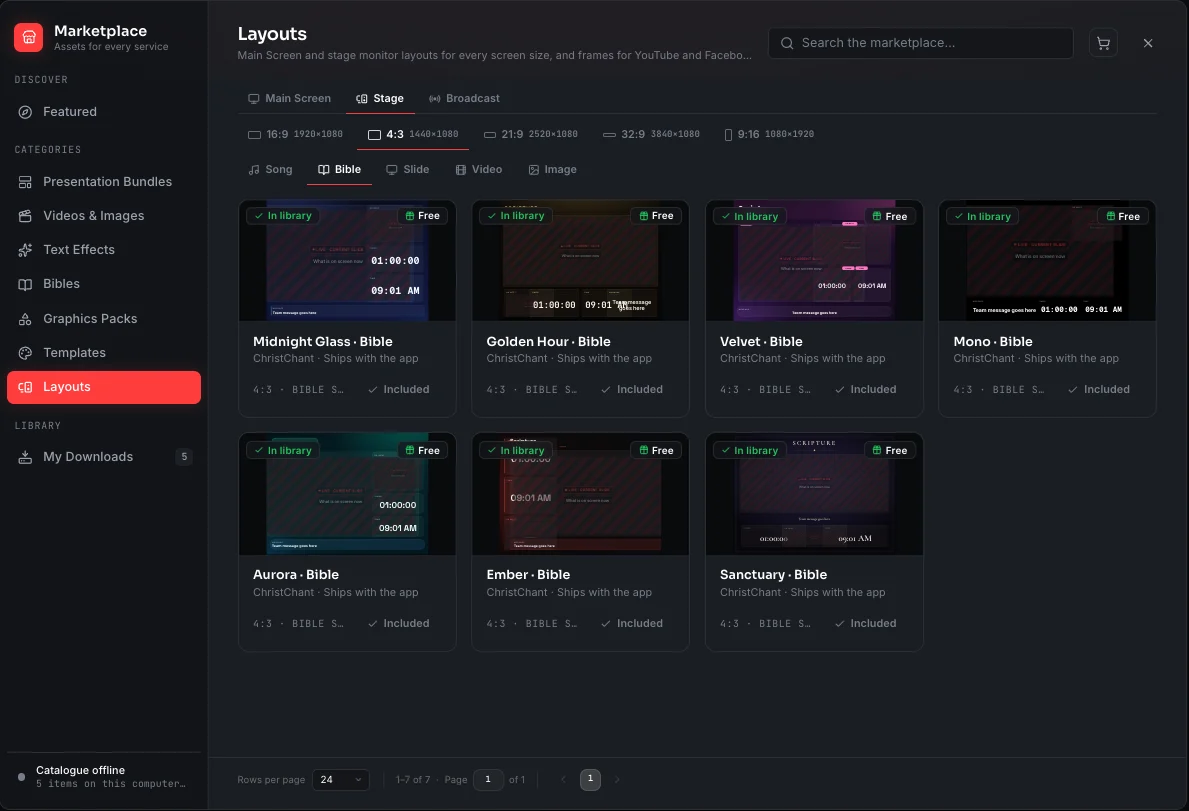
The stage monitor switches layout with the content. A song shows the current and next lines with chords; scripture shows the passage large enough to read from the platform; a video leads with the time remaining so the team knows when to come back in. Seven designs per kind of content, each in every screen size.
- Separate layouts for Song, Bible, Slide, Video and Image
- Current and next, the clock and messages from the booth
- Seven built-in designs, in every screen size
- Your own copies sit beside the built-in ones
The stage screen and extra outputs unlock on a paid plan. The main output and its layouts work on every plan.
About this feature
Yes, it was made with you in mind. A Main Screen layout shows several sources on that one screen at the same time: the sermon slide with the verse beside it, lyrics over a video, announcements next to photos. Main Screen layouts work on the main output, which every plan includes, Free too.
Try it before next Sunday
Start Premium trial
Free for 30 days with every Premium feature: stage screen, extra outputs and broadcast. No card, and you keep the app on the Free plan afterwards.
Create account and start trialThree steps: create your account, start your 30-day Premium trial in one click, then download ChristChant and sign in. Every feature, no credit card.