
A real editor, not a text box
Most worship software gives you somewhere to paste lyrics and a dropdown for the font. Slides here are composed: elements, layers, effects and motion, in the same app that puts them on screen.
Style it once.
Not forty times.
Layouts, slides, and separate template editors for songs and scripture, composed in the same app that puts them on screen. None of it is plan gated: the editor is whole on every plan, including the free tier.
Whole editor on every plan
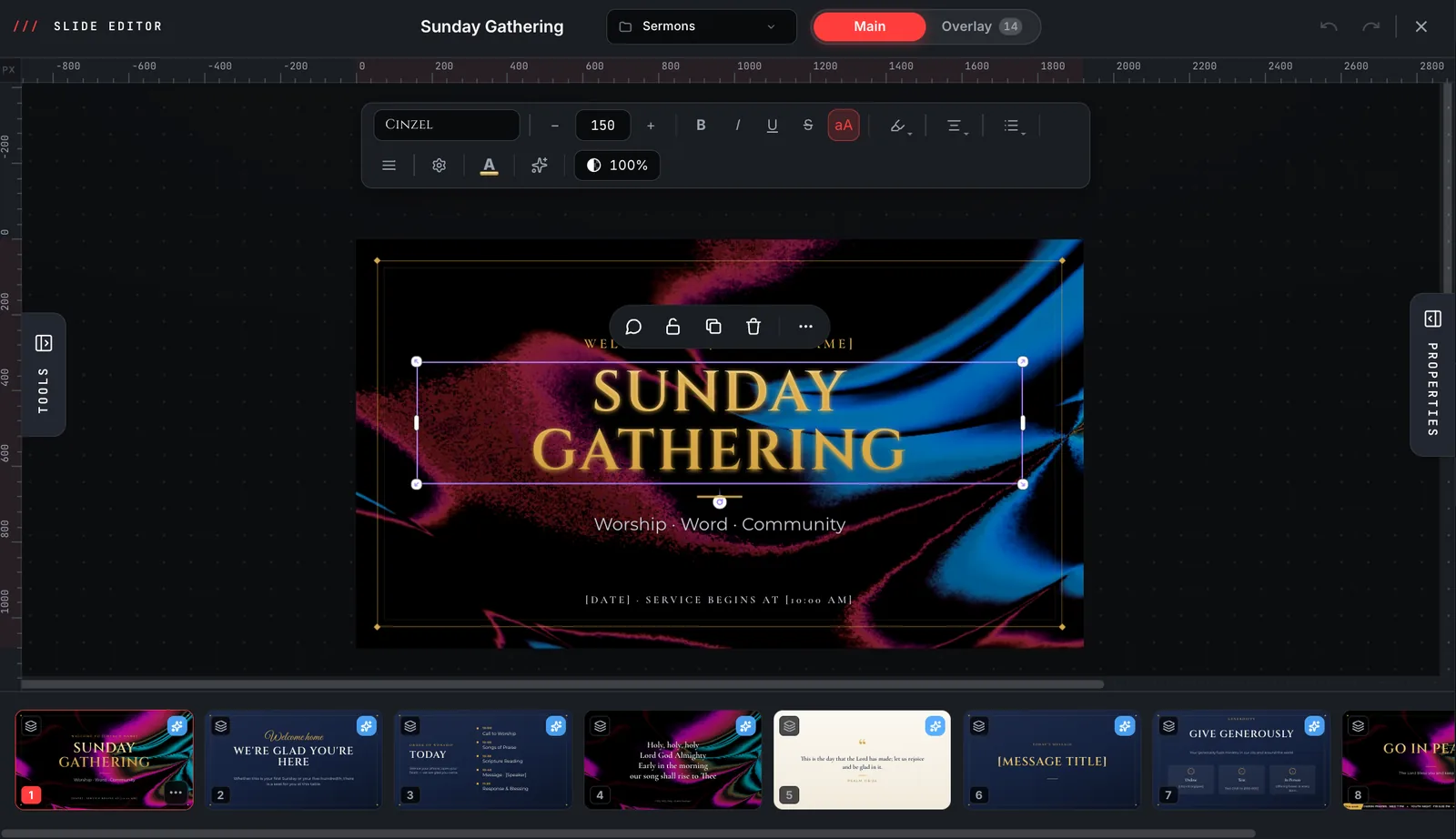
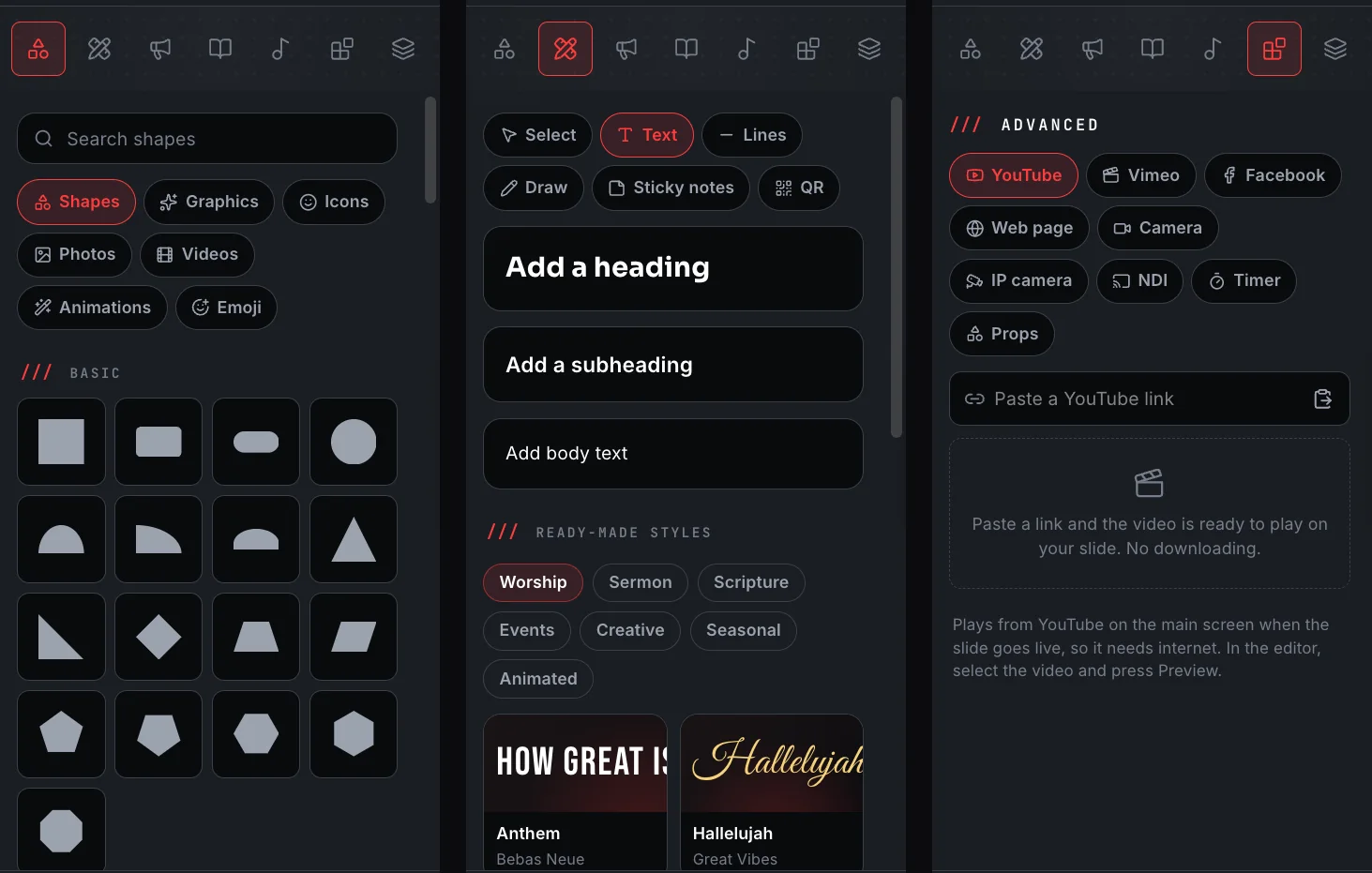
/// 23 shape primitives, and a background layer that takes a colour, a gradient, an image or a video.
9+ element types
Text, shapes, images, icons, emoji, video, tables, freehand drawings and vectors, each with its own controls in the side panel.
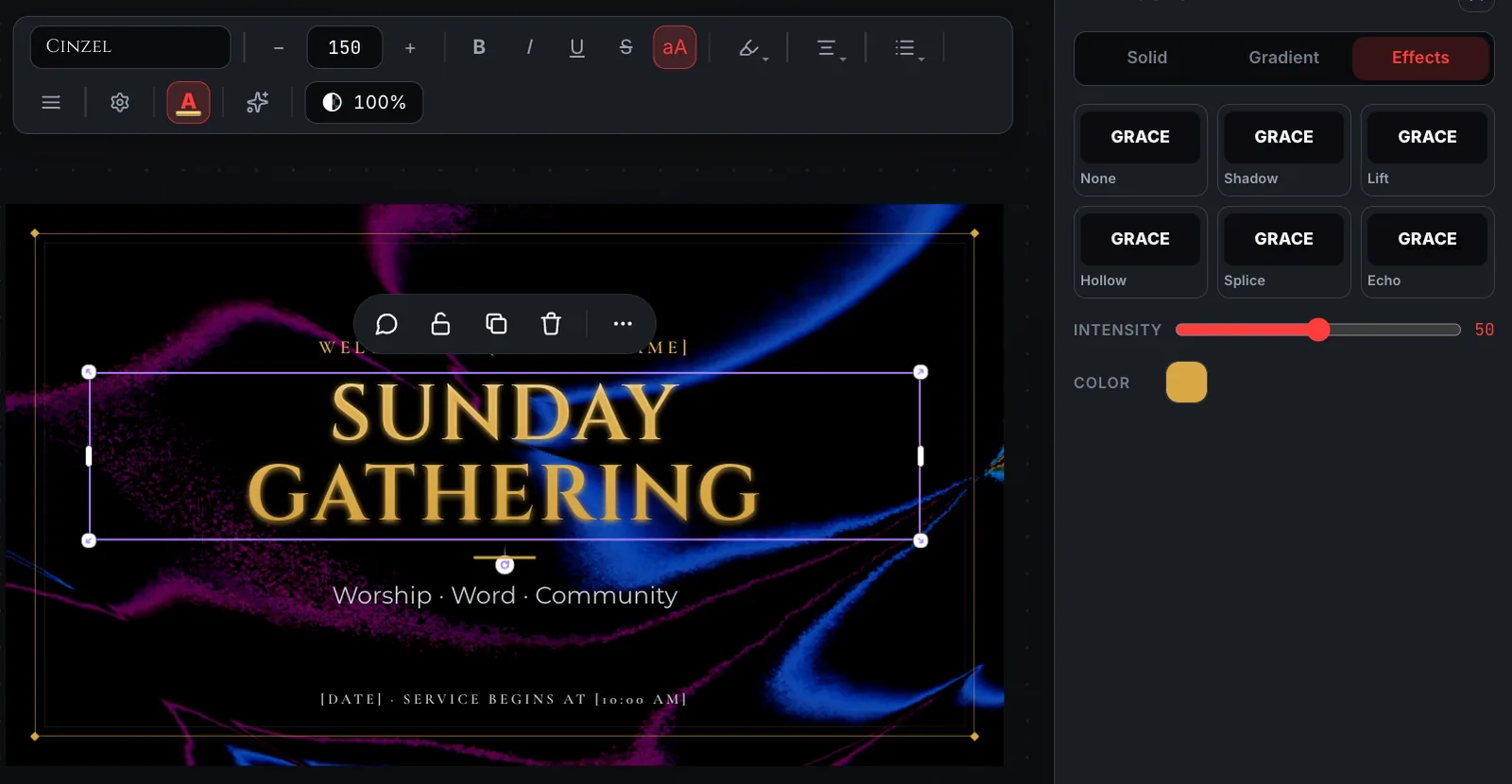
23+ text effects
Shadow, lift, hollow, splice, echo, glitch, neon, liquid, kinetic, fire, laser and more, each with its own intensity.
Motion, per element
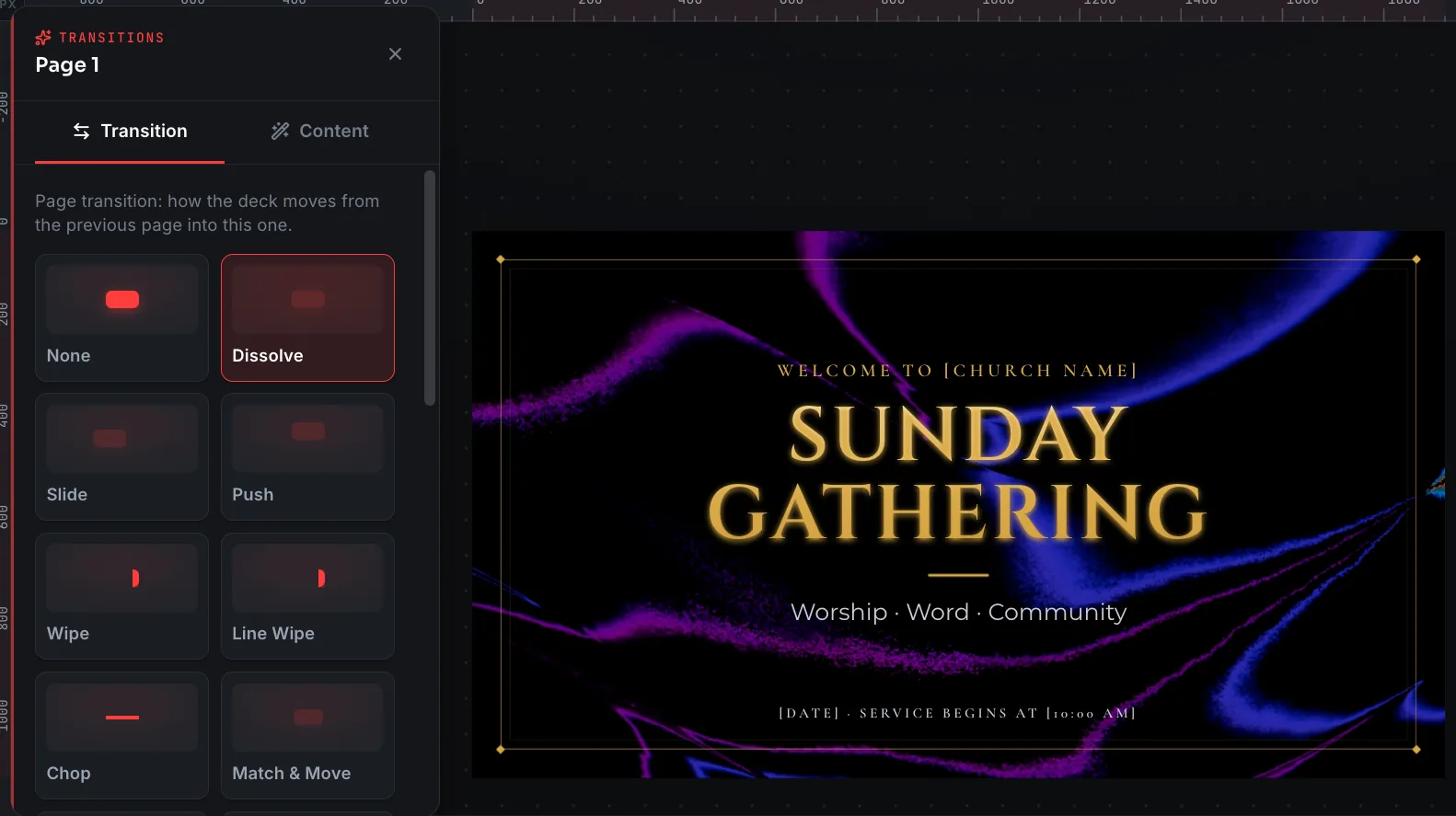
Entrance animations with their own duration and delay, plus 21+ slide transitions, from a plain dissolve to a cube rotation or an iris reveal.
Comments on the slide
Pin a note at a point on the slide, with an author and a timestamp.
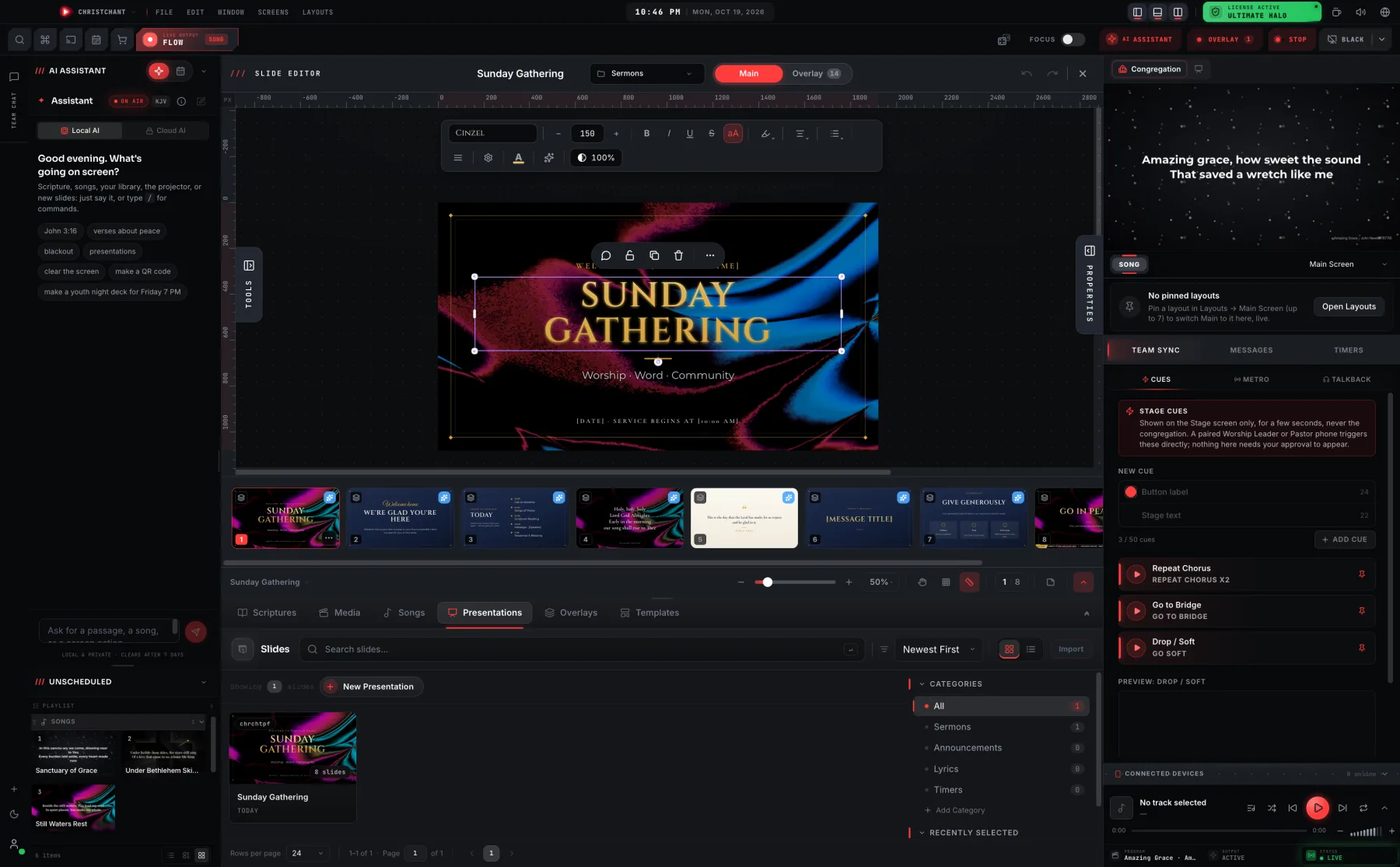
Everything a slide is made of
The canvas is a proper editing surface: select and group elements, reorder them through a layers palette, crop images in place, and snap to guides. Backgrounds are their own layer (a colour, a gradient, an image or a video behind whatever you build on top), and the filmstrip along the bottom is this service's own slide order, not a template.
- 9+ element types, from text and tables to freehand drawing
- 42+ shape primitives, from rectangles and stars to speech bubbles and lightning bolts
- Layers palette, group selection and alignment guides
- Imported PowerPoint slides land here too, as native slides you can restyle
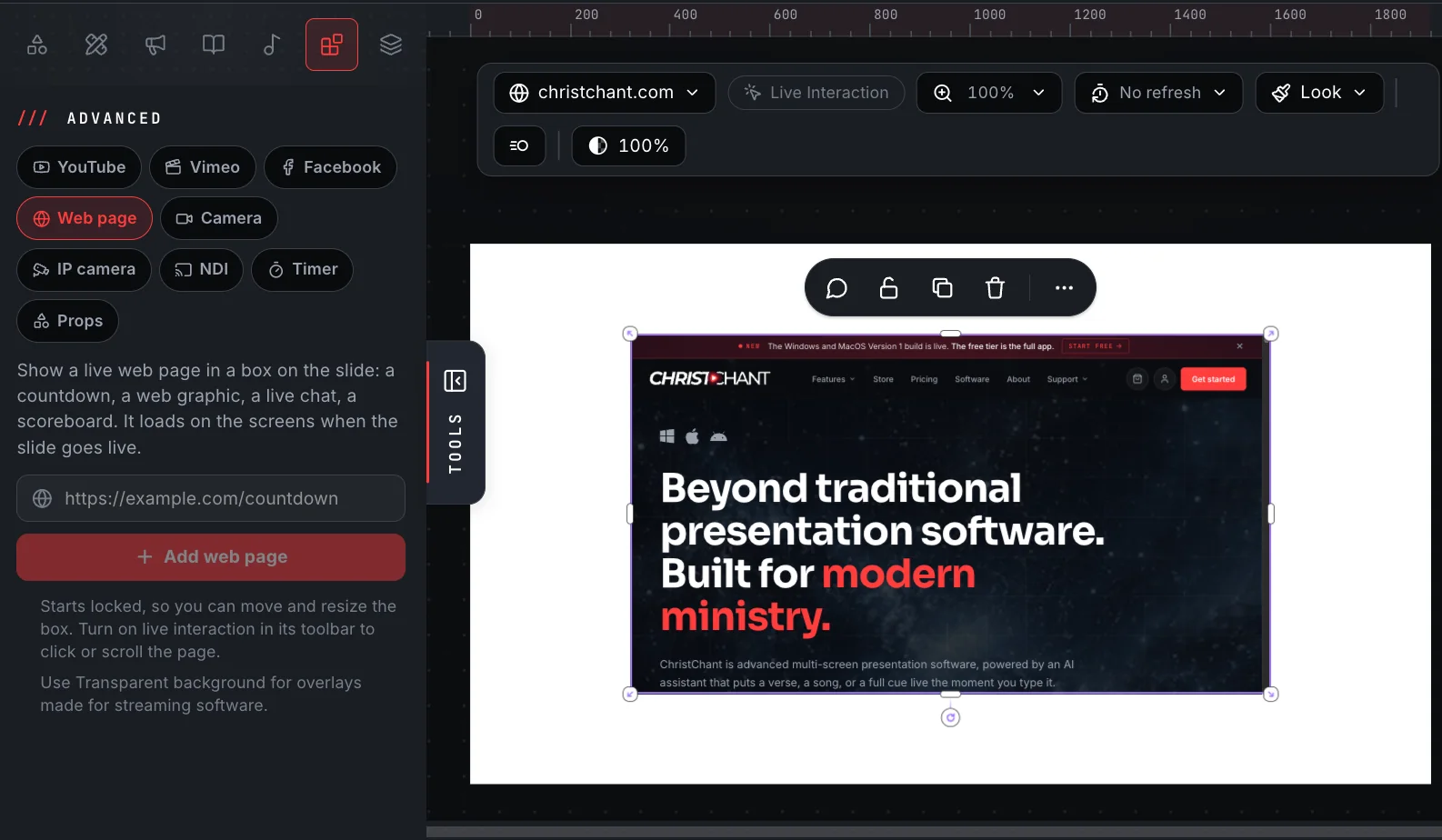
YouTube, Vimeo and Facebook, right on the slide
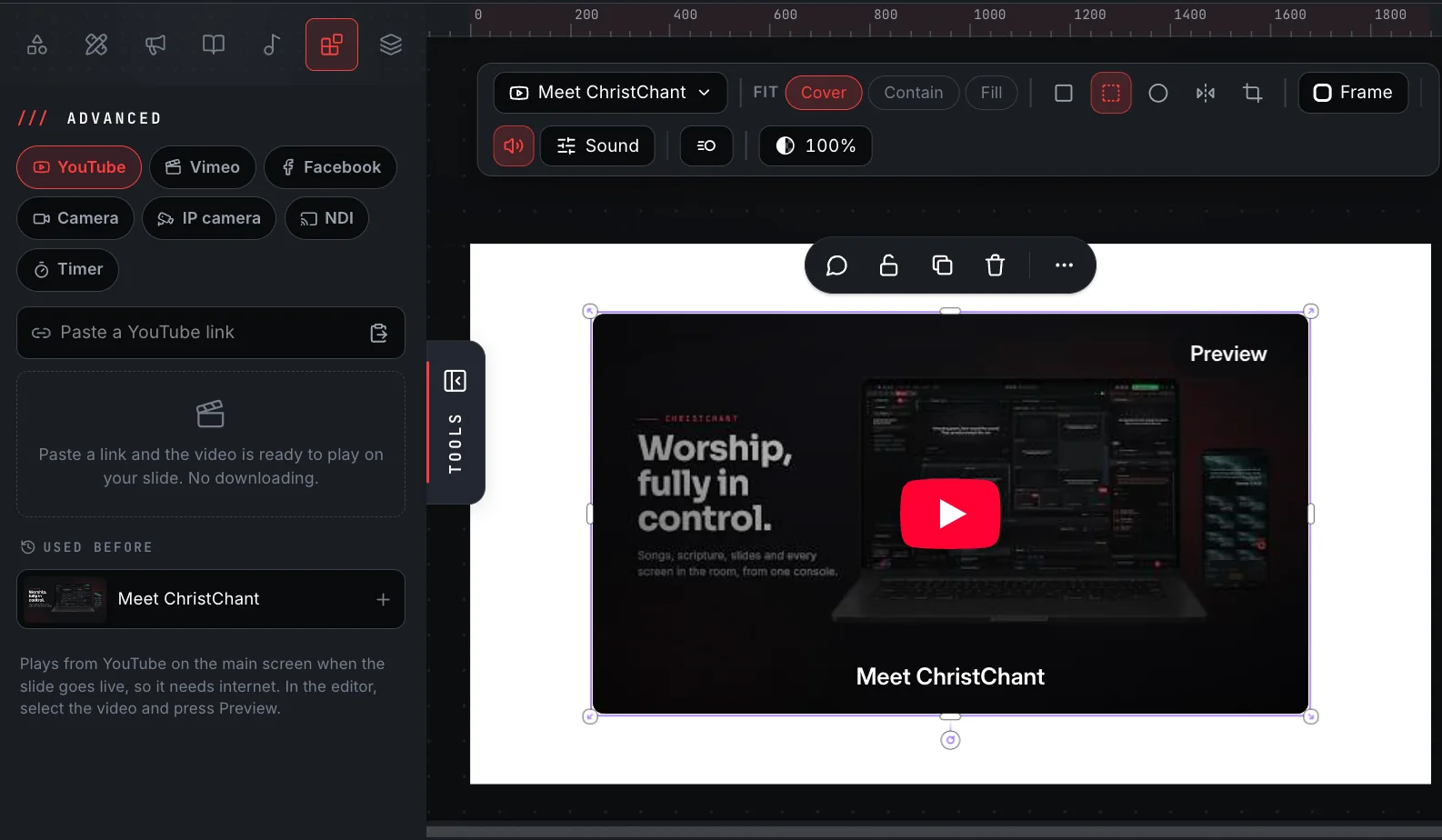
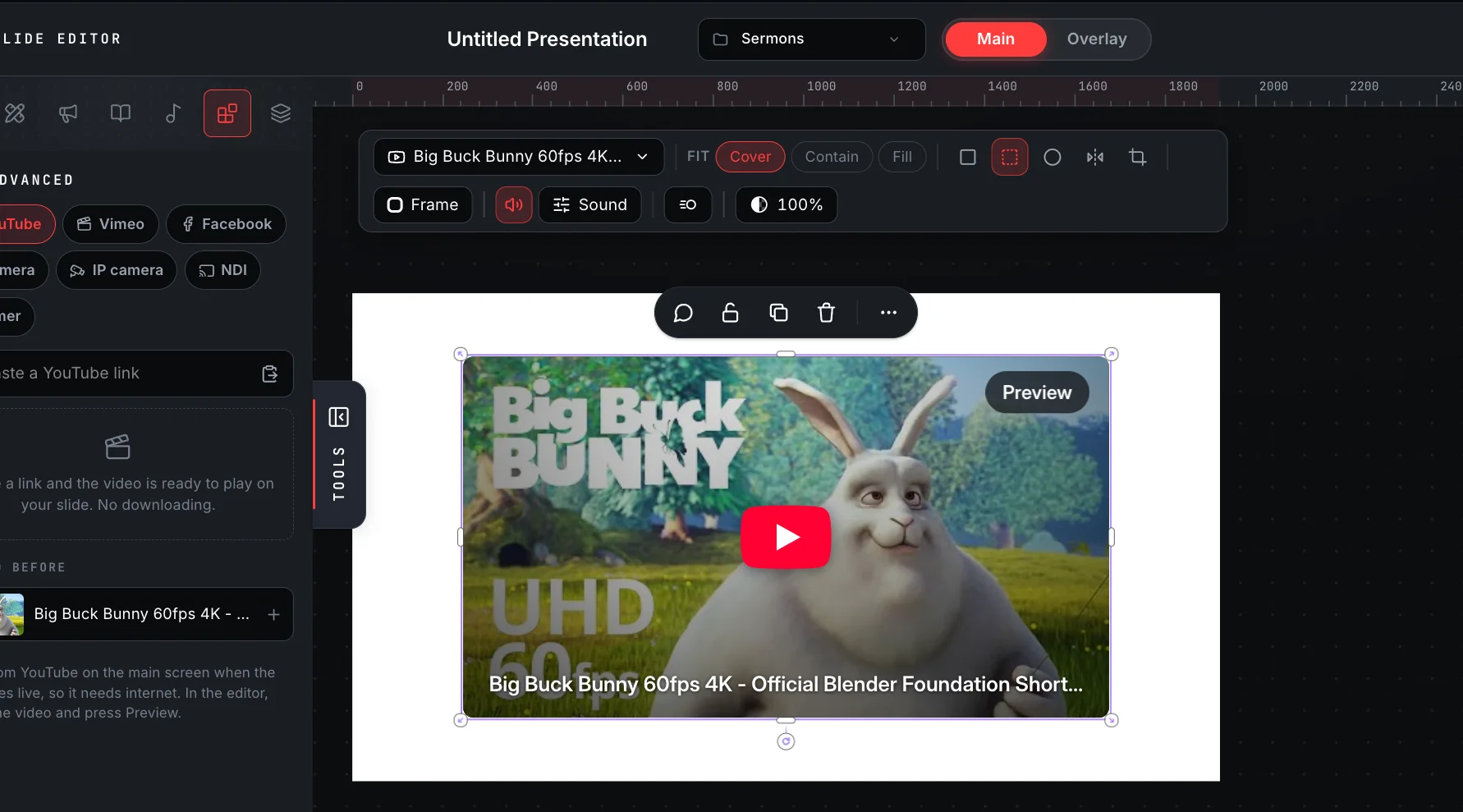
Paste a link and the video sits on your slide like any other element, then plays from the website on the main screen when the slide goes live. No downloading, no converting, and no switching to a browser in the middle of the service. Facebook videos and lives join YouTube and Vimeo, so a sister church's stream or a missions update can play straight from where it was posted.
- Paste a YouTube, Vimeo or Facebook link, press Enter, and it is on the slide
- Cinema, Full screen, Corner or Bubble placement, then drag and resize like any element
- Start time, loop and captions for YouTube and Vimeo; a stop time for YouTube
- Fit, frame, mute and volume from the video's own toolbar, with a Preview in the editor
- Public Facebook videos and lives play too
- IP cameras too: show a network camera from its rtsp:// address, picture only, with its login kept encrypted on this computer
Style it once, not forty times
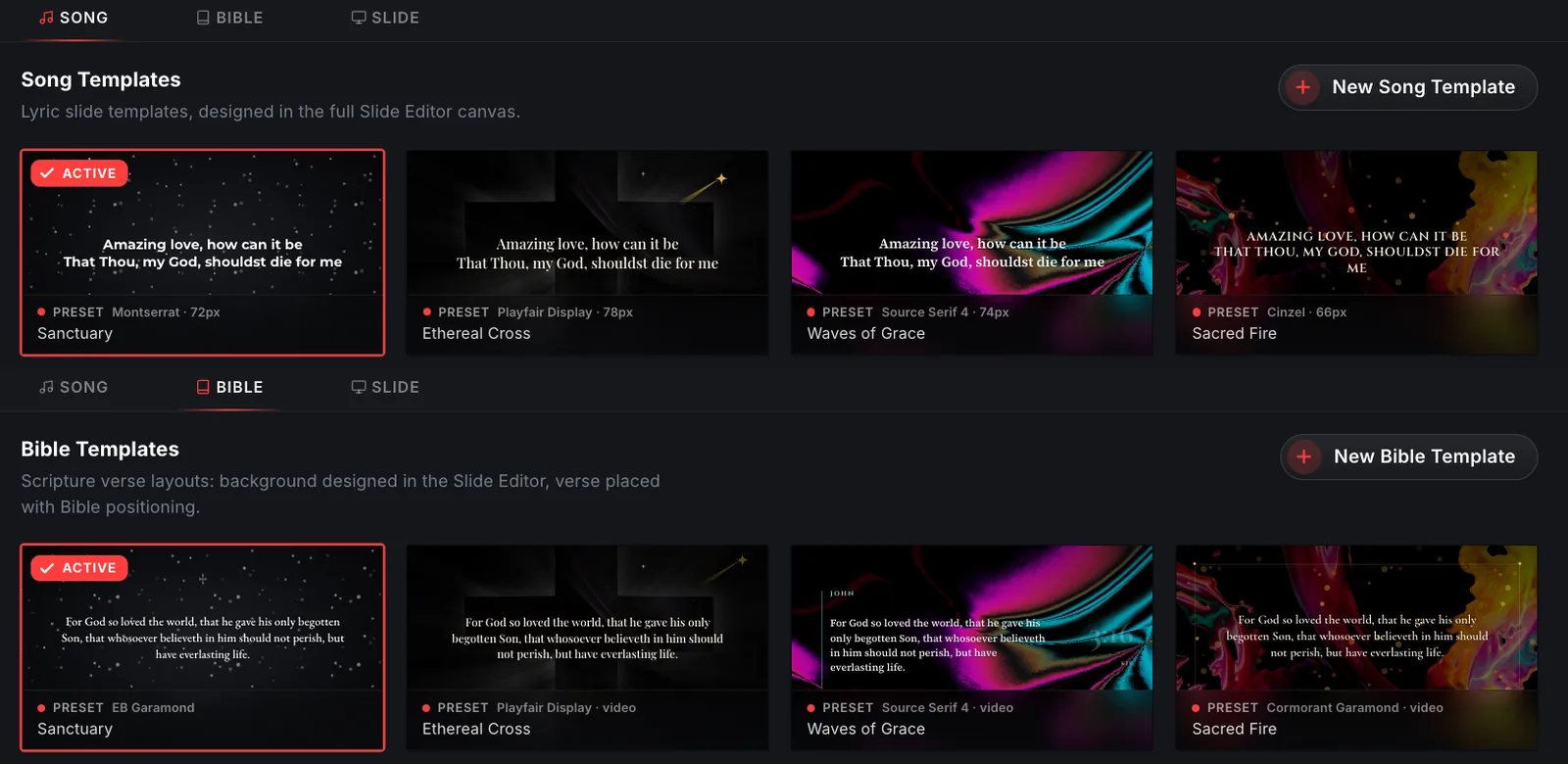
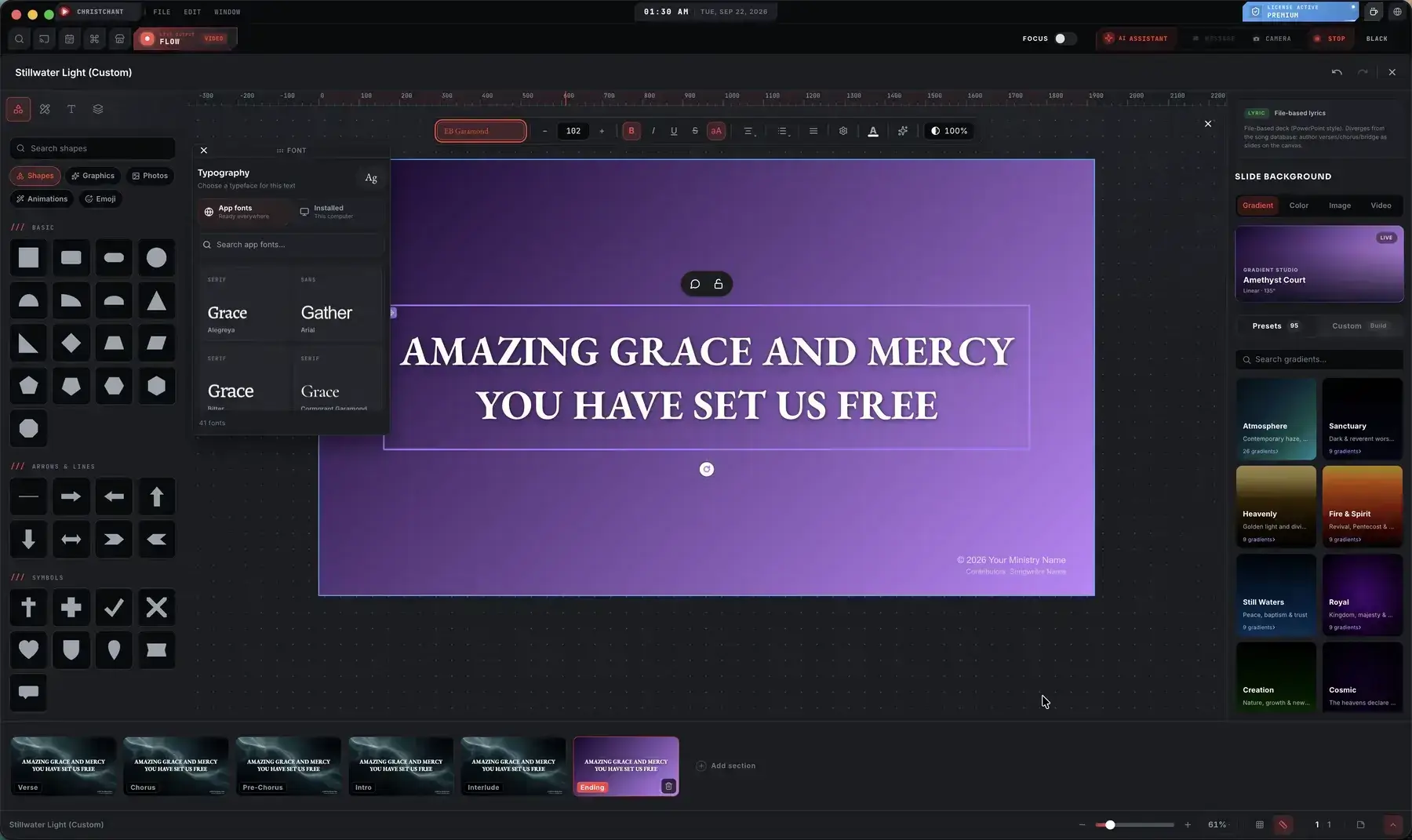
Songs and scripture have their own template editors. You set how a song slide looks, or how a Bible passage is laid out, and the whole set follows, so a new song next week arrives already looking like the rest of your service.
- A dedicated song template editor
- A separate Bible template editor for scripture layout
- Set the font, gradient and background once per template
- The song's own sections line up along the bottom, styled as you set them
The stage screen has its own editor
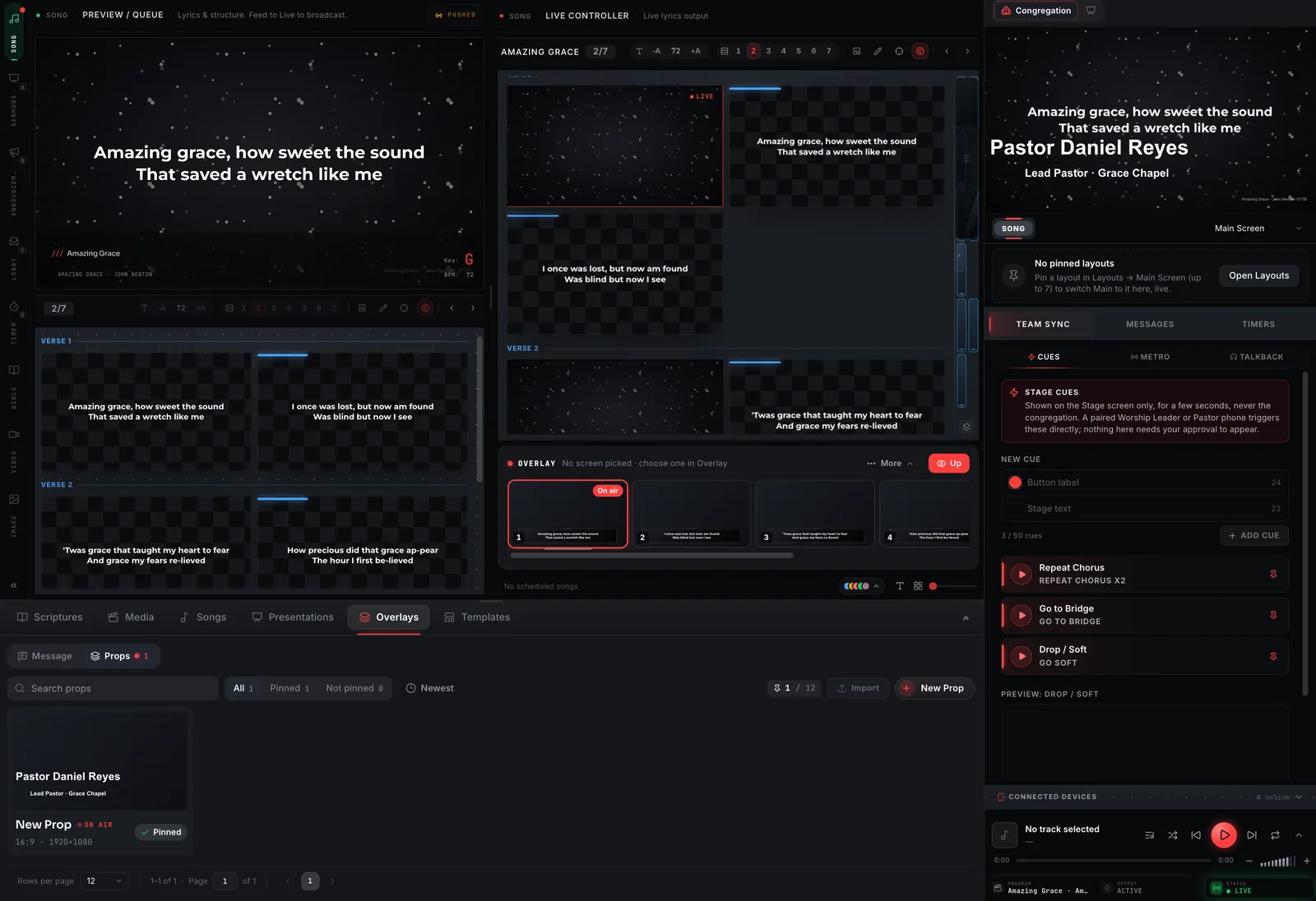
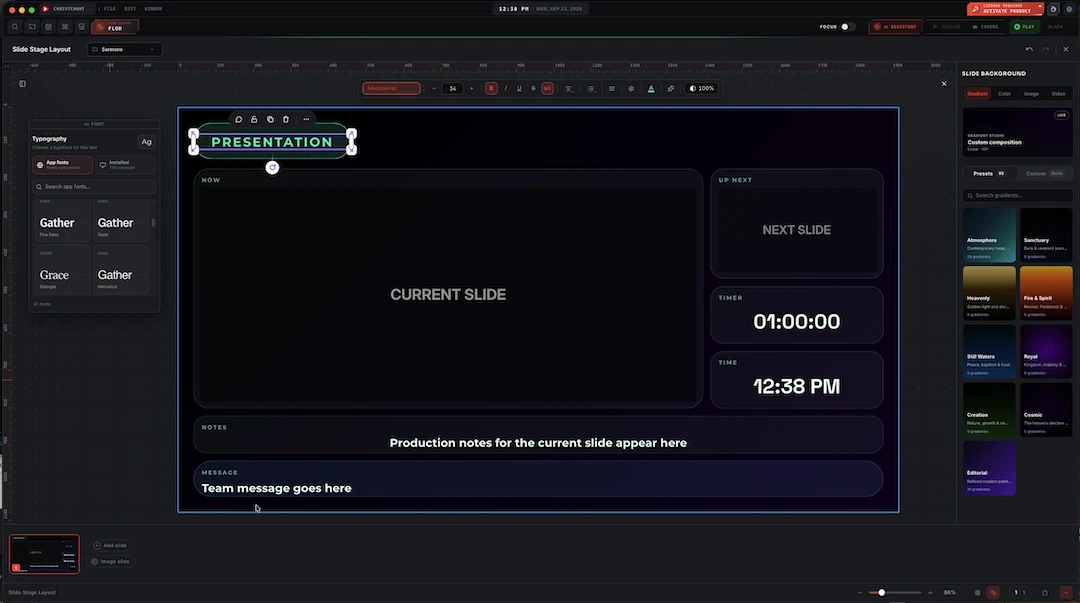
What the team sees backstage is not what the room sees. The layout editor lays out the confidence screen instead: the current slide, what's coming next, a running clock and timer, notes for whoever is running the service, and a message from the booth, each block typeset like any other element.
- Now and Up Next blocks, previewing the current and following slide
- A running timer and the time of day, both live
- A notes block for production notes only the team sees
- A message block for the booth to reach the stage directly
Movement that knows when to stop
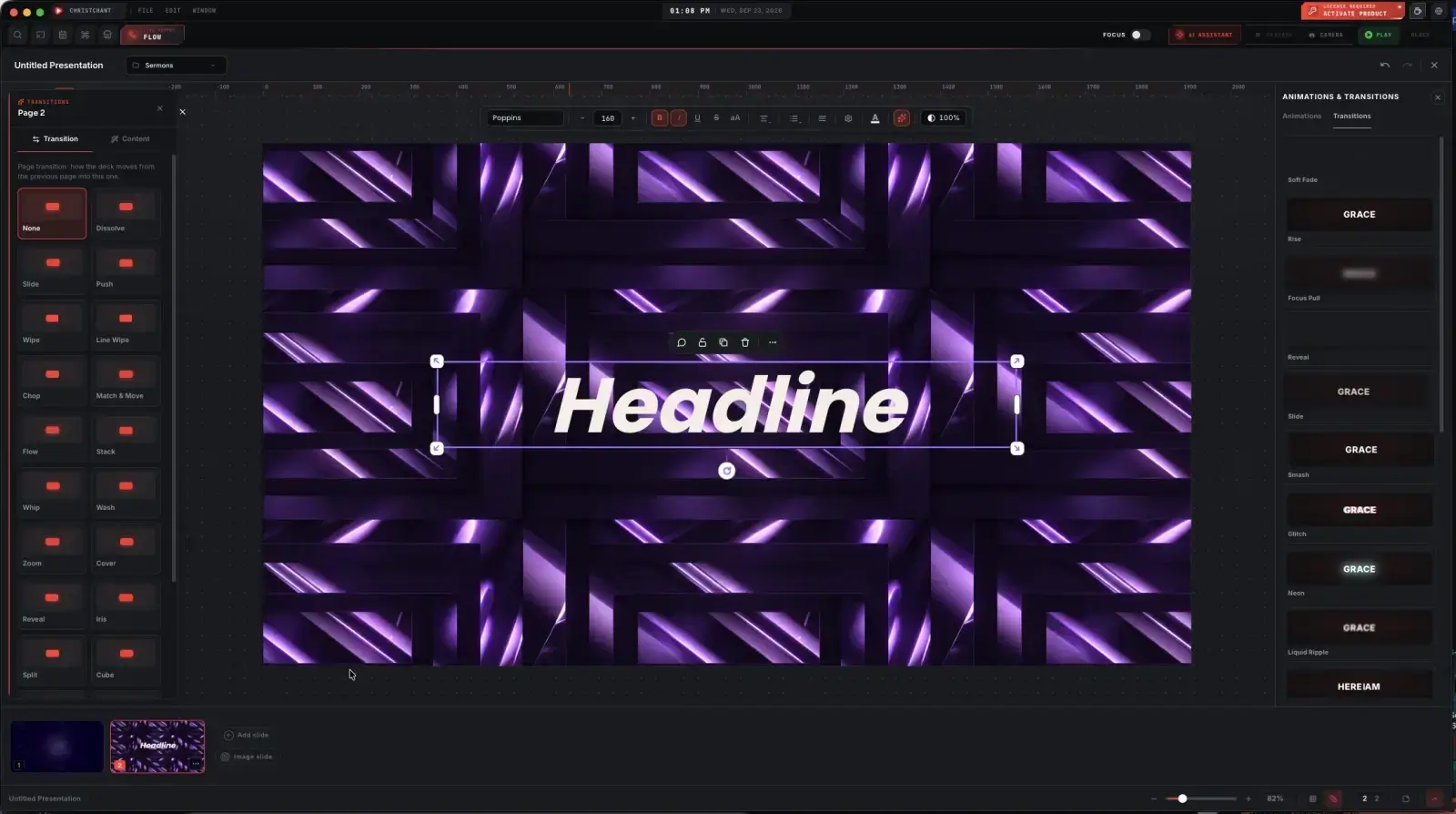
Elements can animate in on their own timing, and slides can transition between one another, but both are chosen per slide rather than applied globally, so the countdown can be lively and the reading can be still.
- Element entrances: fade, zoom, bounce, or slide in from any of four directions
- Duration and delay set per element, not one global speed
- 21+ slide transitions, from a plain dissolve or wipe to a cube rotation or an iris reveal
- Set on the slide, so different parts of a service can feel different
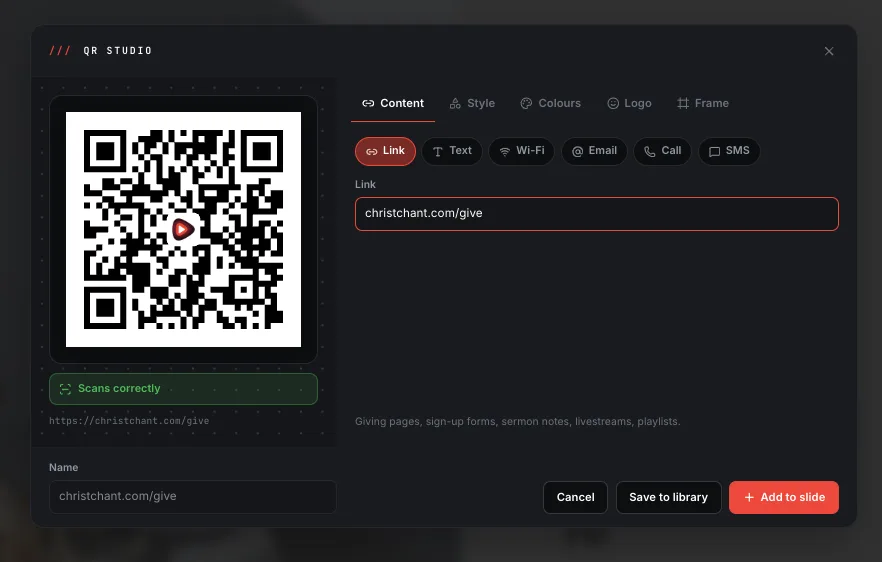
A QR code, built and styled without leaving the editor
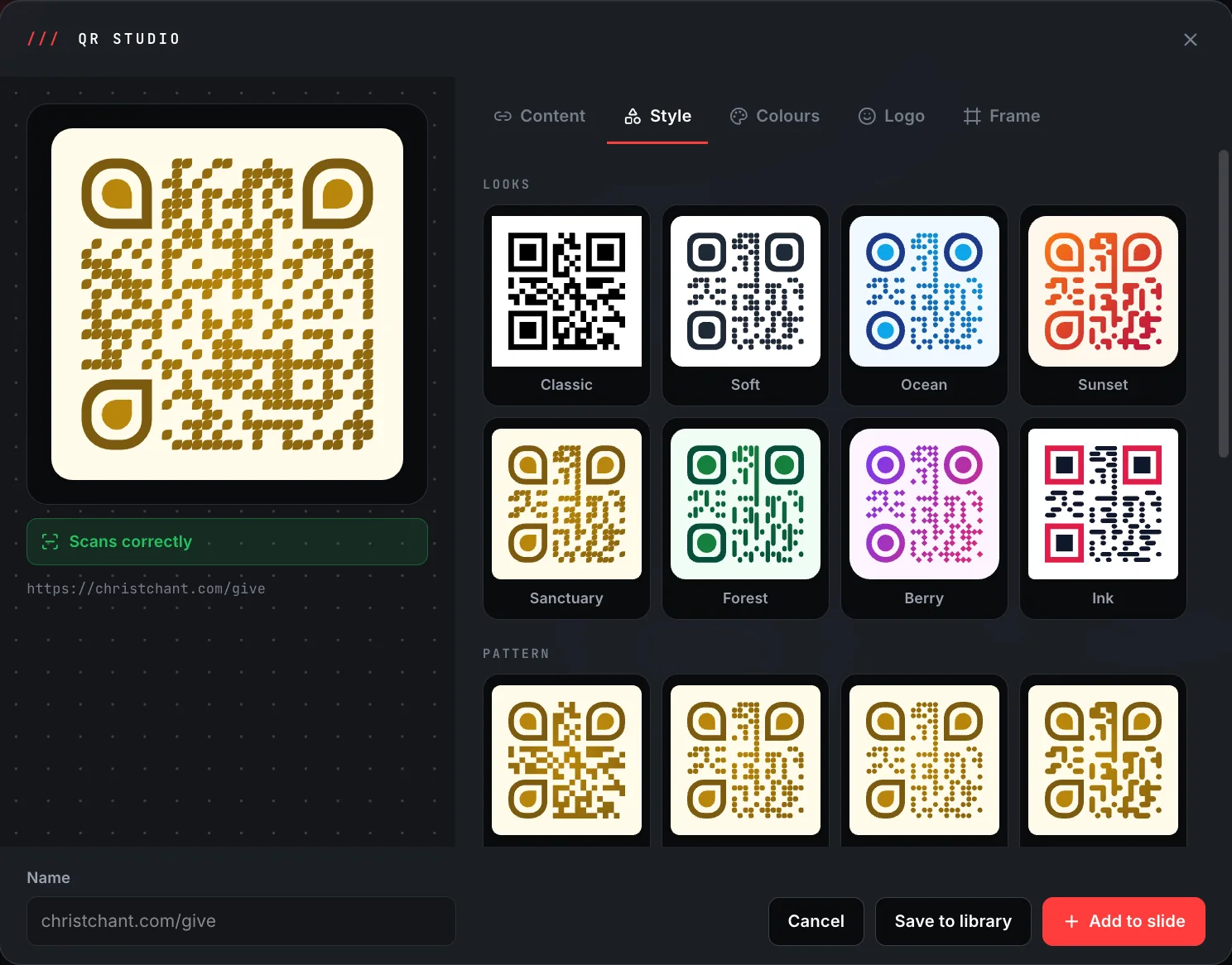
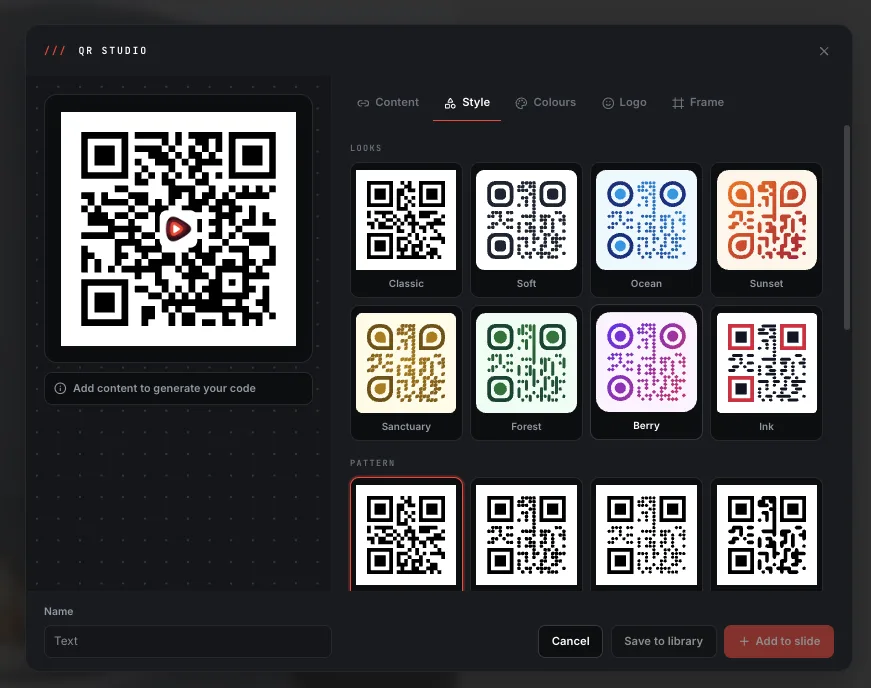
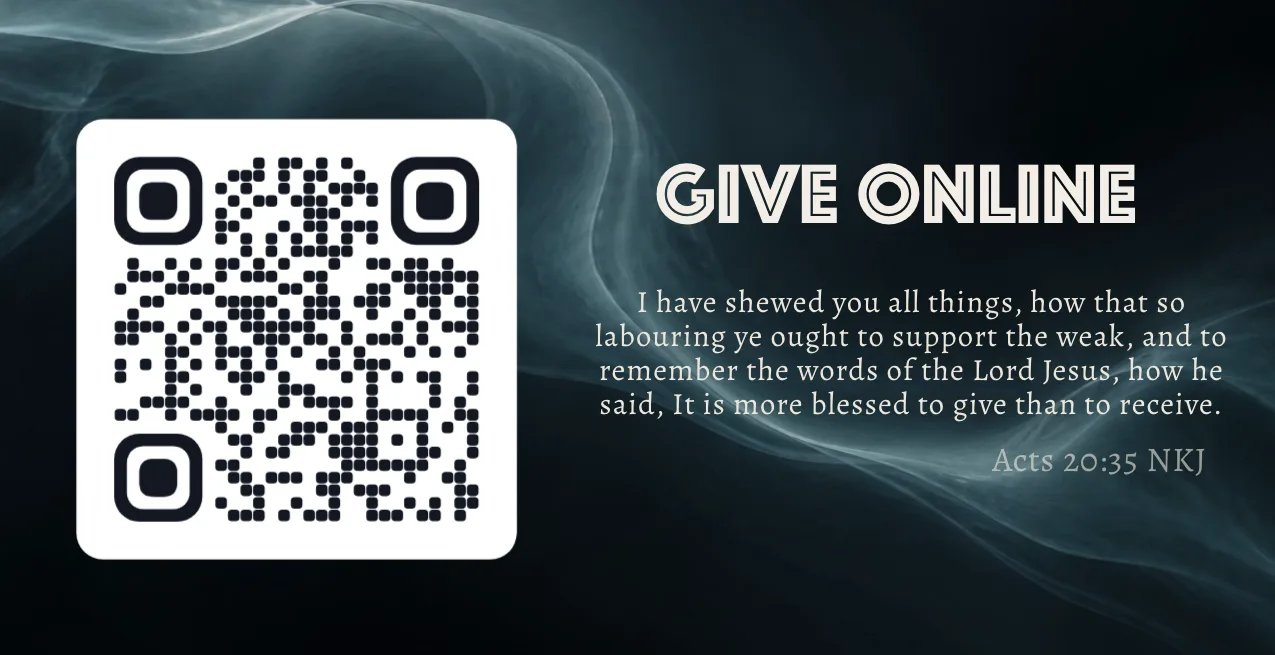
Point the room at a link, a Wi-Fi network, an email, a call, or a text message, and QR Studio turns it into a code without leaving the slide editor. Pick a colour look, set your own colours, drop in the ChristChant logo and a frame, then add it straight to the slide you're already building.
- Six content types: link, text, Wi-Fi, email, call and SMS
- Built-in colour looks and dot patterns, plus custom colours, a logo and a frame
- A live scan check confirms the code actually works before it goes on screen
- Save it to your library, or add it straight to the current slide
The editor is not one of the plan-gated capabilities. It is available on every plan, including Free, and nothing about composing or styling slides is held back.
About this feature
Yes. The gated capabilities are the stage screen, extra output screens and streaming. The editor is not among them, so composing and styling slides works on every plan.
Try it before next Sunday
Start Premium trial
Free for 30 days with every Premium feature: stage screen, extra outputs and broadcast. No card, and you keep the app on the Free plan afterwards.
Create account and start trialThree steps: create your account, start your 30-day Premium trial in one click, then download ChristChant and sign in. Every feature, no credit card.